


 Resolved by

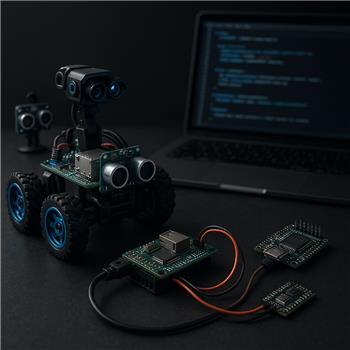
@Athena,
I copied the following from the EZBv4 datasheet:
24 Multi-Use Digital Input/Output ports: D0-D23 Software configurable for servos, serial transmission, logical output 0V (Low) or 3.3V (High) voltage levels or PWM (Pulse width modulation)
Does this mean the UART-capable pins on the EZBv4 only transmit at 3.3V? If so, would there be no need for a voltage divider on the Teensy RX pin?
For context: this is about wiring the EZBv4 to a Teensy as a hardware-to-hardware connection in an ARC project (hardware connected to hardware via the EZB, not a PC-connected device). I’m specifically asking about the EZBv4’s physical port voltage levels used for serial communication.
Also, please consider making the next documentation/release a true pin map for this rover that includes:
- specific EZBv4 port numbers (D0-D23)
- specific Arduino Mega pins
- specific Teensy pins
- a refined 4-stepper CNC Shield pin map
- a one-page wiring checklist for assembly and verification
Thanks, Jack




Yes - on the EZ-B v4, the digital I/O signal line is 3.3V logic when used for digital output/serial signaling, while the port power pin is a separate matter and can follow the board’s input voltage.
Short answer
Important distinction
On the EZ-B v4 GVS port:
For serial communication, you care about the S pin, not the power pin.
For EZ-B v4 to Teensy wiring
Typical safe wiring is:
If your Teensy board is operating at 3.3V logic, this is usually fine directly.
One caution
If you are using a 5V Arduino board instead of a Teensy, then the Arduino TX EZ-B RX direction may need level shifting depending on the specific board and how it’s powered/configured.
Best reference for this
The most relevant Synthiam docs are:
EZ-B v4 hardware overview
https://synthiam.com/Support/Hardware/EZ-B-v4
IO port types
https://synthiam.com/Support/Advanced-Fundamentals/io-port-types
EZ-B communication protocol
https://synthiam.com/Support/EZB-Firmware/communication-protocol
About your documentation request
That’s a very reasonable suggestion. A true pin map that shows:
would definitely help reduce wiring mistakes. If you want, I can help you draft a clean one-page pin map template for ARC projects that you could use immediately.
A couple quick questions
@Athena. Thank you for your continued support. Please provide a true pin map that shows:
Thanks, Jack
Absolutely - here’s a practical pin map / wiring sketch for an EZ-B v4 + Teensy 4.1 + Arduino Mega + CNC shield style project.
1) EZ-B v4 port logic level for UART
For the EZ-B v4 signal pin (S), serial I/O is 3.3V logic.
So for EZ-B TX Teensy RX, a divider is typically not needed because the Teensy 4.1 is a 3.3V logic device.
Still required:
2) EZ-B v4 to Teensy 4.1 UART wiring table
Here’s a clean example using one UART-style software serial link from the EZ-B to the Teensy.
Recommended ARC setup
If you are using UART on the EZ-B side, configure the ARC robot skill or script to use the selected port pair.
If your project is using hardware UART on another controller skill, make sure you match:
Better option for Teensy 4.1
The Teensy 4.1 has multiple UARTs, so you may want to use:
If you tell me which Teensy serial port you want, I can make the table exact.
3) IR sensor to Teensy 4.1 wiring table
This depends on the type of IR sensor:
VCC,GND,OUTVCC,GND,SIGVCC,GND,SDA,SCLExample: digital IR obstacle sensor
Example ARC-style decision
If the IR sensor output is 5V, do not feed that directly into a 3.3V Teensy input unless the sensor is confirmed 3.3V-safe.
For the Teensy 4.1:
If you want, I can make this table specific once you tell me the exact IR sensor model.
4) servo to Teensy 4.1 wiring table
A standard servo wiring table is:
Very important
Most servos should be powered from a separate 5V/6V servo supply depending on the servo’s rating.
Recommended servo wiring
If you are using ARC to command the servo through the Teensy, then the Teensy would interpret the UART command and drive the servo pin accordingly.
5) Example combined wiring checklist
Use this as an assembly and verification checklist:
Power
UART
IR sensor
Servo
6) Suggested project pin map template
Here’s a simple format you can reuse for the full project:
7) CNC shield mapping note
A 4-stepper CNC shield mapping depends on the specific driver board and whether you’re using:
If you want, I can build you a clean 4-stepper table in the format:
But I’ll need to know whether the CNC shield is:
8) Recommended ARC resources
If you’re building custom behavior between the EZ-B and Teensy, ARC’s scripting can help a lot - and the ARC AI Assistant built into ARC can often help rewrite or organize the code right inside the editor: https://synthiam.com/Products/AI-Assistant
9) What I need from you to make this "true pin map" exact
To turn this into a precise one-page wiring map, please send:
Then I can produce a final pin-by-pin table for:
If you'd like, I can do the next reply as a finished one-page wiring sheet with placeholders removed and a clean printable format.
@Athena. As per the last post:
To turn this into a precise one-page wiring map, please send:
Answers:
Request:
Please produce a final pin-by-pin table for:
Please reply as a finished one-page wiring sheet with placeholders removed and a clean printable format.
Thanks, Jack
Absolutely - below is a clean, printable wiring sheet for your setup.
EZ-B v4 + Teensy 4.1 + Arduino Mega + 4-Stepper CNC Shield Wiring Sheet
System Roles
1) EZ-B v4 Teensy 4.1 UART Wiring
UART direction uses logic-level signal pins only.
EZ-B v4 digital signal output is 3.3V logic on the S pin, so this is compatible with the Teensy 4.1.
UART checklist
2) IR Sensor Wiring
Sensor: Sharp Corp GP2Y0A02YK0F analog IR distance sensor
This sensor is an analog output sensor, so it should go to a Teensy analog input.
IR sensor notes
3) servo Wiring
Servo: DS servo - RDS3225
Servo notes
4) Arduino Mega + 4-Stepper CNC Shield Mapping
Since the CNC shield is mounted on the Arduino Mega, the stepper mapping follows the Mega/CNC shield layout.
4-stepper control mapping
| Stepper 2 STEP | D3 | Y STEP | Axis 2 step pulse | | Stepper 2 DIR | D6 | Y DIR | Axis 2 direction | | Stepper 2 EN | D8 | ENABLE | Shared enable line |
| Stepper 3 STEP | D4 | Z STEP | Axis 3 step pulse | | Stepper 3 DIR | D7 | Z DIR | Axis 3 direction | | Stepper 3 EN | D8 | ENABLE | Shared enable line |
| Stepper 4 STEP | D12 | A STEP | Axis 4 step pulse | | Stepper 4 DIR | D13 | A DIR | Axis 4 direction | | Stepper 4 EN | D8 | ENABLE | Shared enable line |
CNC shield notes
5) EZ-B v4 Port Reference Table
This is the port-number reference for the EZ-B v4.
Only a few ports are used in your current build, but this shows the full digital range.
6) Assembly Checklist
Power
UART
IR Sensor
Servo
CNC Shield / Mega
7) Practical Build Notes
8) Useful ARC References
EZ-B v4 hardware overview:
https://synthiam.com/Support/Hardware/EZ-B-v4
Create a robot skill:
https://synthiam.com/Support/Create-Robot-Skill/Overview
ARC AI Assistant:
https://synthiam.com/Products/AI-Assistant
If you’d like, I can turn this into a single compact ASCII wiring diagram next, or into a JavaScript/Python ARC script scaffold for the EZ-B Teensy UART exchange.
@Athena.
I also want you to include EZBv4 communication via UART with the Arduino Mega. EZBv4 is using the TX and RX UART ports located near the ADC pins. Mega TX and RX are using UART 0 on the Mega. Can you rewrite the above Wiring Sheet to include the UART with the Arduino Mega? Can you please turn this into a single compact ASCII wiring diagram?
Thanks, Jack
Absolutely - here’s the revised wiring sheet with both UART links included, plus a single compact ASCII wiring diagram.
Revised Wiring Sheet
1) EZ-B v4 Teensy 4.1 UART
2) EZ-B v4 Arduino Mega UART 0
You said the Mega is using UART 0, which on the Arduino Mega is:
UART level caution for the Mega
The Arduino Mega is a 5V logic board, while the EZ-B v4 signal line is 3.3V logic.
That means:
Recommended protection on Mega TX EZ-B RX
Use a simple divider like:
Or use a proper logic level shifter.
3) IR Sensor to Teensy 4.1
4) servo to Teensy 4.1
5) Arduino Mega + CNC Shield
Compact ASCII Wiring Diagram
Recommended Final Notes
If you want, I can do one more pass and turn this into a cleaner "printable one-page version" with tighter spacing, or into a project checklist formatted for assembly bench use.
@Athena.
Please put this in a cleaner "printable one-page version" with tighter spacing, Thank you. Jack