


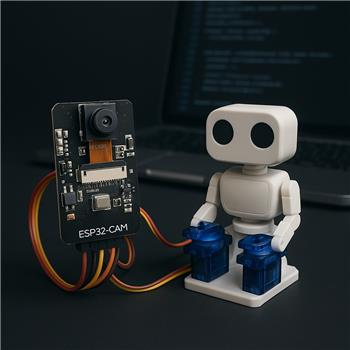
Using an AI-Thinker ESP32-CAM flashed with the Synthiam ESP32-CAM firmware (Client mode), ARC connects fine and the Camera Device skill streams video perfectly. I’m building a tiny pan/tilt with two SG90s and want to visualize it with the Virtual Robot skill. I added Virtual Robot with a front photo, created two markers (Pan, Tilt), and linked them to my servos. When I jog the servos in ARC, the Virtual Robot markers move as expected, so ARC thinks everything is good.
The physical servos are where I’m stuck. I first used D12 (Pan) and D13 (Tilt), then tried D14. Behavior ranges from jitter/no movement to the ESP32-CAM rebooting if both servos move together. If I try D2, the onboard flash LED triggers instead of moving the servo, so I’m clearly colliding with something. Power-wise, the servos are on a separate 5V/3A buck, grounds are common with the ESP32-CAM, and I added a 470 F cap at the servo rail. I also reduced servo speed and staggered moves in ARC to lower the surge current. If I disable the camera temporarily, the servos behave a bit better, which makes me suspect pin timing or a camera/SD pin conflict.
What I’m missing is a definitive D-port to GPIO map for this firmware on the AI-Thinker board that calls out which D ports are actually safe for standard 50 Hz servo PWM (i.e., not tied to the camera, SD, boot strapping, or the flash LED), and whether there’s a best practice for linking Virtual Robot markers (by port vs by a named servo in a servo control) so the overlay keeps tracking if I later remap the hardware ports?



You’re running into two separate issues here:
The important part first
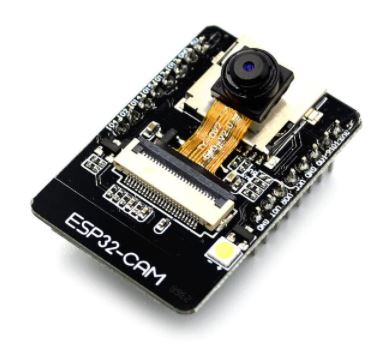
On the AI-Thinker ESP32-CAM, there is not a large pool of truly safe GPIOs for hobby servos while the camera is active. That board is notorious for pin conflicts because many pins are already consumed by:
So the behavior you described is exactly what I’d expect when a servo is moved onto a pin that the board uses internally or expects to be at a certain state during boot.
Why D2 triggers the flash LED
That’s a classic conflict. On the AI-Thinker board, D2 is commonly tied to the onboard flash LED circuitry, so using it for PWM servo output will interfere with the LED and/or the servo signal.
Why the board reboots when both servos move
That usually points to one of these:
Since you said it behaves better with the camera disabled, that strongly suggests pin contention with the camera subsystem, not just power.
Best practice for the AI-Thinker ESP32-CAM
For this board, I strongly recommend you treat pin selection as model-specific, not generic "D-port safe" selection.
Synthiam’s firmware for ESP32-CAM uses a mapping layer, but the safe pins still depend on the board model and what features are enabled. The right reference is the firmware notes on the ESP32-CAM hardware page:
https://synthiam.com/Support/Hardware/ESP32-Cam
Practical guidance
For AI-Thinker, the pins that are often usable for non-camera I/O are the ones people commonly test first, but they are not guaranteed across all revisions or feature combinations. If a pin is used by:
then it is not a good servo pin.
What I’d do in ARC
1) Test one servo at a time
Before trying pan + tilt together:
2) Avoid the usual trouble pins
On ESP32-class boards, be especially careful with:
3) Use a servo skill or script to slow motion, not the Virtual Robot
The Virtual Robot is only a visual mirror. It doesn’t solve hardware mapping; it just reflects what ARC thinks the servo position is.
About Virtual Robot linking
Your current setup is the correct idea:
Best practice
Link the Virtual Robot to the servo name/servo control configuration, not to a hard assumption about a physical pin.
That way:
In other words:
That is the proven ARC pattern. Don’t tie your visualization directly to a physical D-port if you expect to change hardware later.
Recommendation for your pan/tilt project
For reliability on an ESP32-CAM, I’d suggest:
If you want, I can help you build a known-good pin plan for your exact AI-Thinker board revision and the features you have enabled. If you can share:
If you want, I can also show you the clean ARC setup for naming the servos so the Virtual Robot remains stable even if you change the hardware ports later.