
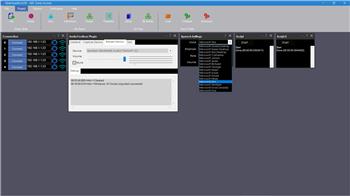
Has anyone come across this problem. If I use the AudioToolbox plugin to add more voices to my project (Microsoft Hazel, David and Zira are the default), the SoundServoPC Speaker Control stops working. Delete the AudioToolbox plugin and it works again. Any ideas what is going on here?

PRO
afcorson
Australia
Asked
 Resolved by ptp!
Auidio Toolbox Plugin And Soundservopc Speaker Control
Related Hardware (view all EZB hardware)

EZ-B V4
by EZ-Robot
EZ-B v4 with Synthiam ARCx controls servos, sensors, camera and audio over Wi-Fi or USB serial, no firmware needed.
Wi-Fi / USB
Servos
24
Camera
Audio
UART
3
I2C
ADC
8
Digital
24

@afcorson: I'm the developer of the AudioToolbox plugin.
Guessing
I believe the problem is not between the extra voices but the other audio features and maybe a concurrency between different NAUdio component versions plugin and ARC.
I'll try to replicate and debug the issue.
Thanks for looking into. BTW, does a Cepstral voice (such as Lawrence) work without using the AudioToolbox plugin?
Remains a problem but I haven't pursued it any further.
*******have AudioToolBox plugin open ( make sure it is showing your mic and speakers) it will be a problem if not