
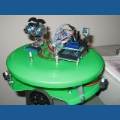

OK, I haven't actually hooked my EZ-board up to any of my robots yet. But, I am curious about something.
Ok, so we have told our robot Exactly what we want it to do. We have all of these windows up now all over the screen. How do we actually run the Entire group of programs? Do we have to hit start in all of the windows individually? or do we have to write a script.
My robot will have four sonars and four IRs and a camera.
Advice would be appreciated.
Thanks,
Mel

you can use the ControlCommand() to start scripts or unpause/pause controls. There are examples in File->Examples of ARC
Thanks!