

Richard, I don't know how you do it. But you always get this right.
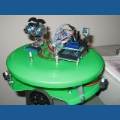
Here is my setup:
Left TriggerA = D13 Left Triger B = D12 Right Trigger A = D10 Right Trigger B =D11
With this setup,
When I hit Forward, it goes Right. When I hit Reverse, it goes Left. When I hit Left, it goes Reverse. When I hit Right, it goes Left.
Help!

When you hit forward, what motor goes backwards?
Forget it. Switch d10 and d11. That will possibly do it.
i WILL try this. Thank You. I have run out of battery juice for tonight. I have to wait til Sunday.
Please see other thread. A different problem.
As always,Thanks!