

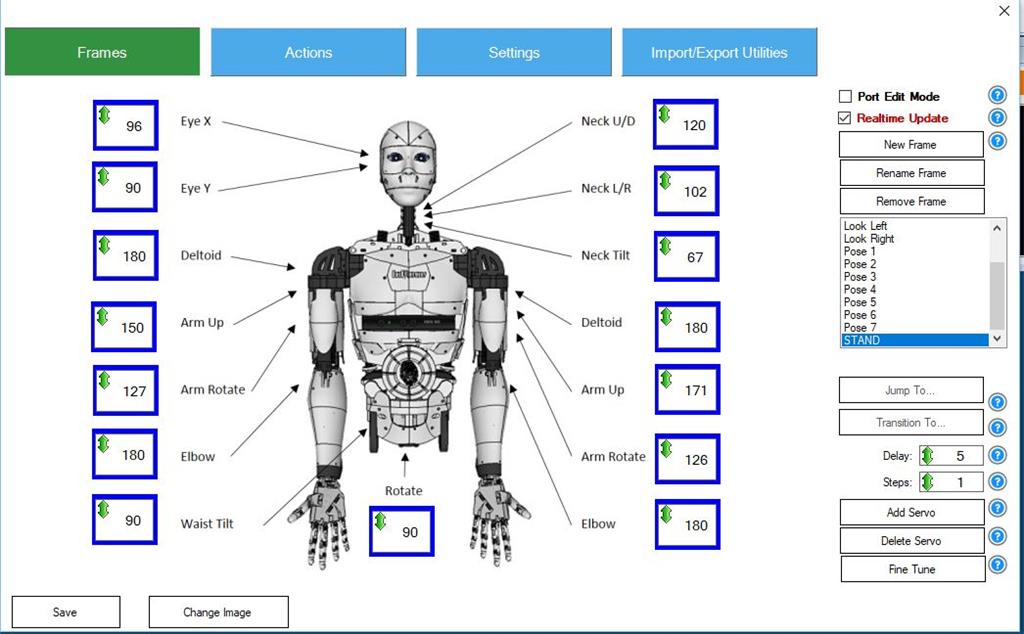
Does anybody know what the dimensions are in pixels for the AutoPosition image? When I try to add my own I can't get the perspective right. Thanks!
Perry_S
USA
Asked
— Edited
 Comm Expansion Configuration
— Configure EZ-B v4/2 Comm Expansion: switch between UART transparent proxy and USB direct PC link (avoids WiFi); EZ-B needs separate power.
Try it →
Does anybody know what the dimensions are in pixels for the AutoPosition image? When I try to add my own I can't get the perspective right. Thanks!

It looks like it's around 844*512 pixels on my screen but I might not run the same resolution as you.
841, 511
Excellent. Thanks! Worked out for my inmoov setup