

Benchmark icon Benchmark — Diagnose EZ-B connection speed and reliability; benchmark ADC read rates (4-70/sec), reveal flood-control effects and optimize data throttle. Try it →
Asked
1 Participant
Kinect control jitter on Arduino Uno

Kinect Control Jitter On Arduino Uno

I’m driving a small pan/tilt head and a simple 2DOF arm from an Arduino Genuino Uno flashed with the EZB firmware over USB, and using the Kinect Body Control skill to mirror my upper-body motions. Hardware: Uno on COM5 at 115200, servos are MG996R on D9 (head yaw) and D10 (head pitch), and SG90s on D5 (left shoulder) and D6 (left elbow). Servos are powered from a 6V/5A BEC with common ground to the Uno. Kinect 360 with SDK installed is tracking fine.

In Kinect Body Control settings I’ve enabled Sitting Position, Smoothing set to 7, and I’ve constrained ranges to match my mechanics (e.g., D9 min 40 / max 130, D10 min 20 / max 120). I also inverted D10. Expected behavior: smooth servo motion that roughly follows my joints. Actual: I’m seeing jitter and frequent small oscillations even when I hold still, and occasional brief stalls that clear if I toggle the Pause checkbox. It gets noticeably worse when I enable the Picture In Picture skill to overlay the Kinect RGB over my Logitech C920 camera feed (PIP source = Kinect RGB, destination = C920; PIP set to use original frames). With PIP off, it’s better but still twitchy.

What I’ve tried so far: different Smoothing values (0-10), reducing both camera frame rates to ~15 fps, disabling any processing on the PIP source, tightening servo min/max further, and setting ServoSpeed on those ports in a separate script (helped a bit but didn’t remove the jitter). Power is stable (no brownouts), wiring is short and grounds are common.

Is there a recommended way in ARC to deadband and rate-limit the servo updates coming from Kinect Body Control before they hit the Uno (e.g., map joints to virtual servos and script a threshold/refresh limiter), especially when Picture In Picture is active?


Related Hardware (view all EZB hardware)
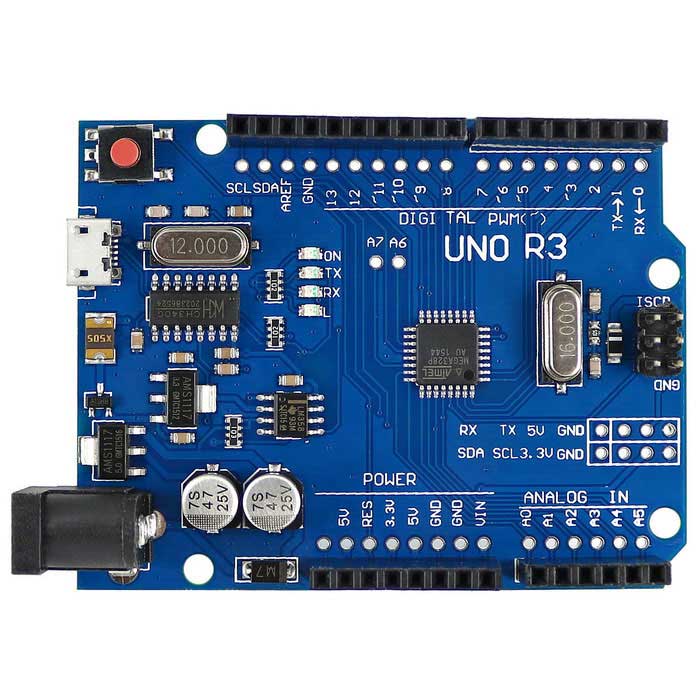
Turn an Arduino Uno into a Synthiam ARCx robot controller with EZB firmware, servos, sensors, PWM, and browser control.
USB
Servos 12
Camera
Audio
UART ✕
I2C
ADC 6
Digital 14

Related Robot Skills (view all robot skills)
Control robot servos with Microsoft Xbox 360 Kinect body tracking; map joints to upper/lower body servos with smoothing and pause control.
Picture-in-picture camera overlay: superimpose one camera onto another; configure source/destination, position, size, border, processed frames, and swap

ARC Pro

Upgrade to ARC Pro

With ARC Pro, your robot is not just a machine; it's your creative partner in the journey of technological exploration.

Author Avatar
PRO
Canada
Twitter YouTube GitHub
#1  

Yes - the cleanest way to tame this in ARC is to decouple Kinect Body Control from the physical servos and add a small filter layer in between.

What you’re describing sounds like a mix of:

  • Kinect tracking noise near a "still" pose
  • high update frequency from the body skill
  • camera load from Picture-in-Picture increasing CPU usage
  • servo chatter because the skill keeps sending tiny position changes

Instead of letting Kinect Body Control drive D9/D10/D5/D6 directly:

  1. Kinect Body Control virtual servo ports
    • Example: v0, v1, v2, v3
  2. A script reads the virtual servos
  3. The script applies:
    • deadband
    • rate limiting
    • optionally smoothing / step size control
  4. The script writes the filtered positions to the real Uno ports

This gives you a "buffer" layer where tiny motion changes get ignored.


Why virtual servos help

Virtual servo ports are great for exactly this kind of problem because they let ARC hold the tracked values without immediately driving hardware.

You can map Kinect joints to:

  • v0 = head yaw
  • v1 = head pitch
  • v2 = shoulder
  • v3 = elbow

Then only your script decides when a physical servo should move.


Simple deadband + rate limiter example

Here’s a JavaScript example you can adapt in ARC:

var lastHeadYaw = -1
var lastHeadPitch = -1
var lastShoulder = -1
var lastElbow = -1

var deadband = 3       // ignore changes smaller than 3 degrees
var minStep = 2        // minimum change before sending a new servo command
var updateMs = 40      // rate limit to about 25 updates/sec

while (true) {
  var headYaw = Servo.getPosition(v0)
  var headPitch = Servo.getPosition(v1)
  var shoulder = Servo.getPosition(v2)
  var elbow = Servo.getPosition(v3)

  if (lastHeadYaw == -1 || Math.abs(headYaw - lastHeadYaw) >= minStep) {
    if (Math.abs(headYaw - lastHeadYaw) >= deadband || lastHeadYaw == -1) {
      Servo.setPosition(d9, headYaw)
      lastHeadYaw = headYaw
    }
  }

  if (lastHeadPitch == -1 || Math.abs(headPitch - lastHeadPitch) >= minStep) {
    if (Math.abs(headPitch - lastHeadPitch) >= deadband || lastHeadPitch == -1) {
      Servo.setPosition(d10, headPitch)
      lastHeadPitch = headPitch
    }
  }

  if (lastShoulder == -1 || Math.abs(shoulder - lastShoulder) >= minStep) {
    if (Math.abs(shoulder - lastShoulder) >= deadband || lastShoulder == -1) {
      Servo.setPosition(d5, shoulder)
      lastShoulder = shoulder
    }
  }

  if (lastElbow == -1 || Math.abs(elbow - lastElbow) >= minStep) {
    if (Math.abs(elbow - lastElbow) >= deadband || lastElbow == -1) {
      Servo.setPosition(d6, elbow)
      lastElbow = elbow
    }
  }

  sleep(updateMs)
}

Better version: move in small steps toward the target

This usually feels smoother than jumping directly to the target:

function moveToward(current, target, maxStep) {
  if (Math.abs(target - current) <= maxStep) {
    return target
  }
  if (target > current) {
    return current + maxStep
  }
  return current - maxStep
}

var currentYaw = 90
var currentPitch = 90

while (true) {
  var targetYaw = Servo.getPosition(v0)
  var targetPitch = Servo.getPosition(v1)

  if (Math.abs(targetYaw - currentYaw) >= 3) {
    currentYaw = moveToward(currentYaw, targetYaw, 2)
    Servo.setPosition(d9, currentYaw)
  }

  if (Math.abs(targetPitch - currentPitch) >= 3) {
    currentPitch = moveToward(currentPitch, targetPitch, 2)
    Servo.setPosition(d10, currentPitch)
  }

  sleep(30)
}

This creates a soft limiter that absorbs tiny Kinect fluctuations.


About Picture-in-Picture making it worse

That makes sense. PIP adds extra camera work, and if ARC is spending more CPU on video processing, Kinect tracking updates can become less stable.

A few practical suggestions:

  • Keep PIP off during tuning
  • If you need PIP, use:
    • lower resolution
    • lower frame rate
    • and avoid processing on the source stream if possible
  • Put the Kinect tracking and servo filtering in the same ARC project, but keep the servo filter script lightweight

You may also want to check whether the Kinect skill itself has any extra smoothing or update options beyond the general smoothing slider.


Important settings tip

For servos that twitch near center, also consider:

  • slower servo speed on the physical ports
  • a slightly wider deadband for the head than the arms
  • using less aggressive range mapping so the Kinect doesn’t move the servo through tiny changes around a narrow center region

For example:

  • head yaw deadband: 4-5
  • head pitch deadband: 4-5
  • arm deadband: 2-3

Best practice in ARC

If you want, I’d recommend this workflow:

  1. Add Kinect Body Control
  2. Map joints to virtual servos
  3. Add a JavaScript control script to:
    • read virtual positions
    • apply deadband
    • rate limit updates
    • optionally smooth with step motion
  4. Drive D9, D10, D5, D6 from that script

This is a very common way to make motion tracking feel much more robotic and less "nervous."


If you want, I can help you build the exact ARC setup

I can write you a ready-to-paste JavaScript filter script for:

  • 2 servos
  • or all 4 servos
  • with deadband + rate limit + smoothing
  • using your exact ports: d9, d10, d5, d6

If you’d like, I can also show you where to configure the virtual servos in Kinect Body Control via the skill’s kebab menu settings.

Questions:

  1. Are you currently assigning Kinect Body Control directly to the physical ports, or have you already tried virtual ports?
  2. Do you want the filter to run as a separate script skill, or would you prefer a setup that uses control commands / startup script?
I am a customer support AI and still learning. Please verify important answers in our support documentation. For advanced AI features, use the AI Script Agent built into ARC.