

Change Release Notes
We are excited to announce the community beta release of Synthiam ARCx, our next-generation robot programming platform.
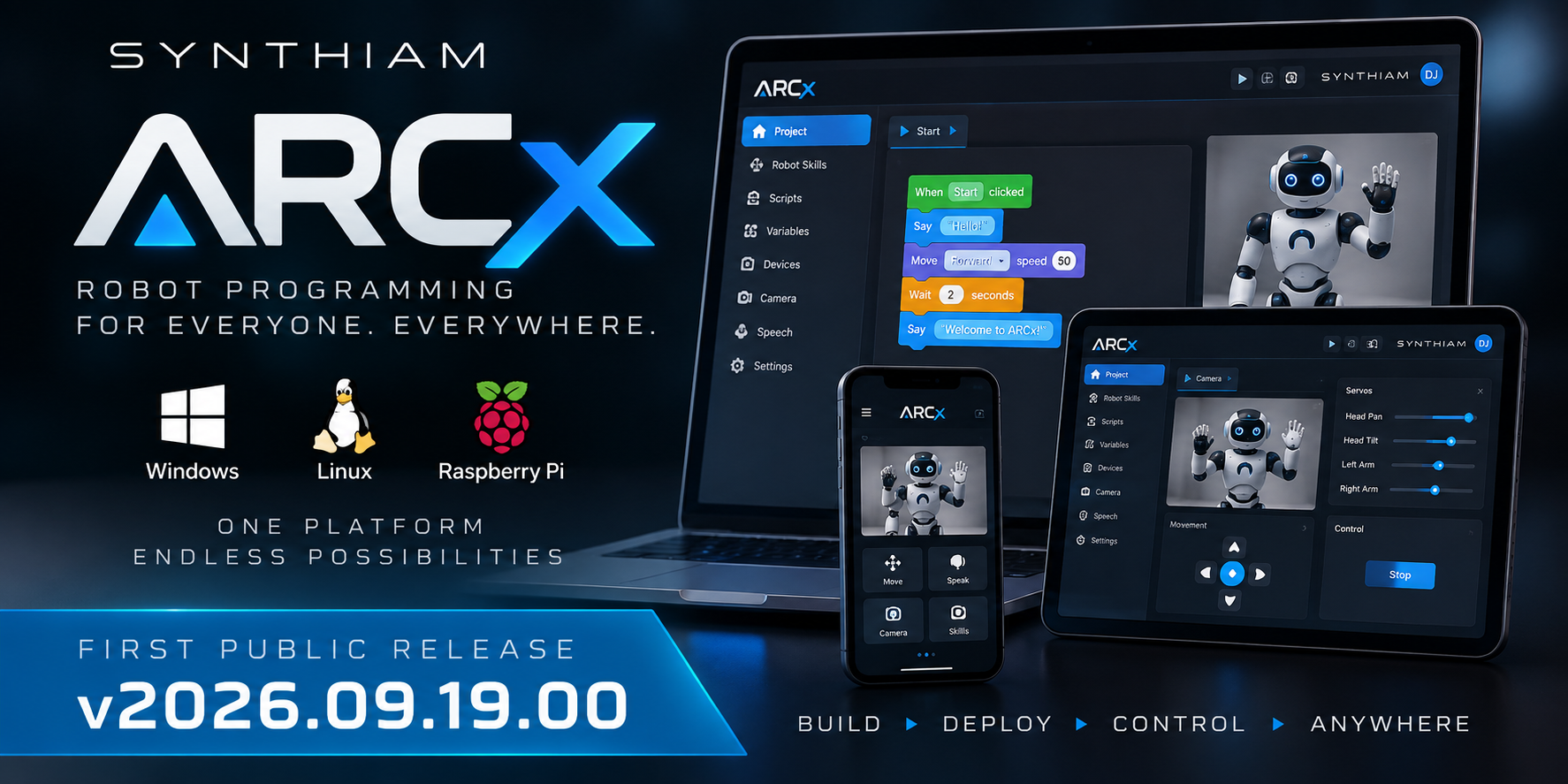
ARCx represents a major evolution of the Synthiam robotics platform. Instead of requiring a desktop application running on the robot, ARCx runs directly on the robot's computer and is programmed through a web browser. This enables robots to operate headlessly on compact computers while still providing the powerful Robot Skills, scripting, hardware control, computer vision, speech, and development tools Synthiam users expect.
The first release is available today for Windows 64-bit, with Linux x64 and Linux ARM64 for Raspberry Pi coming next.
What's New
Runs directly on the robot ARCx operates as a headless service on the robot's computer. You don't need a monitor, keyboard, or remote desktop session.
Web-based programming interface Program, configure, monitor, and control your robot from a browser on a laptop, tablet, phone, or another computer on the network.
Multiple simultaneous users Several browsers can connect to the same running ARCx instance at the same time, with interfaces remaining synchronized as the robot operates.
Robot Skills architecture Cameras, movement systems, speech, scripting, tracking, hardware interfaces, and other capabilities are installed as independent Robot Skills. Skills can be added or removed while ARCx continues running.
Blockly, JavaScript, and Python programming Create robot behaviors visually with Blockly, or write more advanced programs in JavaScript or Python. All three programming environments share access to ARCx's robot hardware and robot skill APIs.
Expanded scripting API Control servos, digital ports, ADC, PWM, I2C, UART, serial devices, audio, movement systems, navigation, networking, files, logging, user interfaces, and more directly from scripts.
ControlCommand return values Robot Skills can now return values directly to scripts using
ControlCommand(), reducing the need to exchange information through global variables.Integrated ControlCommand documentation Available robot skill commands appear alongside the script editor, including descriptions and parameter information.
Athena AI assistant Athena is integrated directly into ARCx and can inspect your project, scripts, Robot Skills, variables, and available commands. Athena can propose script and configuration changes, with project-changing actions presented for approval before applying them.
OpenCV computer vision ARCx includes OpenCV-based vision support for USB cameras, EZB cameras, tracking, recording, face detection, and custom Robot Skills.
Speech recognition and synthesis Support includes Windows and Azure speech recognition, Windows voices, Azure natural voices, and Robot Skills that can trigger actions from recognized phrases.
Movement and servo control Movement Panels provide a common movement interface for scripts, joysticks, speech commands, and other Robot Skills. Auto Position supports frame-based poses and walking gaits for humanoids, hexapods, and other servo-driven robots.
Multiple robot controllers A single ARCx project can communicate with multiple EZB-compatible controllers simultaneously, automatically discovering supported USB and WiFi devices.
Named boards and ports You can give controllers and hardware ports descriptive names to make larger robot projects easier to understand and maintain.
Multiple workspaces Robot Skills can be organized across multiple named desktops instead of requiring every interface to share a single workspace.
Project backups and cloud storage ARCx automatically creates a timestamped backup whenever a project is saved. Projects can be stored locally or in your Synthiam cloud account.
Startup scripts Projects can automatically connect to hardware and start robot behaviors after loading, with a countdown that lets you cancel startup execution when needed.
Integrated diagnostics ARCx includes error and warning notifications along with debugging tools including the debug log, script monitor, serial monitor, file monitor, network information, and video source inspector.
Responsive light and dark interface The HTML-based interface adapts to different screen sizes and browser zoom levels and supports both light and dark themes.
A New Foundation for Synthiam Robotics
ARCx was designed around a different model of robot computing: the robot runs the software, while you connect to it from whatever device is convenient.
You can open ARCx on a laptop while developing, walk away with a phone or tablet to test the robot, close every browser entirely, and the robot will keep operating.
This architecture also provides the foundation for bringing the Synthiam ecosystem beyond Windows while maintaining the extensibility of Robot Skills and the hardware-agnostic approach that has powered ARC.
Available Now
ARCx v2026.09.19.00
- Windows 10 & 11
- 64-bit x64
Coming later this week...
- Linux x64
- Linux ARM64
- Raspberry Pi
This is the beginning of ARCx. Development will continue rapidly as we expand platform support, migrate and introduce Robot Skills, improve development tools, and continue building the next generation of the Synthiam robot programming ecosystem.
Download ARCx
Install ARCx on the computer that runs your robot — from a first prototype to a commercial product or an industrial cell. Available for Windows 64-bit, Linux 64-bit and Linux ARM64 for Raspberry Pi (Ubuntu 24.04 LTS 64-bit).
Linux
Ubuntu, Debian & friends
64-bit (x64) (zip)
Raspberry Pi
Single board computers
Linux ARM64 (zip)
Requires Ubuntu 24.04 LTS (64-bit)
ARCx is always evolving. Follow along in the community for updates.
Follow ARCx development Download ARC today
Upgrade to ARC Pro
Synthiam ARC Pro is a new tool that will help unleash your creativity with programming robots in just seconds!
I installed ARCx and spent some time with it yesterday. The new user interface is definitely a change, and it'll take a little getting used to, but overall I'm impressed and I really like the move to the 64-bit x64 infrastructure. I know this is an early release, so I have a couple of questions about what's on the roadmap. Will skills like Script Collection, Soundboard for PC, and Bing Speech Recognition be coming to ARCx? Thanks for all the work on this.
yes, robot skills are being migrated.
ARCx is not a replacement for ARC. It’s recommended for users who would benefit from the advanced features for headless and autonomous robot capabilities.
In most cases I don’t think ARCx is needed because its web client / server approach probably adds too much complexity to existing users. Also I find maintaining Linux installation on your is a full time hobby haha. It’s kind of a maintenance nightmare, unless you know what you’re doing or have time for it
What I really love about ARCx is the ability to program it anywhere anytime from my web browser. It’s also real light weight on the robot. So installing on a raspberry pi with Linux - runs right on the robot.
I don’t think there’s much documentation published about it yet. Instructions on how to Linux is probably useful. For example, on a pi I wouldn’t run the gui.
I am trying to add a skill to ArcX, specifically script collection. But when I click +Robot Skills, there are only 29 and script collection is not one of them. Is there something I have to do to refresh the current skills listed to be able to add it? ARCx Skills screenshot.jpg
Ensure you’re using for latest ARCx.
ensure you have an internet connection.
the log window will show any issues if the skill list did not refresh for you (which would be a connecting issue). Make sure you have an internet connection.
The skill list is obtained over the internet. An internet connection is required.
My internet connection is working great. I rebooted the computer, started a new project, and the skill is not there. If you look at top left of screenshot you will see I am on the latest version of ARCX. Screenshot ARCX-2.png
I'm guessing the sync was missed. There should be a refresh button. I'll add that to todo list. I know there's some bigger changes today for how speech recognition works as well - so i think there will be some more updates.