

Continuous Servo Movement Panel icon Continuous Servo Movement Panel — Control two continuous servos for bidirectional robot movement with speed sliders, configurable ports/stop values, testing and brake/coast options. Try it →
Unknown Country
Asked — Edited
1 Participant

Raspberry Pi GPIO With Windows 10

Hello everyone; 

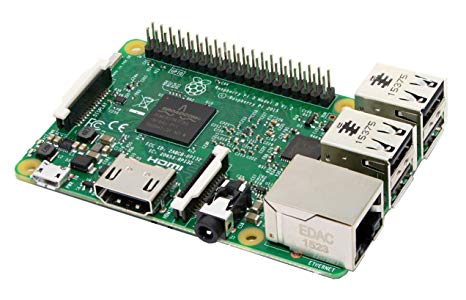
I'm curious regarding the use of on-board GPIO pins with regards to embedded PC's, such as the Raspberry Pi 3B I am using in my project that have ARC running on them.

I am running ARC Teams on this Raspberry Pi to control other EZB's in the robot, and in order to shut the robot off properly, the Pi will need to send a shutdown signal to the other EZB's, but doing so requires the use of the Pi's GPIO pins to send these signals. I'm curious if there is a way to do this with UART or if the Pi's GPIO pins can be controlled any other way? Thanks!


Related Hardware (view all EZB hardware)
Raspberry Pi by Pi Foundation
Synthiam ARCx runs natively on Raspberry Pi 4/5, controlling robots via browser with EZB controllers, vision, speech and scripting.
Wi-Fi
Servos ✕
Camera
Audio
UART ✕
I2C
ADC ✕
Digital ✕

ARC Pro

Upgrade to ARC Pro

Experience early access to the latest features and updates. You'll have everything that is needed to unleash your robot's potential.

Author Avatar
PRO
Synthiam
LinkedIn Thingiverse Twitter YouTube GitHub
#1  

I don't think a GPIO driver has ever been created. I hope I'm wrong, but I've never come across one. If you do, let me know, and we can make something work via a robot skill or service.