

How can you fix the camera Performance on raspberry pi 3B. I’m making a robot that tracks a red ball but because of the raspberry pi 3B’s GPU lagging it can’t process the ball. I did check the raspberry pi windows performance tips but with no changes in camera performance?

123345gom
Unknown Country
Asked
— Edited
1 Participant
How Can You Fix The Camera Quality On Raspberry Pi 3B
Related Hardware (view all EZB hardware)
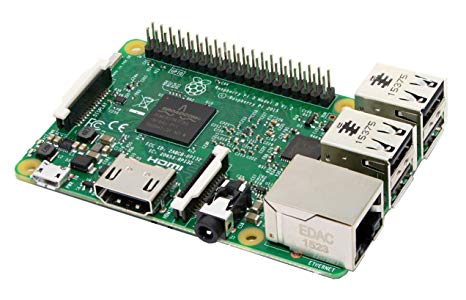
Raspberry Pi
by Pi Foundation
Synthiam ARCx runs natively on Raspberry Pi 4/5, controlling robots via browser with EZB controllers, vision, speech and scripting.
Wi-Fi
Servos
✕
Camera
Audio
UART
✕
I2C
ADC
✕
Digital
✕
Related Robot Skill (view all robot skills)

Camera Device
by Synthiam
Use PC or robot cameras for vision tracking: color, QR, glyph, face, object, motion; record video/data, control servos and movement, run scripts

What ezb firmware are you using on the pi?
Windows 10 on raspberry pi 3B
There’s a drop down on the camera device robot skill for selecting the resolution
The one near the start button, yes I had tried it it was a little bit better but it is still a little bit slower to update the video feed but it’s getting better! But is the way to make it even better?