

123345gom
Unknown Country
Asked
— Edited
How Can You Fix The Camera Quality On Raspberry Pi 3B
How can you fix the camera Performance on raspberry pi 3B. I’m making a robot that tracks a red ball but because of the raspberry pi 3B’s GPU lagging it can’t process the ball. I did check the raspberry pi windows performance tips but with no changes in camera performance?
Related Hardware (view all EZB hardware)
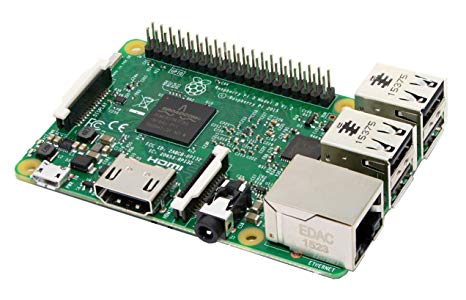
Raspberry Pi
by Pi Foundation
Run Synthiam ARC on Raspberry Pi 4+ with Windows 11 for robot control; use external EZB/Arduino for reliable I/O, SSD/USB storage recommended
Wi-Fi
Servos
✕
Camera
Audio
UART
✕
I2C
ADC
✕
Digital
✕
Related Robot Skill (view all robot skills)

Camera Device
by Synthiam
Use PC or robot cameras for vision tracking: color, QR, glyph, face, object, motion; record video/data, control servos and movement, run scripts

What ezb firmware are you using on the pi?
Windows 10 on raspberry pi 3B
There’s a drop down on the camera device robot skill for selecting the resolution
The one near the start button, yes I had tried it it was a little bit better but it is still a little bit slower to update the video feed but it’s getting better! But is the way to make it even better?