

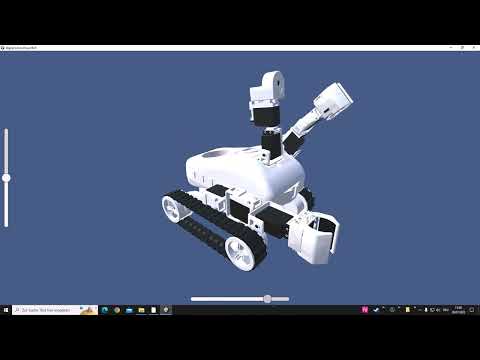
maybe someone can use it....
can be used with the standard project of Roli, just create an EZ-Script and run it:
$go=true
repeatwhile($go)
$strSend = "D9@" + GetServo(d9) + ";D10@" + GetServo(d10)
$strSend = $strSend + ";D19@" + GetServo(d19) + ";D18@" + GetServo(d18) + ";D17@" + GetServo(d17) + ";D16@" + GetServo(d16)
$strSend = $strSend + ";D15@" + GetServo(d15) + ";D14@" + GetServo(d14) + ";D13@" + GetServo(d13) + ";D12@" + GetServo(d12)
SendUDP("127.0.0.1", 11000, $strSend)
Sleep(100)
endrepeatwhile
Here is the program for download: digitalCloneRoverRoli.zip and here the Unity project data to tinker around with yourself: Unity.zip
Have fun ...
24.07.22 Update in Post #17 - Version with moving Rover ....
.

here is a version with moving Rover:
EZ-Script:
Download: digitalCloneRoverRoliMove.zip .
That’s so awesome! I’m going to have fun with this
If you want to remove the hbridge skill, you can still control the robot by using this: https://synthiam.com/Support/Skills/Navigation/Movement-Joystick?id=19388
im seriously impressed at how fast you got that working. Your programming skills are ninja!
A neat thing about using the movement joystick above, is that you can use the speed and direction. So the movement can be smooth with speed. The speed of left and right wheels are available