

Hugging Face icon Hugging Face — Connects your robot camera to Hugging Face AI models for vision chat, object tracking, classification, captioning, and autonomous movement. Try it →
Asked — Edited
1 Participant
I resolved the problem

I Resolved The Problem

can't upload code to Arduino

Ever since I used the esp32 (and it worked well)  this is what I get when I try to upload a file to my Arduino:

Keeps saying I am using the esp32 when I have the Arduino plugged in the usb.

Arduino: 1.8.13 (Windows 10), Board: "DOIT ESP32 DEVKIT V1, 40MHz, 115200, Info"

Has this happened to anyone?


Related Hardware (view all EZB hardware)
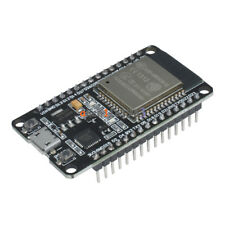
Esp32 by Espressif
Flash Synthiam ESP32 firmware to create a Wi-Fi EZB robot controller with ARCx for servos, sensors, scripting and web control
Wi-Fi
Servos Varies
Camera
Audio
UART Varies
I2C
ADC Varies
Digital Varies

ARC Pro

Upgrade to ARC Pro

Take control of your robot's destiny by subscribing to Synthiam ARC Pro, and watch it evolve into a versatile and responsive machine.

Author Avatar
PRO
Synthiam
LinkedIn Thingiverse Twitter YouTube GitHub
#1  

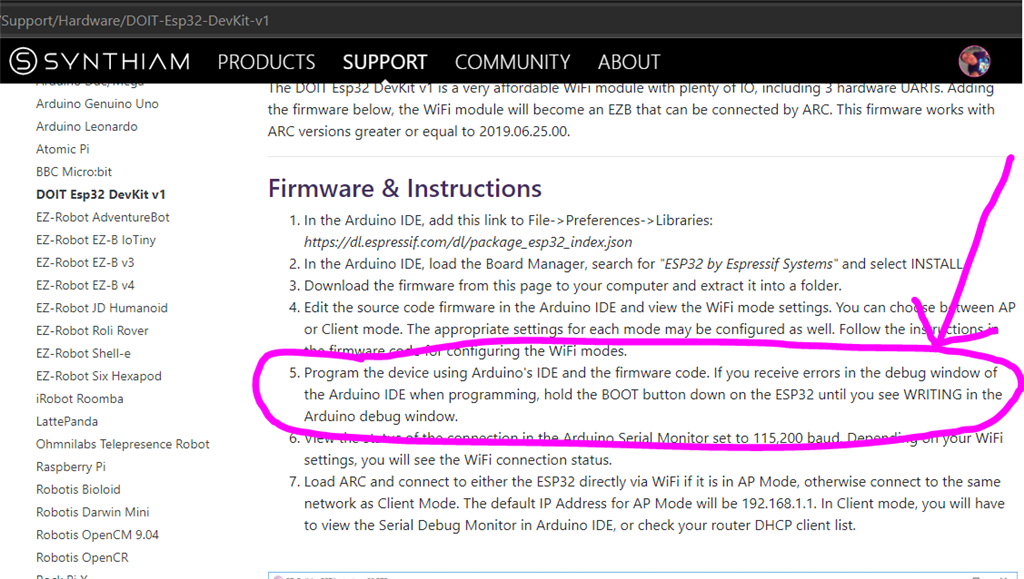
The manual here says sometimes you have to hold the boot button for some reason. I recall something like that happening with the esp32 before. 

User-inserted image

Author Avatar
PRO
USA
#2   — Edited

I believe I fixed it, working now

for Arduino, just upload an empty file, the click the reset button to restart the Arduino

might work for other controller that get plugged and don't work :-)
