Change Release Notes
allows importing the ez-robot image as a background from the Templates drop down for mobile interfaces
Mobile Interface Builder includes new servo Control for moving servos
uses image buttons for direction shortcuts in mobile interface rather than system buttons
blur feature when editing images in mobile interface builder
library of common icons for image buttons in mobile Interface Builder
mobile interface no longer has a SAVE button when editing control attributes. It saves automatically
myo 0.8.0 driver support
Android App supports new Mobile Interface changes
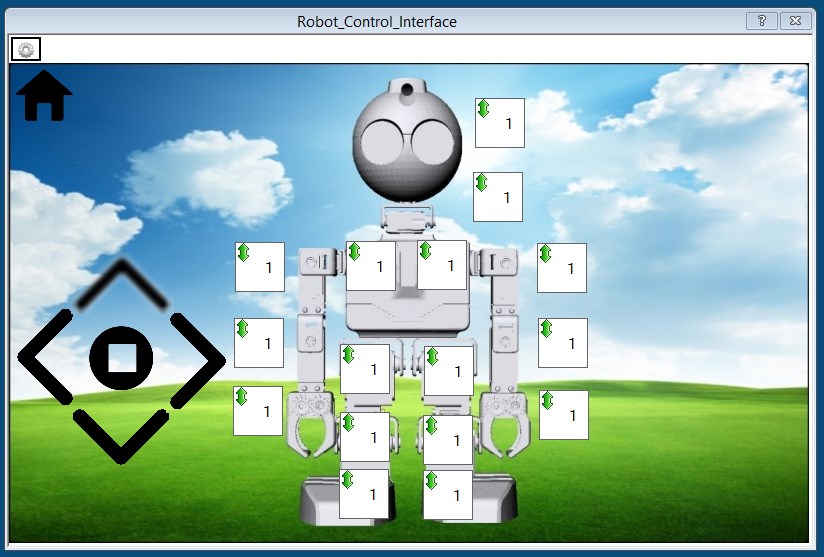
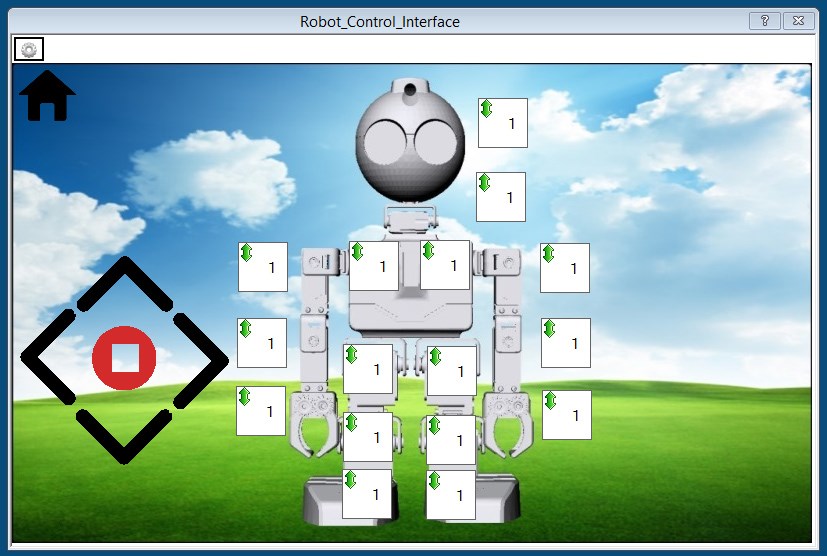
Example of new Mobile Builder with the JD project. This example screenshot has servos configured for the joints so you can control the robot's joints in real-time. The buttons for movements are transparent PNG's which are included in the library. Also, when editing an image using the built-in editor, you can add a Blur effect to show that the button has been pressed.
Blur button pressed demo:
Stopped button pressed demo:
ARC Downloads
ARC
FREE- 1 third-party plugin skill per project
- Trial cloud services
- Personal, DIY & education use
- Updated every 6–12 months
 Download
ARC
PRO- Use on 2+ PCs simultaneously
- Unlimited robot skills
- Cloud backup & revision history
- Weekly features & bug fixes
- Business use permitted
ARC
RUNTIME- Load & run any ARC project
- Read-only mode
- Unlimited robot skills
- Includes early access fixes & features
- Minimum requirements: Windows 10 or higher, 2 GB RAM, 500 MB free disk space.
- Recommended: Windows 10 or higher, 8 GB RAM, 1 GB free disk space.
- Prices are in USD.
- More about each edition: Download & install guide.
- Latest changes: Release notes.
Compare Editions
| Feature |
ARC
FREE
|
ARC
PRO
|
|---|---|---|
| Get ARC Free | View Plans | |
| Usage | Personal · DIY · Education | Personal · DIY · Education · Business |
| Early access to new features & fixes | — | ✓ |
| Simultaneous microcontroller connections * | 1 | 255 |
| Robot skills * | 20 | Unlimited |
| Skill Store plugins * | 1 | Unlimited |
| Cognitive services usage ** | 10 / day | 6,000 / day |
| Auto-positions gait actions * | 40 | Unlimited |
| Speech recognition phrases * | 10 | Unlimited |
| Camera devices * | 1 | Unlimited |
| Vision resolution | max 320×240 | Unlimited |
| Interface builder * | 2 | Unlimited |
| Cloud project size | — | 128 MB |
| Cloud project revision history | — | ✓ |
| Create Exosphere requests | — | 50 / month |
| Exosphere API access | — | Contact Us |
| Volume license discounts | — | Contact Us |
| Get ARC Free | View Plans |
* Per robot project
** 1,000 per cognitive type: vision recognition, speech recognition, face detection, sentiment, text recognition, emotion detection, azure text to speech

Upgrade to ARC Pro
With Synthiam ARC Pro, you're not just programming a robot; you're shaping the future of automation, one innovative idea at a time.
Thanks Dj in the last minute downloaded previous version,so will download latest now also notification that myo being shipped shortly.
:)


looks great
I'm suprised you can do all of this in the span of a week or so
cool update though, this'll be great for me. no more being tethered to the giant desktop that I can't move away from
dj
i cant see the mobile app from turtle? on android.
@nomad can you explain what you said better? Who or what is turtle? Is that one of your projects you saved?
rr
android app from dj calt turtle.i can see all other apps one android, just not the turtle.
If you can't find it in the android app just resave the PC version to your cloud and use that one...
Great! AutoSaving! Maybe I'll be a little more productive not having to redo everything 3 times.