

Change Release Notes
ARCx continues to evolve with exciting new capabilities for robot builders! Version 2026.10.19.00 introduces remote access functionality, smarter project backup management, and improvements to navigation, scripting documentation, and the overall user experience.
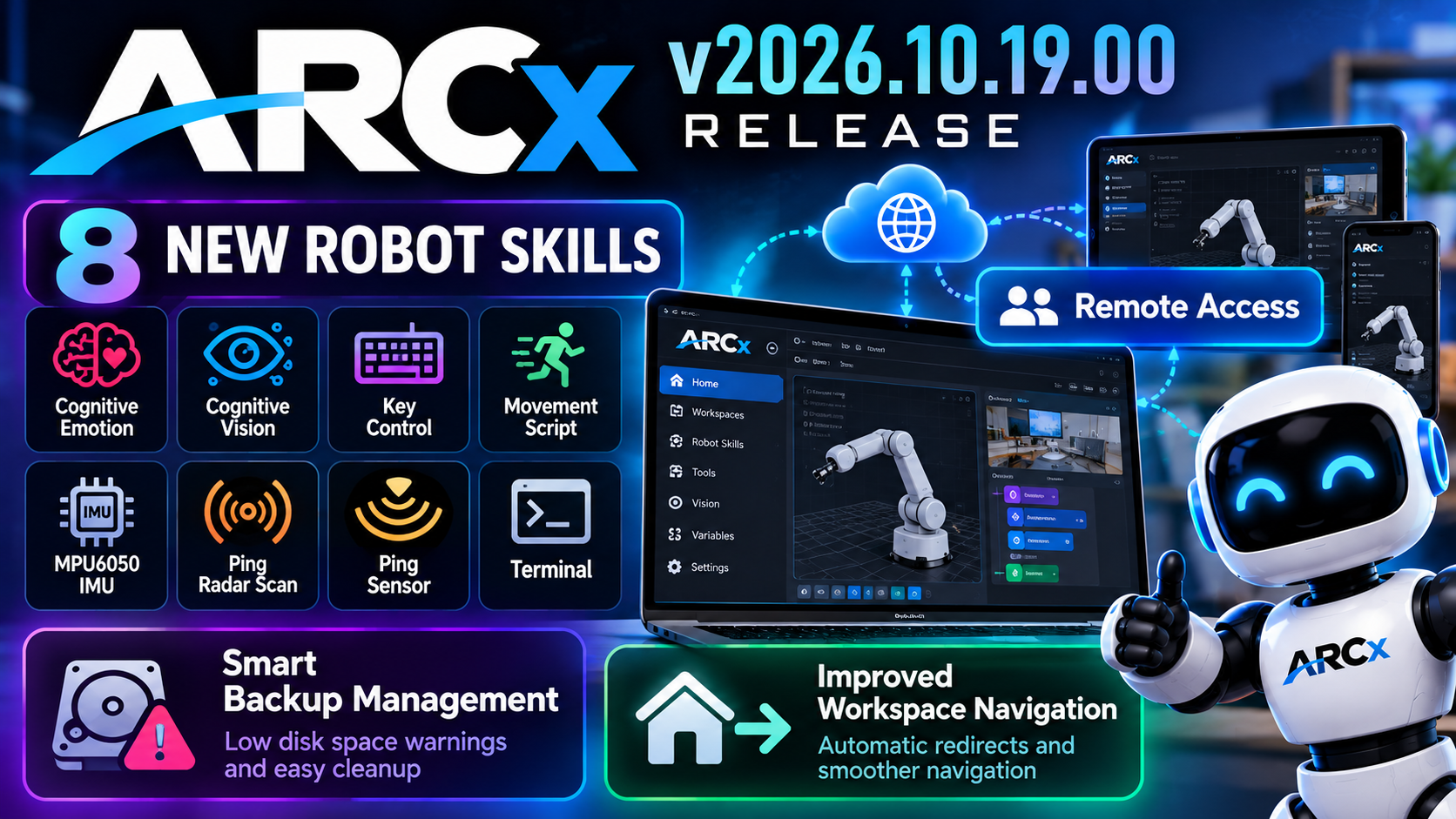
This release focuses on expanding what your robots can do while making ARCx easier to use, manage, and access.
Remote Access
ARCx now includes new Remote Access components designed to make managing remote connections more convenient.
Check it out here: https://synthiam.com/Remote
New functionality includes:
- Remote Access Preferences: Configure remote access settings directly from the ARCx preferences interface.
- Connection Status Indicator: A new status component in the top menu provides visibility into remote access activity.
- Connected User Information: View the number of users connected remotely.
- Remote Access Service: New background services and middleware manage remote connection state and user access.
- Updated Setup Guides: New documentation and images help explain remote access configuration.
Remote ARCx connects any web browser to ARCx running on your robot, wherever the robot is. You can access workspaces, Robot Skills, cameras, scripts and settings through the full ARCx interface. ARCx opens a secure connection out to synthiam.com, so there is no port forwarding, VPN, dynamic DNS or fixed IP address to set up at the robot, and nothing to install on the computer you connect from.
- Enable remote access. Options Preferences Remote access. It stays off until you turn it on, and turning it off disconnects everyone straight away.
- A dedicated robot address. Each robot gets a private HTTPS address on synthiam.com. Bookmark it, or pick the robot from your list on the Remote ARCx page.
- Account sign-in required. Everyone signs in with their own Synthiam account before they reach the robot. Only you and the people on your access list can connect.
- Manage access. Add people to your access list by username or email. Removing someone disconnects them from your robots at once.
- See who is connected. The REMOTE chip in the ARCx top bar counts the people connected. Preferences lists each of them, with a button to disconnect them.
- Connect through HTTPS. Remote ARCx works through home routers and mobile hotspots wherever the robot can connect to synthiam.com over HTTPS. It reconnects automatically after a network interruption.
These improvements establish the foundation for accessing and managing ARCx installations beyond the local interface.
Improved Project Backup Management
ARCx's project backup system has been enhanced to help prevent backups from consuming excessive disk space.
What's New:
- Low Disk Space Warnings: ARCx can now notify you when available storage becomes low.
- Backup Management Dialog: A new interface allows you to review and manage existing backups.
- Backup Cleanup: Users can purge older backups to recover disk space.
- Dedicated Backup Service: The new
ProjectBackupServicecentralizes backup management and storage monitoring.
These improvements help keep projects protected while providing greater control over storage usage.
Smarter Workspace Navigation
We've improved how ARCx handles its home page and workspace navigation.
- Automatic Workspace Redirect: When accessing ARCx through its root URL, projects containing multiple robot skills can automatically open the first workspace.
- Dedicated Home Route: The home page now uses
/Homefor clearer, more consistent navigation. - Improved Navigation Logic: Internal navigation has been updated to work with the new routing behaviour.
These changes reduce unnecessary navigation steps and make accessing your robot's workspace more intuitive.
COM, UART, and I2C Inspection
Curious about the conversation happening on COM, UART or I2C ports? The View menu has workspaces to access recorders for those peripherals. You can now record and review what's happening on the wire in real time.
Expanded JavaScript & Python Documentation
The scripting manuals have received significant updates to make developing robot automation easier.
Improvements include:
- Expanded JavaScript scripting documentation.
- Expanded Python scripting documentation.
- Additional examples, screenshots, and explanations.
- Updated interface guides and navigation references.
Whether you're just getting started or writing advanced automation scripts, these improvements make it easier to find the information you need.
User Interface Improvements
Several areas of ARCx have been refined for a more consistent experience.
- Improved navigation menus and help pages.
- Updated interface styling to accommodate new remote access components.
- Added screenshots and visual resources to the documentation.
- Refined the integration of new functionality into existing application layouts.
Additional Improvements
- Updated manuals to reflect the latest robot skills and interface changes.
- Various internal improvements and cleanup.
What's Next?
ARCx is quickly becoming an increasingly capable, cross-platform robotics environment. With new cognitive robot skills, expanded sensor support, remote access infrastructure, and more helpful project management tools, we're continuing to make sophisticated robotics accessible to builders of all experience levels.
More robot skills. Better connectivity. Smarter tools. One powerful robotics platform.
Download ARCx
Install ARCx on the computer that runs your robot — from a first prototype to a commercial product or an industrial cell. Available for Windows 64-bit, Linux 64-bit and Linux ARM64 for Raspberry Pi (Ubuntu 24.04 LTS 64-bit).
Linux
Ubuntu, Debian & friends
64-bit (x64) (zip)
Raspberry Pi
Single board computers
Linux ARM64 (zip)
Requires Ubuntu 24.04 LTS (64-bit)
ARCx is always evolving. Follow along in the community for updates.
Follow ARCx development Download ARC today
Upgrade to ARC Pro
Elevate your robot's capabilities to the next level with Synthiam ARC Pro, unlocking a world of possibilities in robot programming.
Oh yeah i gotta say the I2C and COM and UART monitoring is amazing...
That's the UART monitor. In realtime it shows you the conversation (data) happening between the computer and your device. or EZB and your device.
Wow, you guys are really working hard on this. Thanks.
Quick note....the quick start screen with hints how everything works, had details on setting up remote access is now missing with quite a few other ones I think last version I had had about 24 instructions and this one is 12. I especially think the remote access is an important one to include. And I'm sure it will change daily with the updates. Just pointing it out.
That’s a different popup. I saw that too but there are two. The one you're seeing is a welcome screen popup. The one you’re referring to is the workspace popup.
The workspace popup won't display for you because you’ve already clicked don’t show. You'd have to go into options to reset it.
That's right. What you saw was the new Home page pop-up, which is shorter and highlights a few key points people struggle with when getting started. It overlaps with the Workspace pop-up, but we found that some testers skip the information and then report that they are not sure how something works.
As for the remote feature, if anyone doesn't know, the support section documents the entire UI and all options with screenshots. You can find info about the ARCx Remote here: Preferences | ARCx Documentation - Synthiam
...ah I see now ..Thanks!!!