
Change Release Notes
ARC now has AI Integration with MCP - use any AI agent!
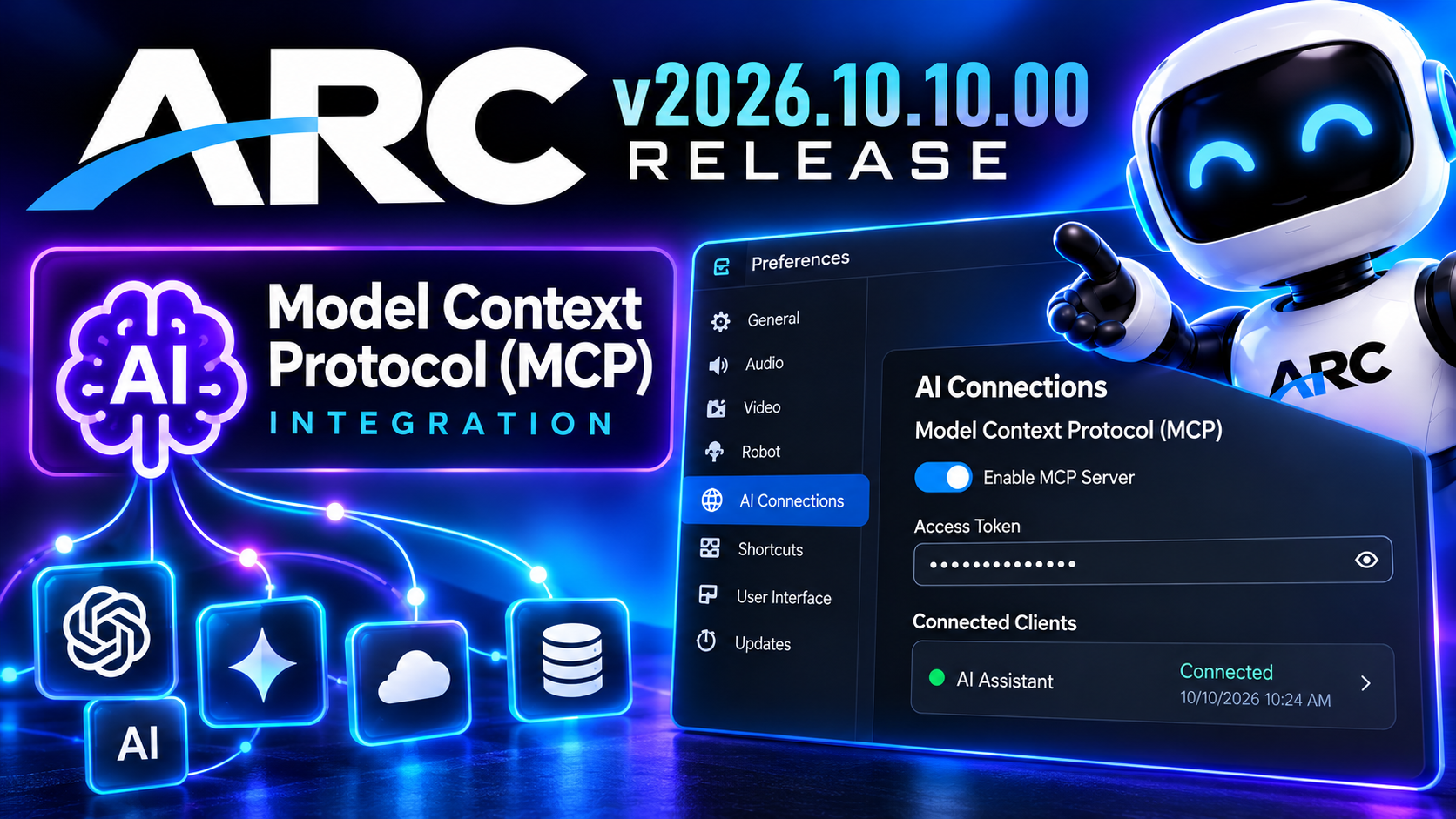
This release introduces a major step forward in ARC's AI capabilities with Model Context Protocol (MCP) integration, allowing external AI assistants to connect with ARC and interact with your robot.
What does this mean?
- Connect your AI agent to ARC via the MCP details in the ARC preferences.
- Ask the AI agent to create anything that you can dream up.
- Watch the AI agent create the project for you.
Missing a robot skill that you wish you had? Ask the AI agent to make it for you.
New: Model Context Protocol (MCP) Integration
ARC now supports the Model Context Protocol (MCP), an open standard that enables AI assistants and applications to communicate with external tools and services.
With MCP support, compatible AI clients can connect to ARC, opening new possibilities for AI-assisted robot control, automation, and development.
Key Features:
- MCP Server: ARC includes a built-in MCP server for connecting compatible AI applications.
- AI Connection Preferences: A new section in ARC preferences allows you to configure and manage MCP connections.
- Secure Access: Configure access tokens to control which AI clients can connect to ARC.
- Enable or Disable MCP: Easily control whether the MCP server is available.
- Connection Management: Monitor and manage AI client connections through the ARC interface.
This integration provides the foundation for AI assistants to interact more directly with ARC, making intelligent robot automation and development workflows more accessible.
Looking Ahead
MCP integration represents an important milestone for ARC. By providing a standardized interface for AI applications, ARC is expanding beyond traditional robot programming toward a future where AI assistants can participate directly in robot development and automation.
ARC Downloads
ARC
FREE- 1 third-party plugin skill per project
- Trial cloud services
- Personal, DIY & education use
- Updated every 6–12 months
 Download
ARC
PRO- Includes ARCx for Windows, Linux & Pi — built for enterprise & industry
- Use on 2+ PCs simultaneously
- Unlimited robot skills
- Cloud backup & revision history
- Weekly features & bug fixes
- Business use permitted
ARC
RUNTIME- Load & run any ARC project
- Read-only mode
- Unlimited robot skills
- Includes early access fixes & features
- Minimum requirements: Windows 10 or higher, 2 GB RAM, 500 MB free disk space.
- Recommended: Windows 10 or higher, 8 GB RAM, 1 GB free disk space.
- Prices are in USD.
- More about each edition: Download & install guide.
- Latest changes: Release notes.
Compare Editions
| Feature |
ARC
FREE
|
ARC
PRO
|
|---|---|---|
| Get ARC Free | View Plans | |
| Usage | Personal · DIY · Education | Personal · DIY · Education · Business |
| Early access to new features & fixes | — | ✓ |
| Simultaneous microcontroller connections * | 1 | 255 |
| Robot skills * | 20 | Unlimited |
| Skill Store plugins * | 1 | Unlimited |
| Cognitive services usage ** | 10 / day | 6,000 / day |
| Auto-positions gait actions * | 40 | Unlimited |
| Speech recognition phrases * | 10 | Unlimited |
| Camera devices * | 1 | Unlimited |
| Vision resolution | max 320×240 | Unlimited |
| Interface builder * | 2 | Unlimited |
| Cloud project size | — | 128 MB |
| Cloud project revision history | — | ✓ |
| Create Exosphere requests | — | 50 / month |
| Exosphere API access | — | Contact Us |
| Volume license discounts | — | Contact Us |
| Get ARC Free | View Plans |
* Per robot project
** 1,000 per cognitive type: vision recognition, speech recognition, face detection, sentiment, text recognition, emotion detection, azure text to speech

Upgrade to ARC Pro
ARC Pro is more than a tool; it's a creative playground for robot enthusiasts, where you can turn your wildest ideas into reality.