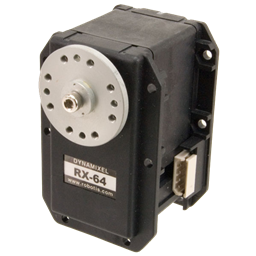
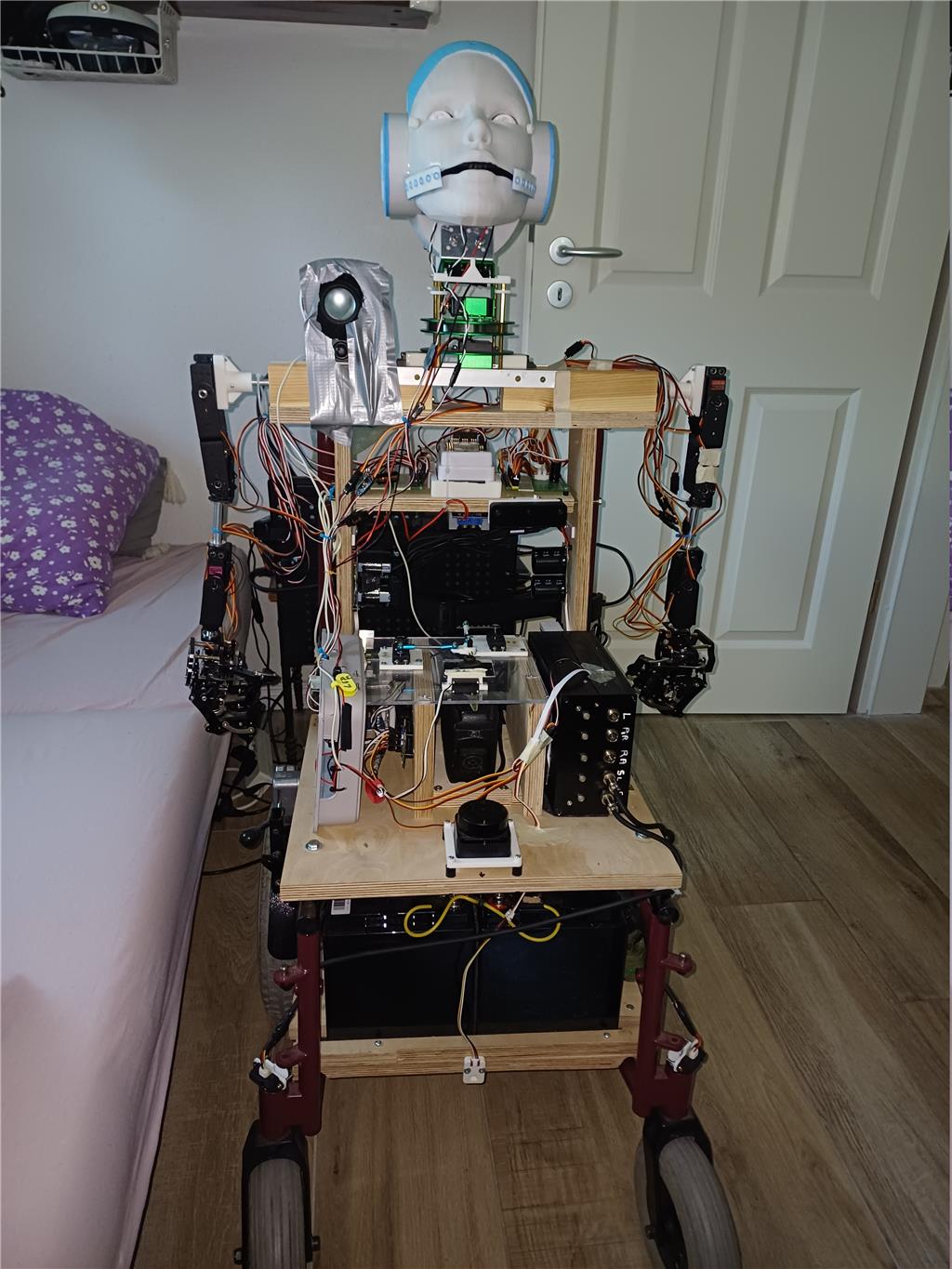
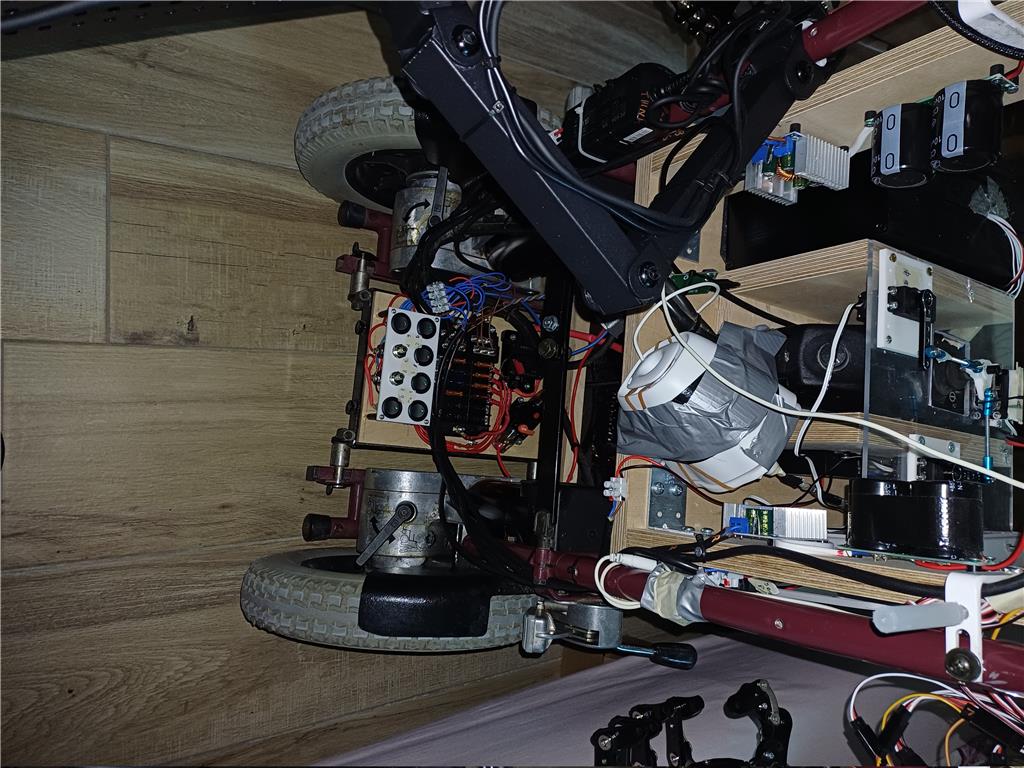
 Sorry guys , duno why i can't insert the picture top-down.
Samantha - My Current Humanoid Robot Project
Hello everyone! I'd like to introduce Samantha, my current humanoid robot project. Although it is still under development, the robot has already reached a stage where most of its core systems are operational. I wanted to share the work completed so far, some of the technical choices I made, and a few lessons learned during the project. A short video is included to demonstrate some of Samantha's movements and the current voice-control system. Samantha is built on an old electric wheelchair fitted with a humanoid torso. The project combines Synthiam ARC with several Python applications, each performing the tasks they do best. Rather than forcing everything into a single software environment, I chose a hybrid architecture that takes advantage of the strengths of both ARC and Python.
Voice Control
One of the first challenges was speech recognition. I initially experimented with the Bing Speech Recognition skill in ARC. Although it worked, I found it too slow for natural interaction and the recognition accuracy was not always satisfactory. Modern smartphones, however, provide extremely fast and accurate speech recognition in many languages. Instead of trying to improve the existing solution, I decided to use the smartphone as the speech-recognition device. A small HTML page running on the smartphone captures the spoken command. A Python program running on the onboard ThinkPad receives the recognized text and forwards JavaScript commands directly to ARC through the TCP Script Server Raw skill. The result is voice control that feels almost instantaneous while allowing ARC to remain the robot's main controller. At the moment Samantha understands only a small number of voice commands (demonstrated in the video), but adding new commands is straightforward. I originally designed the system to support multiple languages, but eventually simplified it to a single language since I am currently the only user.
Controllers
The robot currently uses three Synthiam controllers:
- EZ-B v4 #0 - Master controller
- IoTiny #1- pan/tilt , micro,sound,voice,leds.
- EZ-B v4 #3 - Sensor controller
The first EZ-B controls all arm movements:
- 20 servos in total
- 10 servos per arm
- 5 joints and a 5-finger hand on each arm
The IoTiny controls:
- Head pan and tilt
- LEDs
- Audio functions
The second EZ-B is dedicated entirely to sensors. Originally, I planned to install five different sensors. As the project evolved, I simplified the design. The current sensor configuration consists of:
- RPLidar
- IC laser distance sensor
- Two Sharp IR distance sensors connected to ADC0 and ADC1
The RPLidar replaces both the Doppler radar and the PIR sensor originally planned.
Network Configuration
The network architecture also evolved during development. My initial idea was to configure all three controllers as independent Wi-Fi Access Points. While this worked, it proved to be unreliable in practice. The current configuration is much simpler:
- EZ-B Master operating in Access Point mode
- IoTiny operating in Client mode
- Sensor EZ-B operating in Client mode
The Connect By Name skill automatically connects to all controllers. Current controller assignments are:
- Controller #0 EZ-B Master
- Controller #1 IoTiny
- Controller #3 Sensor EZ-B
This configuration has proven to be considerably more reliable.
Power System
The robot is powered by two 12 V / 50 Ah batteries. Servo power is completely separated from the controller electronics. Each servo group has its own dedicated DC/DC converter, while every major subsystem is protected by an individual fuse. This arrangement allows me to power individual sections of the robot independently during development, making testing safer and simplifying troubleshooting.
Wheelchair Base
The mobile platform is a vintage Meyra electric wheelchair from the late 1970s or early 1980s. Its electronics are surprisingly simple:
- Two 24 V drive motors
- One joystick
- Relay-based control system
- Power button
At one point I considered replacing the original electronics with a Sabertooth motor controller. After some experimentation, I decided to keep the original wheelchair electronics completely intact. Instead of controlling the motors electronically, Samantha physically operates the original joystick using three servos:
- One servo controls forward and backward movement
- One servo controls left and right steering
- One servo presses the wheelchair power button
This solution preserves all of the wheelchair's original safety features while allowing complete control from ARC scripts. No Xbox controller or external motor controller is required.
Head Design
The head is mounted on a pan/tilt mechanism. The head itself was purchased online. I really like its appearance, but from an engineering point of view it was clearly designed with aesthetics in mind rather than mechanics. The mouth is permanently fixed to the face, leaving no room to install a servo for realistic lip movement. Instead of redesigning the head, I chose a simpler solution. A blue LED mounted behind the mouth illuminates whenever Samantha speaks. A small microphone monitors the speaker output and drives the LED automatically, creating the illusion of lip movement. The eyes also contain LEDs that blink three times during startup.
Onboard Computer
A Lenovo ThinkPad is mounted directly on the robot. Although a mini PC would certainly be more compact, the ThinkPad provides an integrated screen and keyboard, allowing software development and debugging directly on the robot without requiring an external computer. For development work, this has proven to be a very practical solution.
Power-Up Sequence
The robot uses several independent power switches that allow each subsystem to be started in sequence. The startup order is:
- EZ-B Master
- IoTiny
- Sensor EZ-B
- ThinkPad
- Head pan/tilt servos
- Left arm
- Right arm
- Wheelchair joystick control
Before power is applied to any servos, an initialization script automatically loads all servo limits and moves every servo into a predefined safe position. This prevents unexpected movements during startup and significantly improves operational safety.
Software Architecture, ARC Integration & Recent Progress
ARC Skills & Software Stack
Samantha uses Synthiam ARC as the central control system, extended with Python scripts for higher-level logic and external communication. The current ARC skills used include:
- Connect By Name
- Auto Position
- SoundBoard V4
- Speech Settings
- TCP Script Server Raw
- RPLidar Skill
- NMS Data Grabber
In addition, several custom scripts manage system-level behavior:
- Init (servo limits and safe positions)
- Power On sequence
- Shutdown routines
- Movement control scripts
Some components, such as the RPLidar integration and OAK-D camera processing, are still being refined and optimized.
Hybrid Control Architecture (ARC + Python + Smartphone)
One of the most important design choices in this project is the hybrid control system. Instead of relying only on ARC speech recognition, I use a smartphone as the primary voice interface. The workflow is:
- Speech is captured and recognized on the smartphone using a web-based interface
- A Python script running on the ThinkPad receives the command
- Python forwards the command to ARC using the TCP Script Server Raw skill
- ARC executes the corresponding robot behavior
This approach significantly reduces latency compared to built-in speech recognition and provides more reliable command interpretation. It also allows the system to scale easily by simply adding new commands in software without modifying ARC directly.
RPLidar - Outdoor Testing
The RPLidar has now been successfully tested outdoors. Initial experiments show stable scanning and reliable obstacle detection in real-world conditions. Outdoor testing introduced additional variables such as lighting changes and uneven surfaces, but the sensor continues to perform well. This confirms that the RPLidar is suitable for future navigation and mapping improvements beyond indoor environments.
OAK-D Face Tracking
The OAK-D camera has been integrated for face tracking experiments. So far, all tests have been conducted indoors, where movement is limited mainly to rotation due to space constraints. Even under these conditions, the system performs reliably. The camera is able to detect and continuously track a human face at distances of approximately 3 to 4 meters without issues. This opens the door for future improvements such as:
- active user following
- gaze tracking
- more natural human-robot interaction
System Limitations & Lessons Learned
Like many prototype systems, Samantha also reveals some important design constraints. The first is the overall physical size of the robot. The upper body is wider than originally intended, making the system less compact and more difficult to maneuver in tight environments. A second critical factor is network reliability. Since the robot depends on Wi-Fi communication, a strong and stable connection is essential during movement. If signal quality decreases or latency increases, control commands may be delayed or temporarily lost. Although safety mechanisms are in place, this is an important limitation to consider for real-world operation.
Final Thoughts
Samantha is, above all, a prototype and experimental platform. Throughout its development, I have tested different combinations of hardware and software to understand what works well in practice and what needs improvement in future designs. This project has helped refine several key ideas:
- hybrid control systems combining ARC and Python are very powerful
- smartphone-based voice recognition is significantly more responsive than traditional desktop speech tools
- distributed controller architectures require careful network design
- mechanical design choices strongly affect long-term usability
Samantha is not a final product, but a continuously evolving system. Every challenge encountered during development has directly contributed to ideas for a future, more optimized version of the robot.
Conclusion
Conclusion
At this stage, I can say that the main objectives of the project have been largely achieved. Samantha demonstrates a working hybrid control system, combining ARC with Python-based extensions, a modular architecture, and a clear separation of responsibilities between voice processing, sensor input, and servo control. The system successfully integrates multiple subsystems, including voice interaction, sensor fusion, and full servo-based control of the robotic platform. Obstacle detection and avoidance, as well as face tracking, are also functional and have been validated in real-world tests. However, this prototype has also clearly highlighted important design limitations. The overall size of the robot is significantly larger than ideal, which affects maneuverability and practicality in confined spaces. These lessons are valuable for the next stage of development. Future designs will take these constraints into account, with a stronger focus on compact mechanical integration and improved system efficiency. Samantha therefore represents a completed experimental milestone rather than a final product. The next project will build on these results with a more optimized and compact architecture.
Programming
ARC Programming Details
One of my goals was to keep ARC as the central "brain" of the robot while extending its capabilities with Python whenever necessary.
The biggest challenge was voice recognition. I wanted fast, reliable speech recognition that worked naturally. While the Bing Speech Recognition skill worked, it was too slow for my application and sometimes missed commands. Instead of replacing ARC, I decided to complement it.
I created a small HTML page that runs on a smartphone and uses the phone's built-in speech recognition. A Python script running on the ThinkPad receives the recognized text and forwards JavaScript commands to ARC through the TCP Script Server Raw skill. This approach gives nearly instant voice commands while keeping all robot logic inside ARC.
Another challenge was the Wi-Fi configuration. Running three controllers in Access Point mode was not reliable enough. After several experiments, I switched to one EZ-B operating as the Access Point while the IoTiny and the second EZ-B connect as clients. The Connect By Name skill made this configuration very easy and much more reliable.
Safety was another important consideration. During startup, an initialization script automatically loads all servo limits and moves every servo into a safe position before power is applied to the servo groups. This prevents unexpected movements during boot.
One thing I appreciate about ARC is how easy it is to combine different skills. Even when some functionality is implemented in Python, ARC remains the central controller. This hybrid approach lets me use the best tool for each task instead of forcing everything into a single environment.
Finally, I'd like to thank the Synthiam community. Reading forum discussions and examples from other users has helped me solve several problems during the development of Samantha.
Parts & Materials
- Base: Vintage Meyra powered wheelchair (1970s-1980s), modified for robotic use
- Robot torso: Commercial humanoid torso with custom mounting brackets
- Controllers: 2 × EZ-B v4 and 1 × IoTiny
- Computer: Lenovo ThinkPad mounted onboard
- Power: 2 × 12 V 50 Ah batteries
- Servo power: Separate DC/DC converters for each servo group
- Servos: 20 servos for both arms, plus 3 servos for wheelchair joystick and power button control
- Head: Pan/Tilt mechanism with LED mouth simulation and LED eyes
- Sensors: RPLidar, IC laser distance sensor, 2 × Sharp IR distance sensors
- Audio: Speaker, microphone and smartphone for speech recognition
- Software: ARC, Python, HTML/JavaScript, TCP Script Server Raw
- Networking: One EZ-B configured as Wi-Fi Access Point, remaining controllers in Client mode
- Power distribution: Individual fuses and dedicated power switches for each subsystem
- Mechanical fabrication: 3D-printed parts (Bambu Lab P1S), aluminum brackets, custom mounts, and various hardware
- Development tools: ARC Auto Position, SoundBoard V4, Connect By Name, RPLidar, NMS Data Grabber, and custom ARC scripts
Discover more robots
Sakis33's Maria ,The Green Bot
DJ's Ez-B V4 Dalek

Very well written and detailed. I like stuff like this because it gives me good reading material!
Great project. Very well presented. Brilliant work.
I see you mentioned that you worry about WIFI connection strength as your robot moves about. Have you considered mounting a SBC computer onboard your robot and connecting directly with USB to TTL converter cable? You could run headless and remote into the SBC through TightVNC to monitor or control it. You could even place an app on your phone or use ARC's remote app to view ARC.