

Asked
Troubleshooting Non-Functional Servos Issue
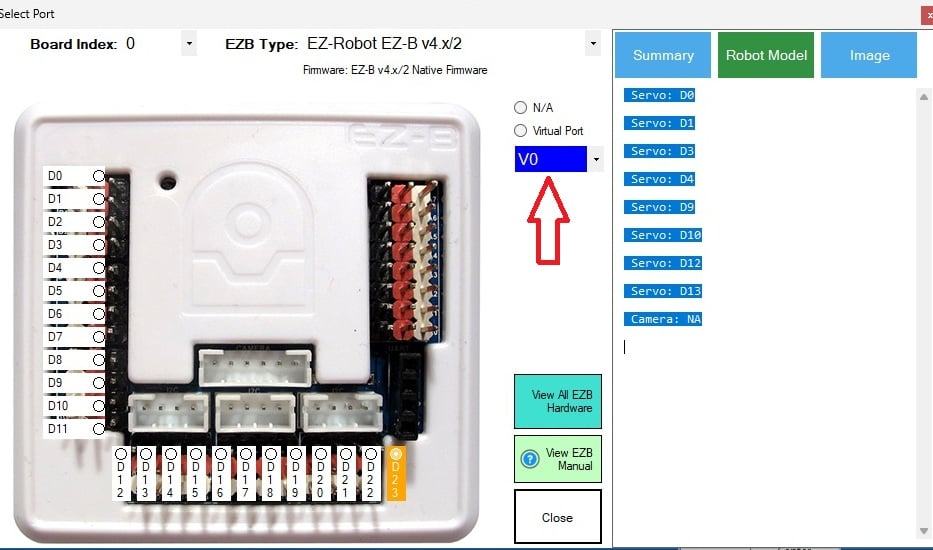
I am currently using the latest version of ARC and have established a connection. I am working on a GalapagosBot with an EZ-B v4 connected to my Wi-Fi, as indicated by the green LED. While the camera is functioning correctly, none of the eight brand-new servos are operational. Does anyone have any idea why the servos might not be working?
Related Hardware (view all EZB hardware)

EZ-B V4
by EZ-Robot
EZ-B v4/2 robot controller: dual Cortex ARM, Wi-Fi, audio/video, 24 servo/digital ports, I2C/UART, camera and Synthiam ARC control for custom robots
Wi-Fi / USB
Servos
24
Camera
Audio
UART
3
I2C
ADC
8
Digital
24
Related Robot Skills (view all robot skills)

EZB Connection
by Synthiam
Connects EZ-B I/O controllers to ARC via COM or IP (5 connections). Supports init scripts, battery monitoring, TCP/EZ-Script server and serial/I2C.

Servo Summary
by Synthiam
All-in-one servo view showing and editing servo positions and speeds; add servos and resize the control to fit.

@athena
test1 Start
test2 Start
voltage zero voltage on all ports
unplugged servo on d23 volt 0,01
i see no damage on the inside from the magnet .
You can't see inside microchips, resistors, or transistors for damage. Electronics can look okay, but not operate because something's broken internally. You are very experienced with EZBs and electronics, so you would have this working if it was ok
Good troubleshooting - your measurements confirm the problem.
Summary of what we know
What that indicates
One last quick check (non-destructive)
Measure the SIGNAL pin while the test runs (signal vs GND). If still ~0 V across multiple ports, the I/O driver is not outputting.
If the signal pins remain dead after reseating
Repair / replacement options
(If you tell me where you purchased the unit I can help find the exact replacement board link.)
Basic replacement steps (overview)
Safety & tips
Would you like me to
Tell me which option you want and whether you’re comfortable opening the EZB now. If you want to go ahead with a part order, paste your purchase/region and I’ll search for the correct replacement board and give the next steps.
@athena let see for a boart then . thank for the help .
Great - I’ll help you find the correct board and walk you through the replacement steps. Below are next actions, links, and what I’ll need from you to find an exact match and order the part.
Want me to search for replacement boards now (and do you prefer official EZRobot parts or used/spare boards)?