



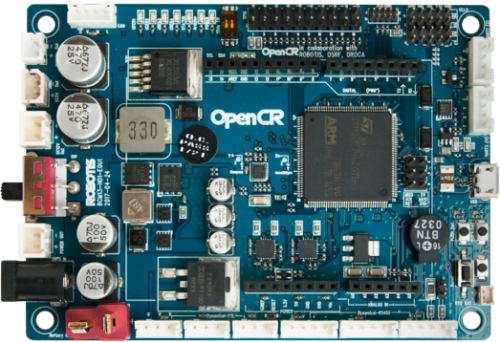
I’ve got an OpenCR 1.0 (Robotis) on USB COM5 running DJ’s EZB-compatible firmware flashed via Arduino IDE. In ARC on Windows, Connection 0 is set to 921600 and talking fine to the board (I can move a standard RC servo on a PWM pin and read an analog input reliably). I enabled "TCP Server" in the Connection’s Config and added the TCP Clients skill to monitor connections because I want to poke ARC from a Raspberry Pi over the LAN.
Here’s the odd bit: a simple Python socket connect from the Pi shows up in TCP Clients for a second or two, then drops unless I constantly send bytes. Even with a basic keepalive, it still drops intermittently whenever ARC is busy driving the OpenCR (e.g., moving servos). Minimal test:
import socket, time
s = socket.create_connection(("192.168.0.42", 6666))
while True:
    time.sleep(3)
    s.send(b"\n")  # keepalive
- I can reproduce this from another Windows laptop too, so it’s not just the Pi.
- Windows firewall is allowed, and I tried a different port.
- If I spam bytes every 200 ms, it tends to stay connected longer, but it still sometimes drops exactly when high serial traffic goes to the OpenCR.
Is the Connection’s TCP Server meant strictly for EZ-B binary protocol pass-through (and thus closing idle/non-protocol clients), and if so is there a recommended keepalive/handshake pattern or example for a Python client to maintain a stable connection while ARC is driving an OpenCR at 921600 over USB?



Yes - what you’re seeing is consistent with ARC’s TCP Server in Connections being for ARC/EZ-B protocol clients, not a general-purpose "any TCP client stays connected forever" server.
When ARC is busy talking to an OpenCR over USB at 921600, the connection manager can become more sensitive to clients that:
What this means
If your Python script is just doing:
and then sending
\nas a keepalive, that usually isn’t enough unless the client is speaking the expected ARC/EZ-B communication pattern.Recommended approach
1) Treat the TCP Server as protocol-oriented
Use it for one of these cases:
If you want a custom client to remain connected reliably, it should send a valid initial handshake, not just arbitrary keepalives.
2) Use a proper protocol handshake
For ARC/EZ-B style connections, the controller expects a startup exchange. From the protocol docs:
The protocol documentation is here:
That page describes the controller communication model ARC expects.
3) If you only need LAN control, use ARC as the command processor
A good pattern is:
That gives you a much more stable architecture than trying to keep an arbitrary socket alive inside ARC’s TCP client list.
Why it drops when servos move
When ARC is actively driving servos, ARC is also:
A non-protocol TCP client that is "just there" can get disconnected if ARC decides the socket is inactive or not participating in the expected command flow.
Better options for Python + ARC
If you want to drive the robot from Python, I’d recommend one of these:
Option A: Use ARC’s built-in scripting / commands
Have Python talk to a tiny local web service or socket server you create, and that service triggers ARC robot skills or scripts.
Option B: Write a custom ARC robot skill
If you want a clean, supported interface in ARC, create a custom skill that exposes exactly the behavior you want.
Guide:
Option C: Implement the EZ-B protocol directly
If your goal is to make the Raspberry Pi a real client of the ARC-style connection, then your Python needs to speak the protocol, not just keep the socket open.
Practical next step
If you want, I can help you build one of these two:
If you choose the Python route, tell me: