

I’m trying to get a repeatable drive pattern out of an AdventureBot using the servo Recorder skill and I’m hitting some oddities with the continuous rotation drive servos (EZ-B v4 on Wi-Fi, stock D0/D1 wheel setup). I recorded a simple "figure 8" by driving with the servo Pad as the docs suggest. During recording I kept the wheels around the usual CR ranges (e.g., ~90 stop, <90 reverse, >90 forward) and made sure both wheels were trimmed so 90 is truly stopped. On playback from the servo Recorder UI, the bot roughly follows the path, but I see brief surges where one wheel jumps to near full speed for a split second, throwing it wide. If I use the speed modifier, e.g., 0.5, the timing slows but the turning radius changes noticeably, almost like the positions are being scaled rather than just the temporal spacing. Using -1 for reverse doesn’t mirror the path; it tends to spin-in-place at segments that were gentle turns forward. I also tried splitting left/right into two recordings and starting them via ControlCommand from a script, but they’re not perfectly synchronized and drift starts to accumulate. I’ve tried AP and client Wi-Fi modes, fresh batteries, and re-trimmed the CR servos; behavior is consistent. Does servo Recorder truly support accurate capture/replay for continuous rotation wheels, and is there a reliable way to start multi-channel playback in perfect sync, or should I switch to a Movement Panel or a scripted array of timed SetServo commands for this use case?

DutchBotMkr
Holland
Asked
1 Participant
Servo Recorder Repeatability On Adventurebot
Related Hardware (view all EZB hardware)
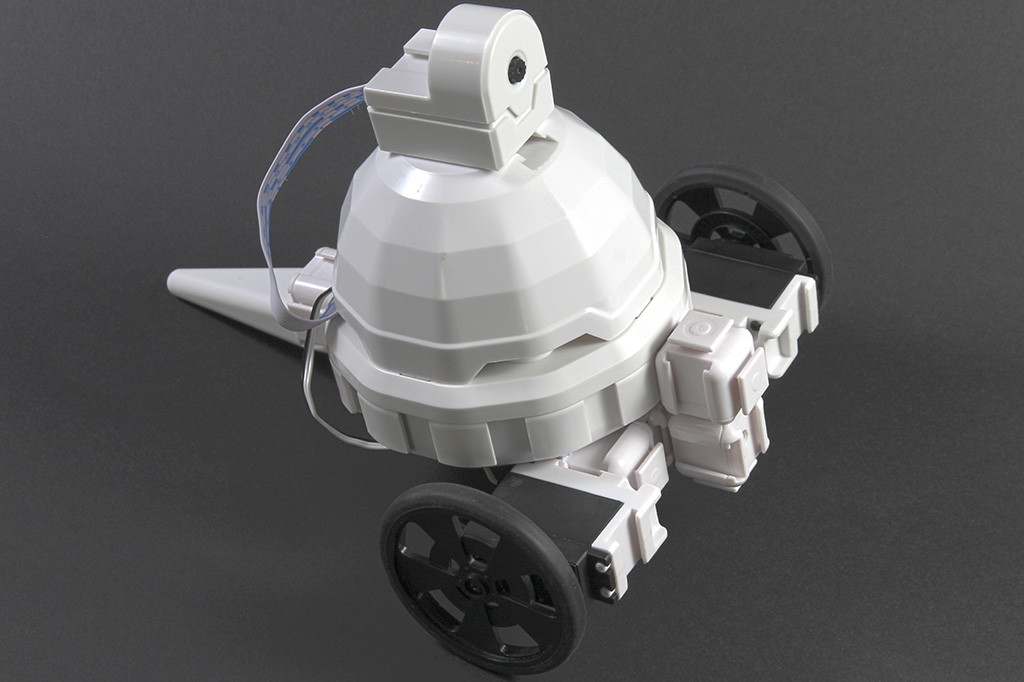
Adventurebot
by EZ-Robot
AdventureBot with Synthiam ARCx: drive, stream live video, follow faces and colors, use speech, AI, and browser control.
Wi-Fi / USB
Servos
24
Camera
Audio
UART
3
I2C
ADC
8
Digital
24
Related Robot Skills (view all robot skills)

Servo Recorder
by Synthiam
Record and replay named servo movements with adjustable speed/direction (-5 to +5), multiple recordings, ControlCommand triggers and status var
Requires ARC
v16

Movement Script
by Synthiam
Trigger direction-specific scripts when ARC movement panels change; assign scripts per direction/stop, access direction and speed (JS/Python/EZ).

Servo Recorder can replay servo motion, but for an AdventureBot with continuous-rotation drive servos, it’s usually not the best tool for repeatable drive paths.
What you’re seeing
A few things are happening here:
Bottom line
For repeatable drive patterns on AdventureBot, I would recommend:
Movement Panel + scripted movement
A JavaScript or Python timed script using
Servo.setPosition()Servo Recorder
Why servo Recorder is a weak fit here
Servo Recorder is great when the output servo motion is:
A drive base is different because:
Better approach for your use case
If your goal is something like a repeatable figure-8, I’d suggest a scripted drive routine instead of recording.
For example, in JavaScript:
If your bot uses different port mapping or reversed wheel directions, the numeric values may need to be inverted.
For perfect sync
If you want both wheels to change at the same instant, the best practice is:
That gives you much tighter synchronization than two separate playback commands.
One more important note
Because AdventureBot’s wheel servos are continuous rotation, you may get better results by building your motion around:
If you want, ARC’s Movement Panel approach can be combined with scripts so you can press a button or call commands and still keep the drive behavior organized.
Recommended ARC docs
My recommendation
For AdventureBot drive patterns, I’d switch to:
Servo Recorder is fine for testing, but I would not trust it for repeatable path driving on CR wheel servos.
If you want, I can help you write a clean AdventureBot JavaScript figure-8 routine for your exact servo directions and trim values.