


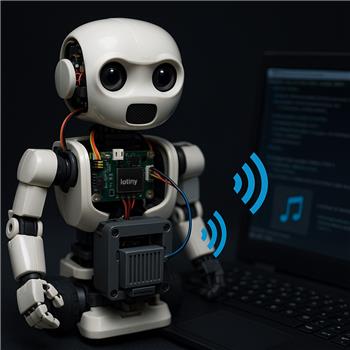
ARC is running on an Atomic Pi inside my bot, and I’m trying to get audio to come from the head speaker. I’ve got two controllers connected over WiFi: an EZB v4 as Connection 0 (in the base) and an IoTiny as Connection 1 (in the head with the speaker). Using the Audio File Out EZB skill, pressing Play always streams to the primary EZB (#0). The log shows "Playing: c:\sounds\hello.mp3" followed by "Streaming to EZB: 0", and audio comes from the base. If I unplug the base speaker, I get silence.
What I’ve tried:
- Reordering the connections so the IoTiny is #0 makes the head play audio, but it breaks a bunch of existing scripts and servo configs that assume the v4 is #0.
- Adding two instances of the Audio File Out EZB skill (hoping one could target #1) still only streams to #0.
- Scripting a temporary default switch in JavaScript around the Play command:
SetDefaultEZB(1);
ControlCommand("Audio File Out EZB", "Play", "c:\\sounds\\hello.mp3");
Sleep(5000);
SetDefaultEZB(0);
Even with a delay and trying Stop before switching, the skill’s log still reports it’s streaming to EZB: 0.
Is there a supported way to direct the Audio File Out EZB skill to a specific EZB index (e.g., #1) or to temporarily switch the primary just for this control without reconnecting and reassigning all my other controls?

Yes - with Audio File Out EZB, the output is tied to the primary EZ-B connection (#0). It does not currently provide a per-control setting to target a different EZ-B index like
#1, and simply changing the default in a script won’t reliably move that skill’s streaming target after the control is already using the primary connection.What that means for your setup
Since:
the built-in Audio File Out EZB skill will keep streaming to EZB 0 as designed.
Supported options
Option 1: Make the IoTiny the primary connection
This works, but as you found, it can require reworking scripts and controls that assume the v4 is
#0.Option 2: Use a custom robot skill
If you need audio routed to a specific EZ-B index, the best path is to create a custom robot skill that plays audio through the desired connection using ARC scripting/skill APIs.
You can start here:
That approach would let you explicitly choose the EZ-B index in code instead of depending on the primary connection.
Option 3: Use a script-based workaround if the speaker is on the IoTiny
If the goal is just to trigger sound from the head unit, we can build a small JavaScript script that uses the proper audio functions for the IoTiny, depending on how the speaker is connected and whether you need TTS or file playback.
Important note about your
SetDefaultEZB(1)ideaThat won’t solve this particular skill behavior because the skill itself is already bound to the primary connection logic. The log line:
confirms it is still using connection 0.
A few things to check
Best recommendation
If you want to keep the v4 as connection 0 and still send head audio to IoTiny connection 1, the cleanest solution is to create a custom skill or a dedicated script that targets the second EZ-B explicitly.
If you want, I can help you with either of these next steps:
If you share how the head speaker is connected and whether you need file playback vs TTS, I can give you a working example.