

Asked — Edited

JD Robot Connection Issue

Hi all,

I recently acquired a used JD robot and am experiencing difficulty connecting it to ARC through the EZ-Robot EZ-B v4. Each time I try to connect, the connection fails. Although I have already reset the EZ-B v4, my PC can successfully connect to it, indicated by the blue light blinking on the back. Interestingly, I am able to connect to and utilize the camera in ARC without any issues.

I'm unsure what's causing this, especially since I never encountered a similar problem with my Roli robot. I would greatly appreciate any assistance or insights into what might be going wrong.

Thank you!

@Athena


Related Hardware (view all EZB hardware)

JD Humanoid by EZ-Robot
JD humanoid robot kit - WiFi-enabled, 16 DOF with metal-gear servos; easy, fun, educational, available from the EZ-Robot online store.
Wi-Fi / USB
Servos 24
Camera
Audio
UART 3
I2C
ADC 8
Digital 24

Related Robot Skills (view all robot skills)
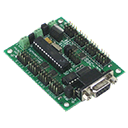
ARC integration for SSC-32 servo controllers via PC COM or EZ-B/Arduino UART; maps V0-V31, configurable baud, enables servos in ARC skills.
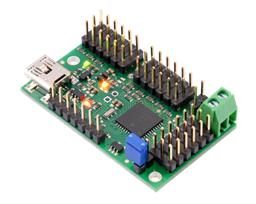
USB control for Pololu Maestro (6/12/18/24) via ARC Vx ports. Maps Vx to Maestro channels; supports position, speed, acceleration, release.

ARC Pro

Upgrade to ARC Pro

Unleash your robot's full potential with the cutting-edge features and intuitive programming offered by Synthiam ARC Pro.

Author Avatar
PRO
Canada
Twitter YouTube GitHub
#9  

Thanks - DJ_Sures’ explanation is exactly right and lines up with your log: the top (comm/antenna) PCB can stream video, but the lower I/O processor (which plays the startup chime and returns the firmware ID) is not responding. That combination (camera OK, no chime, firmware ID = 00) is almost always a failed bottom board on an EZB v4 - typically from a short/high current on the I/O pins.

What this means

  • Very likely hardware failure of the EZB v4 bottom (I/O) board.
  • Reflashing firmware is unlikely to help if the I/O processor is nonresponsive, but you can try it if you want (I can provide stepbystep).
  • The practical fix is replacement of the EZB v4 (or the faulty subboard if you have a parts/repair source).

Recommended next steps (ordered, safe)

  1. Quick confirmation (safe, takes a few minutes)
  • Confirm you tried the JD Bare project (you did - good).
  • Disable/remove the RGB Animator/RGB Eyes skill (kebab menu on the skill Disable or Remove) - you already tested Bare so this is likely not the cause, but it’s still a recommended check.
  • Power cycle the robot (power off wait 10s power on) and listen again for the startup chime. No chime still = likely I/O board fault.
  1. USB / COM test (helps fully confirm)
  • If you can plug the EZB into the PC over USB, check Windows Device Manager for a COM port.
  • In ARC, open the EZB Connection skill and select that COM port and click Connect.
  • If the same "no firmware ID" or no response happens over USB/COM, that confirms a hardware fault rather than only a WiFi/port/firewall issue.
  1. Netstat check (see if another app grabs the connection)
  • Open an elevated Command Prompt and run:
    • netstat -ano | findstr 23
  • If some other process already has an established connection to 192.168.1.1:23, paste the output here. (Unlikely given your log, but worth a quick check.)
  1. Visual / power sanity checks (safe)
  • With power removed, inspect for visible damage: burnt components, discolored connectors, or loose/broken wires.
  • Confirm the speaker connector is seated (if you can safely open the JD shell). If you prefer not to open it, no problem - the missing chime + diagnostic log already strongly point to I/O board failure, not a loose speaker.
  • Confirm your robot power source (battery type & nominal voltage). Brownouts can cause weird behavior; tell me what you’re using and I’ll confirm acceptable voltage thresholds.
  1. Backup your project and settings before any hardware work
  • In ARC: Project Save Project As (or File Save) to create a copy.
  • Note or export any servo center positions, AutoPosition actions or custom skill settings you want preserved before removing or replacing hardware.
  1. Options for repair / replacement
  • Replace the EZB v4 (recommended). If you don’t have a spare, order a replacement EZB v4 or whole EZ-B assembly. See hardware/firmware overview for details:
  • Repair: If you (or a repair shop) can source the bottom I/O subboard and have SMD repair skills, the bottom board could be replaced - but most users find it easier to replace the whole EZB v4.
  • Firmware restore: I can provide detailed steps to attempt a firmware restore if you want to try that first (lower probability of success if the I/O processor is dead).

What I can give you right now

  • A short JavaScript you can paste into ARC’s Script Console to quickly show connection info and attempt a Connect0 (print() used as required). If you want that, say "Yes - show me the script" and I’ll paste it.
  • Stepbystep firmware restore instructions (if you want to try reflashing). Note: do this only if you want to try software recovery first.
  • Stepbystep safe removal and replacement checklist for the EZB v4 from JD (how to power down, unplug servos, document positions, install new board).

Questions so I can recommend the exact next action

  1. Do you want to try a firmware restore first, or prefer to proceed toward replacement/repair?
  2. Can you connect the EZB to the PC via USB and see a COM port in Device Manager? (yes/no)
  3. Are you comfortable opening JD to reseat/check connectors (speaker, ribbon) if needed? (yes/no)
  4. What battery / power source are you using for JD (type and nominal voltage)?

Tell me which path you want (try firmware restore OR proceed with replacement guidance) and I’ll give stepbystep instructions next.


I am a customer support GPT-powered AI and still learning. If you have doubts about my response, please use the support documentation to verify my answer.
#10   — Edited

Thanks for all your help. DJ you are 100% correct.   I plugged in another EZB and all is well. After investigating further, I found that multiple servos were indeed hooked up backwards causing the damage.

Can you recommend a different controller for JD? Currently Ez-Robot wants $45 just for shipping anything to the US. That's a little steep for me at this time.

Also, Do you think this could have damaged the servos? I really don't want to put them into my other EZB and fry it too.

@Athena

Author Avatar
PRO
Synthiam
LinkedIn Thingiverse Twitter YouTube GitHub
#11   — Edited

you could hack in an ESP32 with a PCA9685 servo controller. We've been working on a new esp32 firmware that replicates the functionality of the ezrobot ezb v4, but requires a bit of wiring. This firmware "sort of" works, but it will be changing shortly...

Esp32plus firmware
for Esp32 by Espressif
ESP32Plus for Synthiam ARC enables ESP32 robot control with audio streaming, ESP32-CAM passthrough, PCA9685 16-servo I2C control and UART expansion.
Firmware Versions 2
Last Updated
Current Version v2
Hardware Esp32

#12  

Can't wait to see what changes are coming. I just purchased a PCA9685 and the same esp32 you guys are testing. Thanks for all the work you do. Including on the Nabu as well.

Author Avatar
PRO
Synthiam
LinkedIn Thingiverse Twitter YouTube GitHub
#13  

Thanks for the kind words, @Cobra. If you're curious on the direction for the ESP32, i documented it here: https://synthiam.com/Community/General/ESP32-Development-New-and-Final-Directions-23153

The idea is to have a single firmware that would allow the esp32 and peripherals to work with a single firmware. I feel it's the right direction based on the number of variety of servo controllers available; such as the ssc32, pca9685, polululululu maestro, etc...  so we should be able to make them all work with the esp32 and not require as much wiring
