


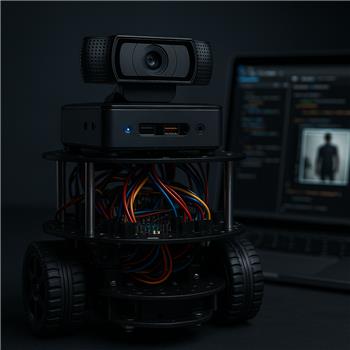
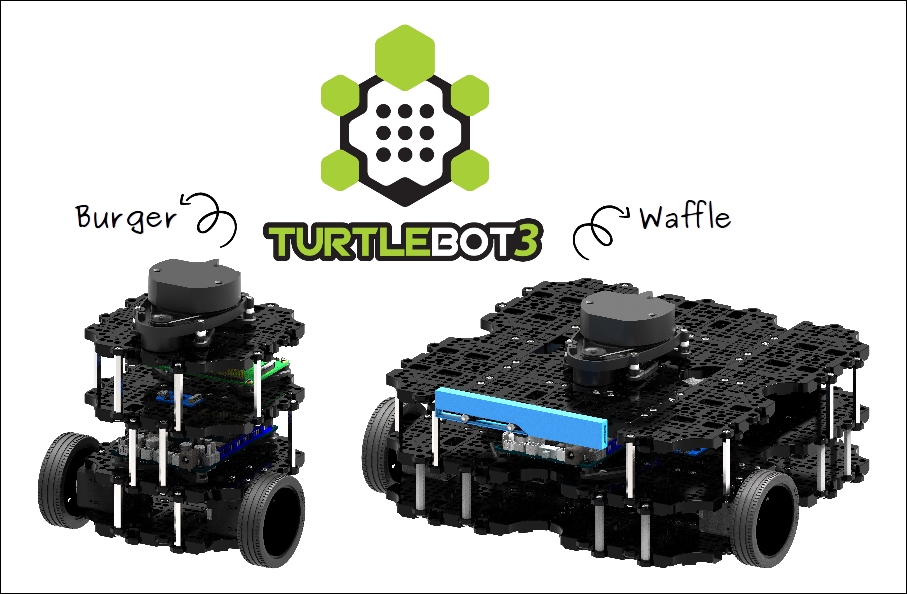
Running ARC on a TurtleBot3 Burger with an Intel NUC (Windows) on the base, USB to OpenCR for motor control, and a Logitech C920 as the camera. I’ve added Camera Device at 640x480 and the Darknet YOLO (Obj Detection) skill. With Running enabled, the On Changes script fires many times per second even when a person is standing still. I think tiny score fluctuations are triggering changes, which spams my Audio.say and any movement logic. CPU also jumps when I leave YOLO in continuous mode.
I tried switching to on-demand detection with a JavaScript loop and that helps CPU, but I still get chatty events due to score changes. My current approach is to threshold and require N consecutive frames before acting:
// On Changes script
var n = getVar('$YOLONumberOfRegions');
var classes = getVar('$YOLOClasses');
var scores = getVar('$YOLOScores');

var target = 'person';
var thresh = 0.6;
var count = getVar('$personCount') || 0;

var seen = false;
for (var i = 0; i < n; i++) {
  if (classes[i] === target && scores[i] >= thresh) { seen = true; break; }
}

count = seen ? count + 1 : 0;
setVar('$personCount', count);

if (count === 3 && !getVar('$personAnnounced')) {
  setVar('$personAnnounced', true);
  Audio.say('Person detected');
}
if (!seen) setVar('$personAnnounced', false);
And my on-demand loop:
while (true) {
  controlCommand('Darknet YOLO', 'Run');
  sleep(500); // 2 Hz
}
Is this the right pattern for TurtleBot3, or is there a better way to throttle/filter Darknet YOLO (Obj Detection) so On Changes doesn’t fire on minor score wiggles-e.g., recommended confidence thresholds, built-in options, or a more robust debounce strategy?



Yes - your debounce/state-machine approach is the right direction for ARC and TurtleBot3. Darknet YOLO will often emit small score/box fluctuations even when the scene looks "unchanged," so if you react to every
On Changesevent directly, you’ll get chatter.What I’d recommend
1) Treat YOLO as a sensor stream, not an event
Instead of "fire action immediately," use:
That means:
"person present"after a person is seen N times in a row2) Your current script has one logic issue
This line:
will only fire on the exact frame where
countbecomes3. That’s fine, but if your detections bounce around, you may want>= 3instead. Also, your!getVar(...)check is risky if the variable has never been initialized.A more robust pattern is to track a stable state and separate seen vs not seen counters.
3) Better debounce pattern for
On ChangesTry this JavaScript in the YOLO On Changes script:
Why this works better
4) Add a cooldown for speech
Even with state logic, I’d still add a cooldown so
Audio.say()can’t spam if the scene flips rapidly.You can combine that with the stable-state code above.
5) About the on-demand loop
This part is fine in principle:
But I’d suggest:
$modeAlso, if you only need person detection occasionally, running YOLO at 1-2 Hz is usually much gentler on CPU than continuous running.
6) Even better: use a single "person stable" branch
A clean pattern in ARC is:
That separates:
This often makes debugging much easier.
7) About built-in YOLO options
Darknet YOLO in ARC does support running from the camera and reacting on changes, but the main practical filtering is usually done in script rather than relying on a special built-in "debounce" feature.
So the best tools are:
$personPresent)8) TurtleBot3-specific note
Because you’re on a TurtleBot3 Burger with a C920 and an Intel NUC, CPU load is expected to jump when YOLO is continuous. Your move to on-demand is the right direction.
For TurtleBot3 projects, I’d usually recommend:
9) Suggested ARC project structure
A solid setup would be:
If you want, I can help you turn this into a cleaner state machine script for:
idlesearchingperson_detectedapproachlost_targetThat’s often a much better fit than reacting to every YOLO callback.
10) ARC AI Script Assistant tip
If you’re editing this inside ARC, the AI Script Assistant can rewrite the script directly in the editor and adapt it to your exact skill names and variables: https://synthiam.com/Products/AI-Assistant
If you want, I can also give you a complete TurtleBot3-ready YOLO debounce script in JavaScript that includes: