

hello robo
USA
Asked
 Resolved by ptp!
Arcpi / Ezbpi On Raspberry Pi 3 Errors
Hello,
I am trying to run ARCPi and EZBPi on a Raspberry Pi 3. I have tried installing them on two different versions of Raspbian, the latest release and the 11/13/18 (stretch) version, which was released closer to "DJ's 9th Live Hack" (I have been following that YouTube tutorial). When I execute ARCPi, I get the following error before ARC launches:
pi@raspberrypi:~/EZ-BuilderPi $ mono ARC.exe
Unknown heap type: #GUlD

Unknown heap type: #Blop

Unknown heap type: #GUlD

Unknown heap type: #Blop

The help viewer could not load. Maybe you don't have chmsee installed or haven't set MONO_HELP_VIEWER. The specific error message was: ApplicationName='chmsee', CommandLine='"https://synthiam.com/Software"';, CurrentDirectory='', Native error= Cannot find the specified file
X11 Error encountered:
  Error: BadMatch (invalid parameter attributes)
  Request:     12 (0)
  Resource ID: 0x1C013B8
  Serial:      48245
  Hwnd:        Hwnd, Mapped:True ClientWindow:0x1C013B9, WholeWindow:0x1C013B8, Zombie=False, Parent:[Hwnd, Mapped:True ClientWindow:0x1C013B7, WholeWindow:0x1C013B6, Zombie=False, Parent:[]]
  Control:     System.Windows.Forms.Panel, BorderStyle: None  at System.Environment.get_StackTrace () [0x00000] in <8f2c484307284b51944a1a13a14c0266>:0
  at System.Windows.Forms.XplatUIX11.HandleError (System.IntPtr display, System.Windows.Forms.XErrorEvent& error_event) [0x00000] in :0
  at System.Drawing.GDIPlus.GdipCreateFromXDrawable_linux (System.IntPtr , System.IntPtr , System.IntPtr& ) [0x00000] in <1917aa1c39d94b1a91807b8cd9f03350>:0
  at System.Drawing.Graphics.FromXDrawable (System.IntPtr drawable, System.IntPtr display) [0x00000] in <1917aa1c39d94b1a91807b8cd9f03350>:0
  at System.Drawing.Graphics.FromHwnd (System.IntPtr hwnd) [0x00000] in <1917aa1c39d94b1a91807b8cd9f03350>:0
  at System.Windows.Forms.Control.CreateGraphics () [0x00000] in :0
  at System.Windows.Forms.TextBoxBase.CreateGraphicsInternal () [0x00000] in :0
  at System.Windows.Forms.Document.owner_VisibleChanged (System.Object sender, System.EventArgs e) [0x00000] in :0
  at System.Windows.Forms.Control.OnVisibleChanged (System.EventArgs e) [0x00000] in :0
  at System.Windows.Forms.Control.OnParentVisibleChanged (System.EventArgs e) [0x00000] in :0
Once ARC launches, if I try to open a previously saved project, a window pops up with a similar message:
Version: 2019.05.08.00

System.IO.DirectoryNotFoundException: Directory 'EZ-Builder/Examples' not found.
  at System.IO.Directory.ValidateDirectoryListing (System.String path, System.String searchPattern, System.Boolean& stop) [0x00091] in <8f2c484307284b51944a1a13a14c0266>:0
  at System.IO.Directory.GetFileSystemEntries (System.String path, System.String searchPattern, System.IO.FileAttributes mask, System.IO.FileAttributes attrs) [0x00023] in <8f2c484307284b51944a1a13a14c0266>:0
  at System.IO.Directory.GetDirectories (System.String path, System.String searchPattern) [0x00000] in <8f2c484307284b51944a1a13a14c0266>:0
  at System.IO.Directory.GetDirectories (System.String path) [0x00000] in <8f2c484307284b51944a1a13a14c0266>:0
  at EZ_Builder.FormOpenEZB.XtZsj07xQ5 () [0x0000b] in <8a9b654daa5e46dc9cae530155c2d0ff>:0
  at EZ_Builder.FormOpenEZB..ctor (System.String folder) [0x0002d] in <8a9b654daa5e46dc9cae530155c2d0ff>:0
  at (wrapper remoting-invoke-with-check) EZ_Builder.FormOpenEZB:.ctor (string)
  at EZ_Builder.FormMain.MenuClick_Open (System.Object sender, System.EventArgs e) [0x00027] in <8a9b654daa5e46dc9cae530155c2d0ff>:0
  at (wrapper delegate-invoke) :invoke_void_object_EventArgs (object,System.EventArgs)
  at System.Windows.Forms.RibbonItem.OnClick (System.EventArgs e) [0x00042] in <8137470ea8f14440974ce9168ccc636e>:0
  at System.Windows.Forms.RibbonButton.OnClick (System.EventArgs e) [0x0003f] in <8137470ea8f14440974ce9168ccc636e>:0
  at System.Windows.Forms.RibbonMouseSensor.Control_MouseClick (System.Object sender, System.Windows.Forms.MouseEventArgs e) [0x00041] in <8137470ea8f14440974ce9168ccc636e>:0
  at System.Windows.Forms.Control.OnMouseClick (System.Windows.Forms.MouseEventArgs e) [0x0001c] in :0
  at System.Windows.Forms.Control.HandleClick (System.Int32 clicks, System.Windows.Forms.MouseEventArgs me) [0x0005d] in :0
  at System.Windows.Forms.Control.WmLButtonUp (System.Windows.Forms.Message& m) [0x00071] in :0
  at System.Windows.Forms.Control.WndProc (System.Windows.Forms.Message& m) [0x0016f] in :0
  at System.Windows.Forms.Ribbon.WndProc (System.Windows.Forms.Message& m) [0x00191] in <8137470ea8f14440974ce9168ccc636e>:0
  at System.Windows.Forms.Control+ControlWindowTarget.OnMessage (System.Windows.Forms.Message& m) [0x00000] in :0
  at System.Windows.Forms.Control+ControlNativeWindow.WndProc (System.Windows.Forms.Message& m) [0x0000b] in :0
  at System.Windows.Forms.NativeWindow.WndProc (System.IntPtr hWnd, System.Windows.Forms.Msg msg, System.IntPtr wParam, System.IntPtr lParam) [0x0008e] in :0
I searched Synthiam Community for a similar thread, so forgive me if this issue has been addressed in a previous post and I missed it. I am happy to answer any questions. Does anyone know what I could have done wrong during the installation?
Thanks Tim
Related Hardware (view all EZB hardware)
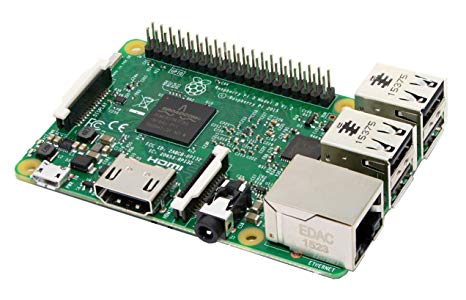
Raspberry Pi
by Pi Foundation
Run Synthiam ARC on Raspberry Pi 4+ with Windows 11 for robot control; use external EZB/Arduino for reliable I/O, SSD/USB storage recommended
Wi-Fi
Servos
✕
Camera
Audio
UART
✕
I2C
ADC
✕
Digital
✕

here is a link about the AX12A baud rate settings.maybe it helps.
AX12A baud
Thanks for your response.
Checklist
2. Ensure the RX and TX are connected correctly. Ensure the raspberry pi and servo are both sharing the same ground.
Please let me know if something looks out of place. I also made a second cable just in case I soldered something incorrectly the first time.
4. Ensure the ID is matching the servo. Ensure the servo is receiving correct required power.
Please let me know if I misunderstand something, if I overlooked anything or if there is another area to troubleshoot. Thank you for your help.
Thanks for the additional information on the AX-12A servo. While I am currently not able to operate the AX-12A servo (via the Pi), I really need to get the XL430-W-250-T servos working, as those are the servos which I am using for this project.
The baud has to correct. The reason the opencm allows 57600 is because it's usb serial and won't matter what baud the connection is. You will have to know the baud of the servos. If there's a configuration interface, check the value in the servo for the specified baud value. The BAUD is how fast the servos expect the communication. If it's off even by 1, they won't work.
The ID of the servo is relevant. If you select ID #5 in ARC, the ID of the servo must also be configured for 5. If you select ID #2 in ARC, the ID for the servo must be ID 2.... etc...... Also, ID #5 in ARC is V5. ID #2 in ARC is V2... etc
Hey, its been a while since I was trying to accomplish all this and decided to move on... But as far as I remember I had a bit of trouble connecting directly to the Raspberry Pi. It might be dangerous to expose the Raspberry Pi pins to the Dynamixel buss which is 5V, while the RPi pins are all 3.3V max.... So actually the OpenCM board might be the best solution for your project, just to be safe!!
https://synthiam.com/Community/Questions/Dynamixel-with-EZBPi-Server-17808/comments#comments-list
No offense if I am wrong here...maybe sending positions is fine, I am by no means an expert on this topic!
for the servo you want is the baud 9600. baud 9600
Also, you do have to remember that the high speed serial is reserved for Bluetooth on the Raspberry Pi by default... If you want to communicate with your AX-12A Servos on the Raspberry Pi, you will have to change this to make it possible!
You can use this to make your high speed serial port available to use with your Dynamixel servos...
https://spellfoundry.com/2016/05/29/configuring-gpio-serial-port-raspbian-jessie-including-pi-3-4/
But I guess the OpenCM might be the better option, since it is more safe regarding the concerns mentioned earlier!!
DJ, thanks, that makes sense. As Nomad 6R added, the servos have a listed baud rate of 9600 (thanks Nomad 6R), so I will try that going forward, but I think I remember you using a baud rate of 57600 in one of your videos (testing different Dynamixel servos). I’m at dinner, so I’ll double check and add the link later. *Edit Here is a video where you set the baud rate to 57600 for a XL430 servo: https://youtu.be/NPPd0Ru4mb4?t=6390 Sorry, also I double checked to make sure that the servo's IDs matched.
Mickey666Maus, thanks for adding a link to your previous thread. It was informative. My initial Pi 3 B was damaged and perhaps this was the cause (it overheats now shortly after being powered on)? I will add a couple of resistors. Do you have any suggestions as to which kind I should use?
Also, how do I change the high speed communication which is reserved for Bluetooth to work with XL430 servos?