


Hello everybody!
I would like to know if someone can help me on a project!
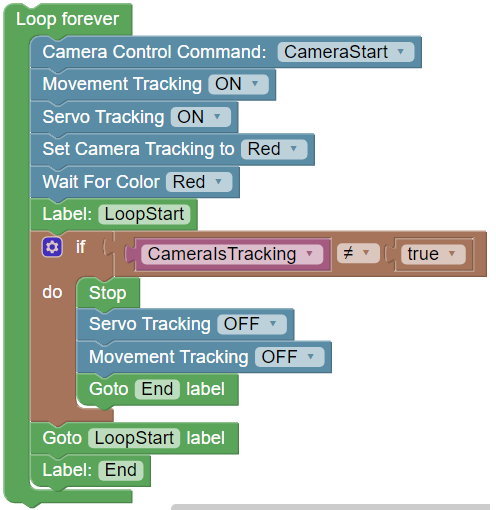
I doing a simple project to make an EZ-B Brain and two pairs of servo HDD360 track a red ball until the ball disappears from the camera.
The issue is that the EZ-B does not stop the servos after the ball disappears.
I attached a file with the blocky programming.
Please, could somebody help me?

You don't have to write any code. Just turn on servo tracking. You should not be using movement tracking. Read the question marks for the options and you'll see movement tracking is for a robot that is actually moving with wheels or legs or flying or anything.
Follow this tutorial: https://synthiam.com/Community/Tutorials/112