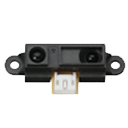

Sharp IR Collision icon Sharp IR Collision — Stops movement panels when a Sharp IR sensor on EZB ADC detects objects within a set range; displays ADC voltage, VU meter and 0-255 distance value. Try it →
Asked — Edited
1 Participant

Difference From Tutorial

When I looked at the tutorials after they were done adjusting the surbos the arms go down but it dose not do that for mine and when I run an action it's arms go up like its arms go up like it's flexing and it buzz. please help.


ARC Pro

Upgrade to ARC Pro

Experience early access to the latest features and updates. You'll have everything that is needed to unleash your robot's potential.

Author Avatar
PRO
Synthiam
LinkedIn Thingiverse Twitter YouTube GitHub
#1  

You've connected the wires to incorrect ports. Or you have the arms installed upside down. Follow the tutorial and you'll get it on the next try:)
