Change Release Notes
Dust off your 3D Printer because now it has a purpose. The time to change the world of robotics has begun... With EZ-Robot Revolution!
Revolution is not just a new product. It is a community of sharing, growing and learning. Most importantly, creating really awesome robotics, easily! Revolution provides an online library of 3D Printable parts (EZ-Bits), 3D EZ-Robot Designer, online storage of apps (EZ-Cloud) and brings it all together with our amazing robot control software (ARC).
Until now, the challenge with robotics has been a segmentation of hardware, software and components. EZ-Robot is the first company to successfully unite advanced robotic features, easy graphical design interface, video tutorials, reliable robot controller hardware, and now a modular platform.
Revolution is the unification of robotics!
Revolution introduces a new flexible modular platform while maintaining and supporting community creativity. This is done through a new EZ-Cloud library of 3D printable robot parts called EZ-Bits. EZ-Robot is committed to continue designing modular EZ-Bits for you to assemble beautiful and functional robotics. To support the community's creative engagement, we have integrated a 3D design feature which enables you to submit your own EZ-Bit creations.
With the support of our strong community, we will grow our library of 3D printable EZ-Bits for the world to share! Imagine the impact this moderated collection of compatible 3D printable robot parts will have on education, industry prototyping, and hobbyists.
The world is ready...
Let me be the first to introduce to you, EZ-Robot Revolution!
Project Menu The project menu provides you with the tools to create an EZ-Robot. Add controls for custom behaviors, 3D design and 3D print your EZ-Robot parts.
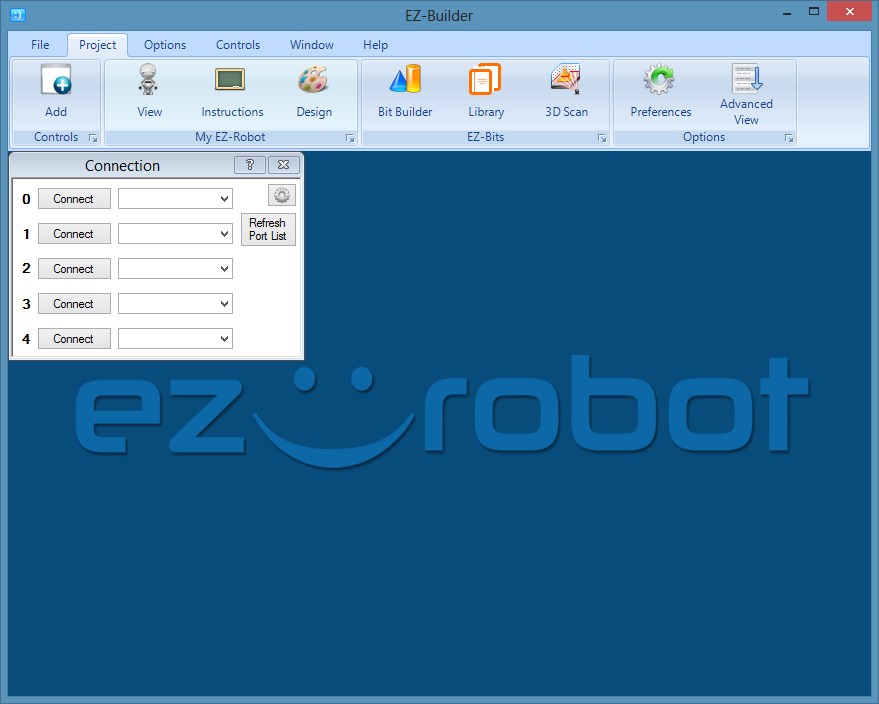
Examples Projects can be opened with the File Open menu option. Here you are presented with Revolution example robots (Hexapod codenamed Six and a Biped codenamed JD). You may also browse the subfolders to load projects which provide examples of EZ-Script syntax and functions. Many more Revolution EZ-Robot examples to come!
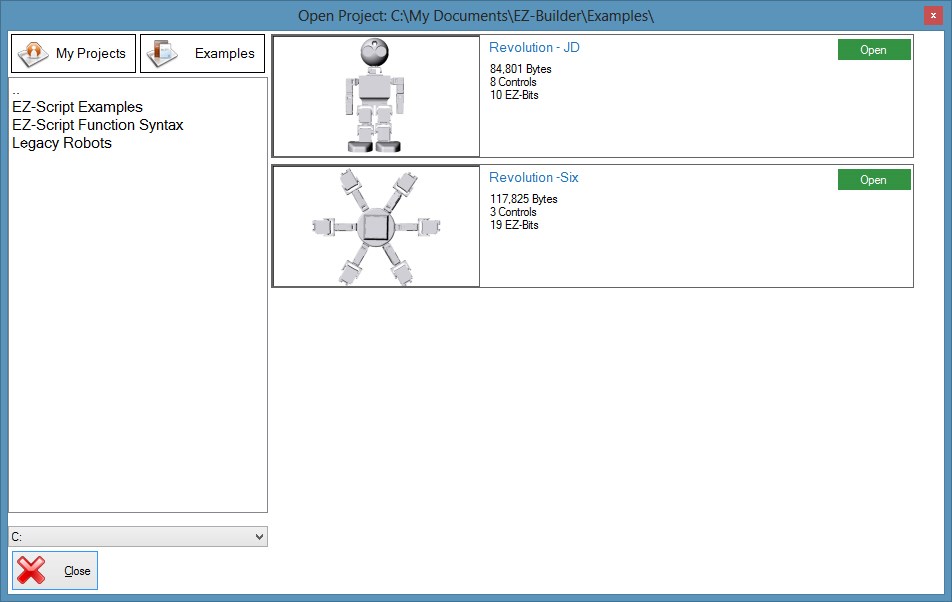
Revolution Projects A robot designed with Revolution EZ-Bits will require the files to be cached on your computer. If the files are missing from your local library, you will be prompted to start the sync utility to download the missing files. The project will not open unless the EZ-Bit cache files have been downloaded.
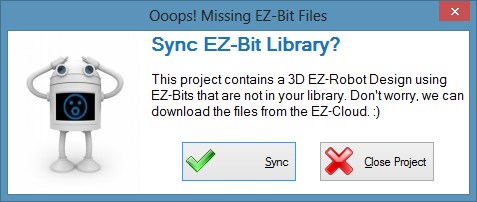
Downloading EZ-Bit Library The EZ-Bit Library Sync utility will synchronize your local library with files from the server. Pressing the Sync Now button will begin the process. EZ-Bit cache files range in size from 200K to 3MB, which means the process time depends on your internet connection speed.
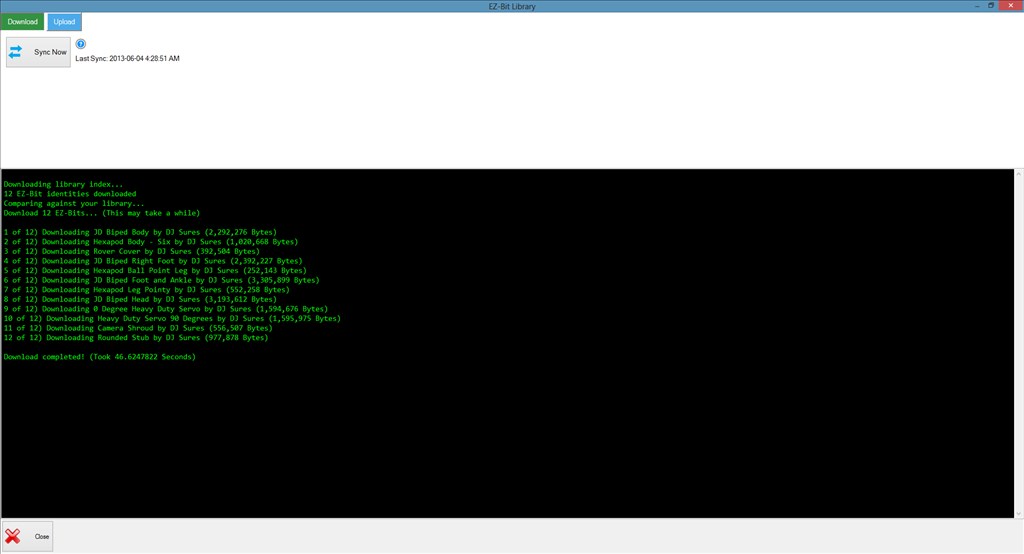
Assembly Tutorial Prompt When opening a Revolution EZ-Robot, an instructional tutorial prompt is presented to you. By selecting to view the assembly instructions, you will be presented with a 3D step-by-step animation of assembling your robot. You can follow along with each step while you are presented with details, such as EZ-B connections. You can view the assembly instructions at anytime by selecting Instructions from the Project section of the ARC menu.
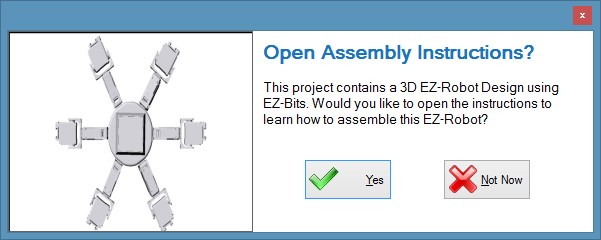
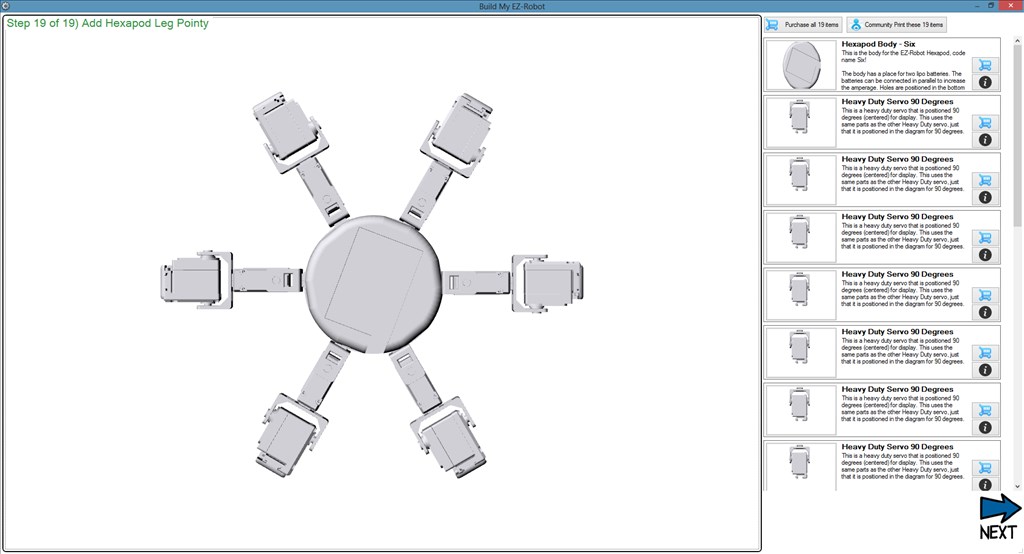
3D Animated Assembly Instructions By choosing to view the assembly instructions, you will be presented with a new window. In this window, you are given control to browse through steps of the EZ-Bits with detailed instructions. The instructions tell and show you where to connect the EZ-Bit and what ports to use on the EZ-B.
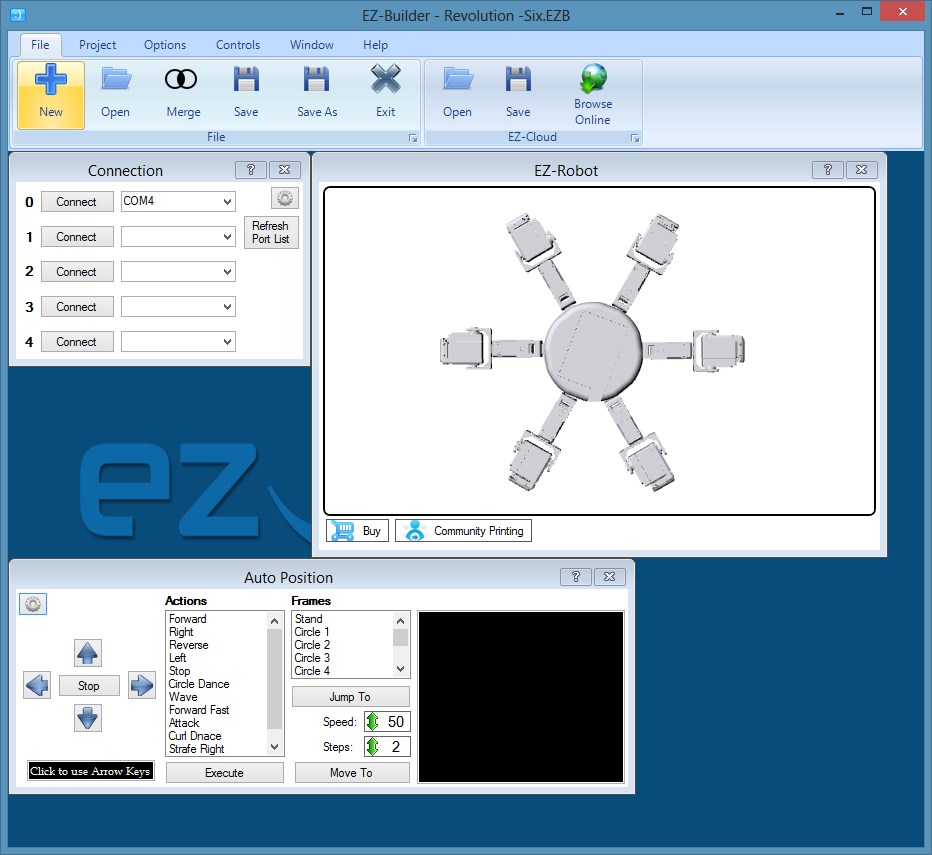
EZ-Robot 3D View Once in the project, the EZ-Robot control gives you a 3D view of your robot. In this example, the AutoPosition control comes in handy to create GAITs and movements for your robot.
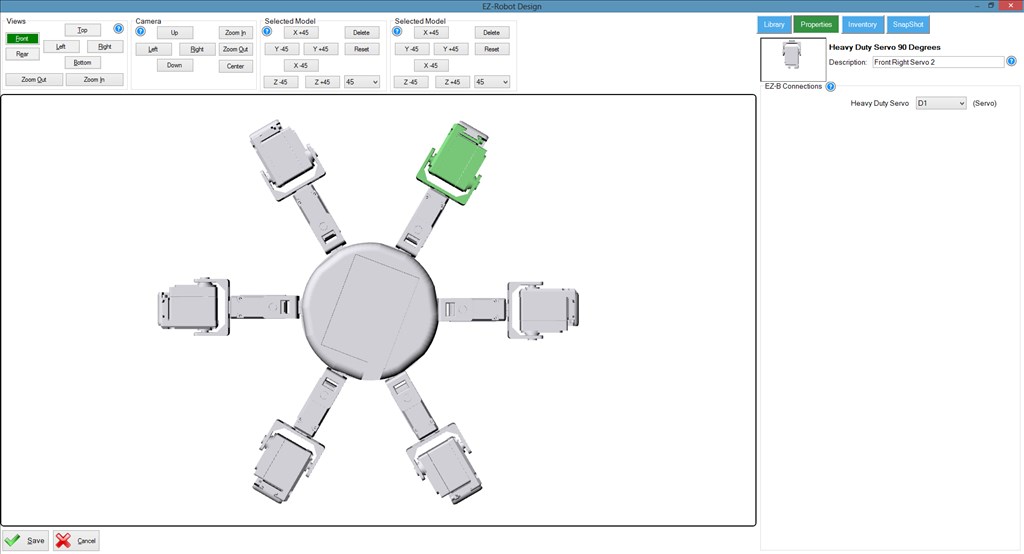
EZ-Robot 3D Design When it's time to create your first EZ-Robot, the 3D Design mode makes it easy! Use EZ-Bits from the library to build your robot. Each EZ-Bit will have a property tab which allows you to specify a friendly name and EZ-B connections. This information will be used throughout your robot configuration and to generate the auto assembly instructions.
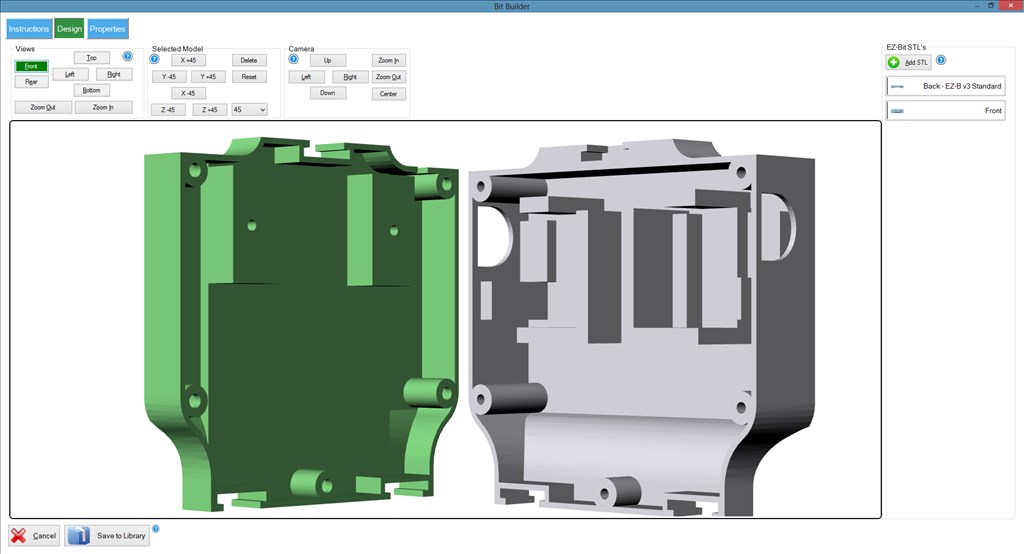
EZ-Bit Designer Adventurous robot designers can create custom EZ-Bits. By importing the STL files generated in your favorite 3D design software, you can assemble all the parts into one EZ-Bit. Each STL file is saved within the EZ-Bit and can be used for 3D printing.
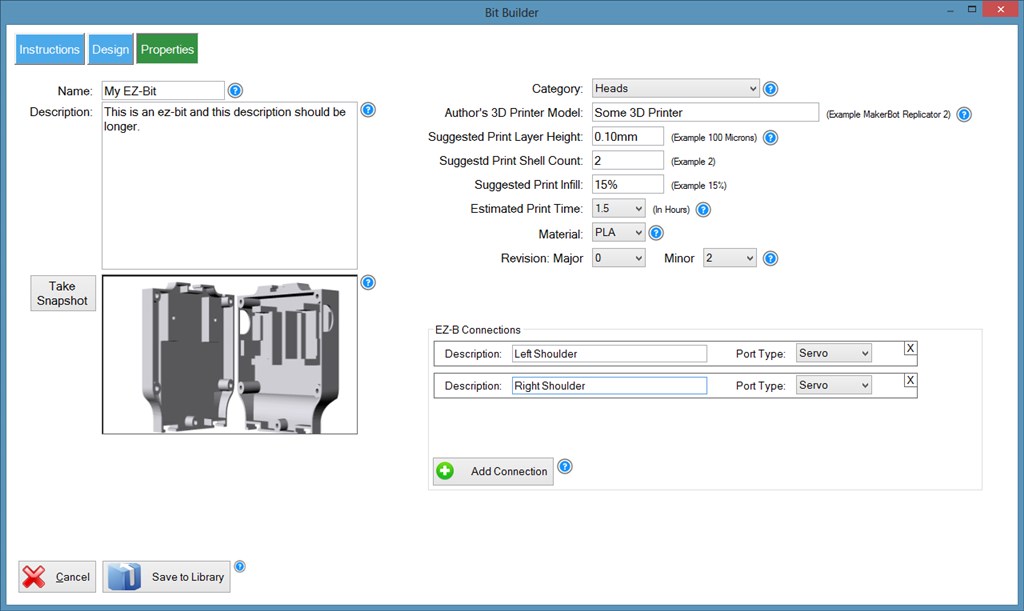
EZ-Bit Profile Before saving your EZ-Bit, you are prompted to complete a simple form. Give your EZ-Bit a title, detailed description, and 3D printer settings. This information will help you and others around the world 3D print and use your contribution with their EZ-Robot!
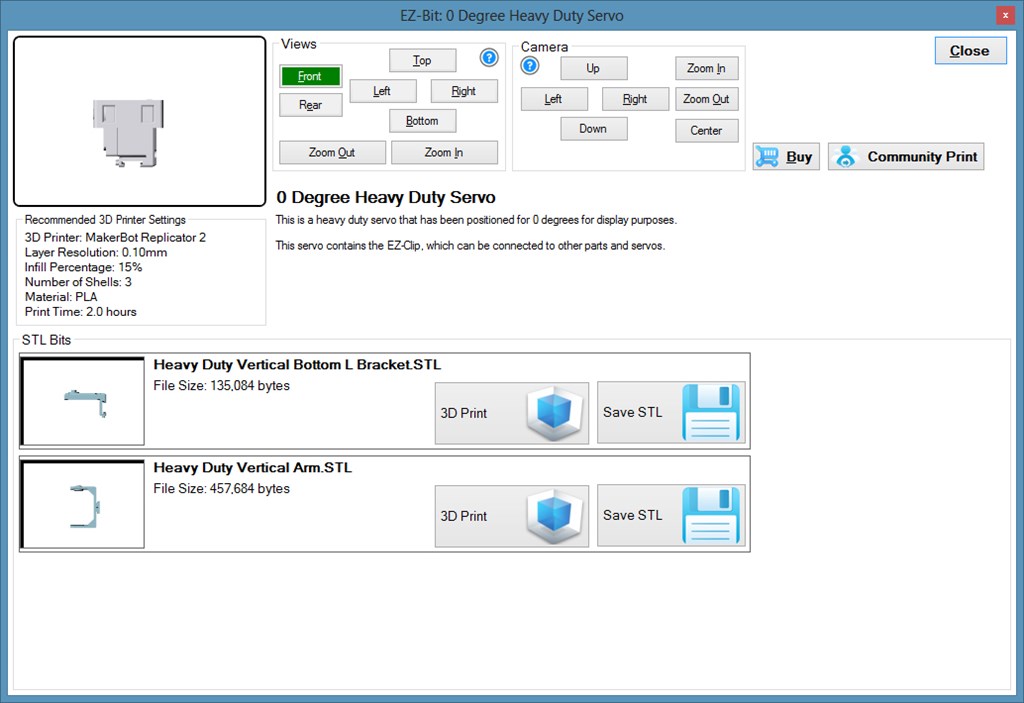
3D Printing and Community 3D Printing The information button on each EZ-Bit will provide you with access to the raw printing files. From here, you can launch your favorite 3D printing software to bring the EZ-Bit into physical reality. For those without a 3D Printer, the Community Print option will come in handy! Coming soon, the EZ-Robot Community Print Network will help you locate someone to 3D print the parts for you. Additionally, a selection of EZ-Bits will be available for purchase in the store.
ARC Downloads
ARC
FREE- 1 third-party plugin skill per project
- Trial cloud services
- Personal, DIY & education use
- Updated every 6–12 months
 Download
ARC
PRO- Use on 2+ PCs simultaneously
- Unlimited robot skills
- Cloud backup & revision history
- Weekly features & bug fixes
- Business use permitted
ARC
RUNTIME- Load & run any ARC project
- Read-only mode
- Unlimited robot skills
- Includes early access fixes & features
- Minimum requirements: Windows 10 or higher, 2 GB RAM, 500 MB free disk space.
- Recommended: Windows 10 or higher, 8 GB RAM, 1 GB free disk space.
- Prices are in USD.
- More about each edition: Download & install guide.
- Latest changes: Release notes.
Compare Editions
| Feature |
ARC
FREE
|
ARC
PRO
|
|---|---|---|
| Get ARC Free | View Plans | |
| Usage | Personal · DIY · Education | Personal · DIY · Education · Business |
| Early access to new features & fixes | — | ✓ |
| Simultaneous microcontroller connections * | 1 | 255 |
| Robot skills * | 20 | Unlimited |
| Skill Store plugins * | 1 | Unlimited |
| Cognitive services usage ** | 10 / day | 6,000 / day |
| Auto-positions gait actions * | 40 | Unlimited |
| Speech recognition phrases * | 10 | Unlimited |
| Camera devices * | 1 | Unlimited |
| Vision resolution | max 320×240 | Unlimited |
| Interface builder * | 2 | Unlimited |
| Cloud project size | — | 128 MB |
| Cloud project revision history | — | ✓ |
| Create Exosphere requests | — | 50 / month |
| Exosphere API access | — | Contact Us |
| Volume license discounts | — | Contact Us |
| Get ARC Free | View Plans |
* Per robot project
** 1,000 per cognitive type: vision recognition, speech recognition, face detection, sentiment, text recognition, emotion detection, azure text to speech

Upgrade to ARC Pro
Elevate your robot's capabilities to the next level with Synthiam ARC Pro, unlocking a world of possibilities in robot programming.
YES!
Yay! Thanks for all the hard work and late nights. I'll be trying it out in 5 hours (less if I run out of work here).
Congratulations DJ, best of luck with Revolution!
There is a great article in the Entrepreneur that agrees with our beliefs DJ that this is now the great starting point for World wide adoption of personal robots
www.entrepreneur.com/article/226397
I like the quote
"We're seeing very early indicators that this market is coming into fruition immediately. It's super early, but it will hit very, very quickly, and we'll look back on 2013 ... as a year for robotics coming into its own"
Tony
At a boy DJ this looks great.
I couldn't wait...
But then when I tried to open a project from the cloud it sprang this error.
It happens for some, but not all. The Ping Avoidance example opens fine but when I tried to open the Dagu Example and the BobII example on my cloud (both public) I got that error. I'll try a few others shortly and list what I find.
Sorry...
Ah, yes the EZ-Cloud needs a few changes for large files. That will come in the next update We are redesigning the EZ-Cloud entirely right now. There may be some outages over the next few days.
Just Noticed Mindwave on list
Pat
really nice!