

Change Release Notes
ARCx v2026.10.06.01 introduces a powerful new way to turn your robot into a complete interactive experience.
Robot projects can now open a Custom UI in kiosk mode on a specific monitor, making it possible to create full-screen displays, dashboards, control panels, animated faces, telepresence screens, information kiosks, and more - directly from ARCx.
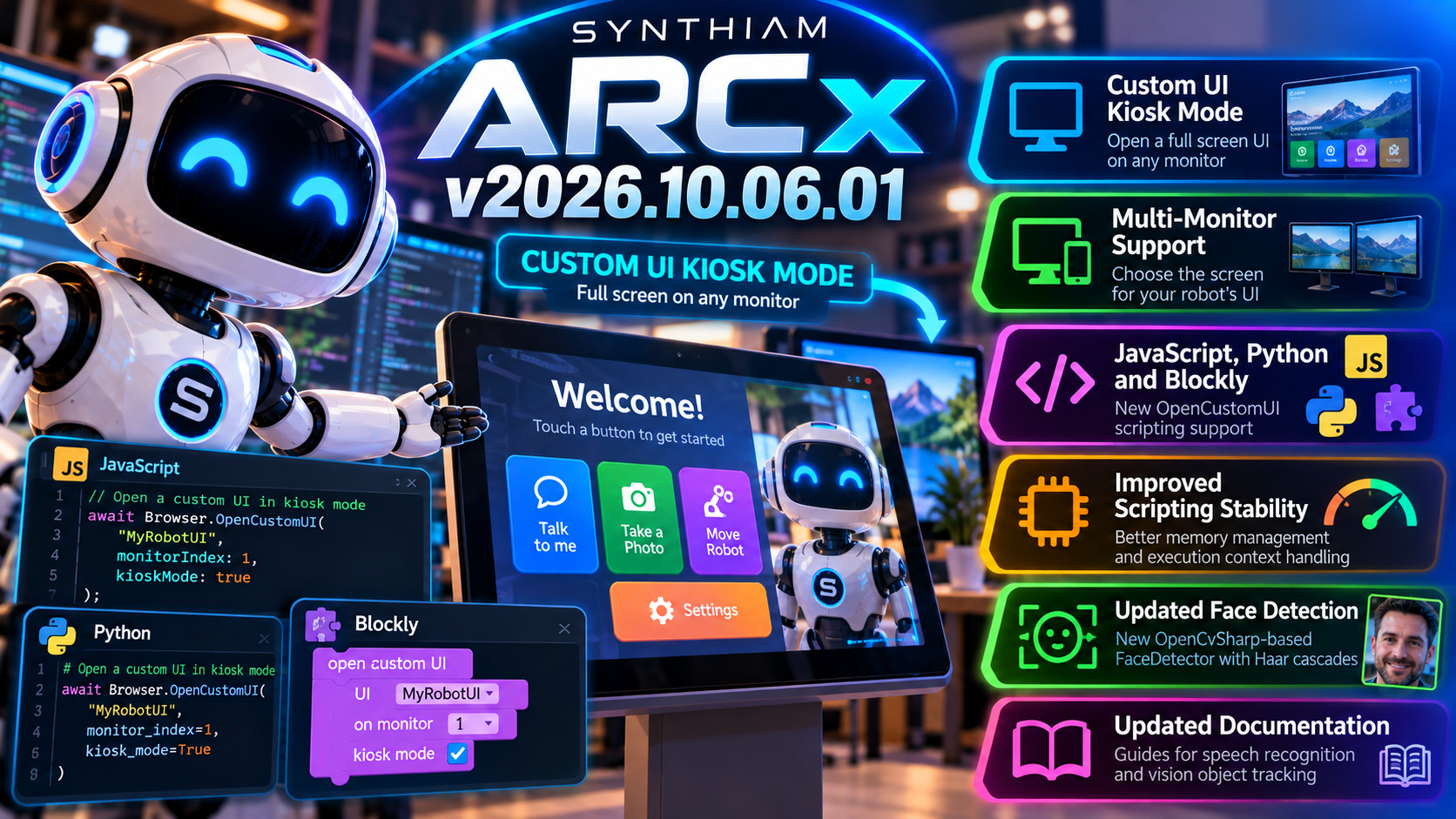
This release also includes important improvements to the JavaScript and Python scripting engines to reduce memory growth and improve reliability during long-running projects.
New Custom UI Kiosk Mode
ARCx can now launch a Custom UI as a dedicated full-screen kiosk display.
Your script can specify which screen or monitor should display the interface, allowing the ARCx server and the robot's visible interface to live on completely different displays.
That makes ARCx ideal for robots with built-in screens.
For example:
- Display an animated robot face
- Show a telepresence interface
- Build an interactive information kiosk
- Present buttons and controls to a user
- Display status information or sensor data
- Create a full-screen customer experience
- Run a dedicated UI on a robot-mounted touchscreen
Your robot can now have an interface designed specifically for the person standing in front of it.
Multi-Monitor Robot Experiences
The new Custom UI functionality allows you to select the target monitor.
That means a robot computer could have:
Monitor 1: ARCx development and diagnostics
Monitor 2: The robot's public-facing interface
Or perhaps several displays serving completely different purposes.
ARCx handles the robot.
The Custom UI handles the experience.
JavaScript & Python Support
The new kiosk functionality is available directly from ARCx scripting.
New OpenCustomUI functionality has been added to both the JavaScript and Python APIs, allowing scripts to control when and where the interface appears.
That makes it easy to create robot behavior such as:
Person approaches robot wakes up custom interface appears interaction begins.
All under script control.
Blockly Support Too
You don't need to write code to use it.
New Blockly blocks have been added for the Custom UI functionality, including options for selecting the target screen.
So whether you're building with:
- JavaScript
- Python
- Blockly
...you can create the same kiosk-style robot experiences.
Better Python Memory Management
This release also includes an important improvement for projects that execute Python scripts repeatedly.
ARCx now releases Python debugging information after script execution rather than allowing that information to remain in memory.
For long-running robot applications, this helps prevent unnecessary memory growth over time.
Robots are supposed to remember important things.
Not every debugging object they've ever created.
JavaScript Engine Stability Improvements
The JavaScript engine received its own cleanup.
Execution contexts are now reset after scripts run, addressing a condition where contexts could accumulate and increase the execution stack over time.
This improves reliability for projects that continuously execute JavaScript - particularly robots expected to operate for hours, days, or longer without restarting.
Face Detection Foundation Updated
ARCx's recent computer-vision work also continues underneath this release.
The previous AForge-based face detection implementations have been replaced with the new OpenCvSharp-based FaceDetector, providing a cleaner and more modern foundation for the Face Tracking Robot Skill.
This includes a new Haar-cascade-based detection implementation and removes several older detection components that are no longer needed.
Updated for v2026.10.06.01
ARCx project and installer versioning have been updated for v2026.10.06.01, ensuring the latest components and functionality are included in the release.
ARCx v2026.10.06.01 is a big step toward robots that aren't just controlled through an interface - they can now present their own interface to the world.
Build the robot.
Build its personality.
Build its screen.
Then let people interact with it.
Download ARCx
Install ARCx on the computer that runs your robot — from a first prototype to a commercial product or an industrial cell. Available for Windows 64-bit, Linux 64-bit and Linux ARM64 for Raspberry Pi (Ubuntu 24.04 LTS 64-bit).
Linux
Ubuntu, Debian & friends
64-bit (x64) (zip)
Raspberry Pi
Single board computers
Linux ARM64 (zip)
Requires Ubuntu 24.04 LTS (64-bit)
ARCx is always evolving. Follow along in the community for updates.
Follow ARCx development Download ARC today
Upgrade to ARC Pro
ARC Pro will give you immediate updates and new features needed to unleash your robot's potential!
Good Morning, this could just be me, but even with the latest release I am having to go into the configuration and change my audio output so it works. Otherwise i get this message:
Can you expand on this? For example what configuration are you going into and what changes are you making.
That message states the computer is busy and missed a few input cycles.
Going here (attached). And changing microphone setting.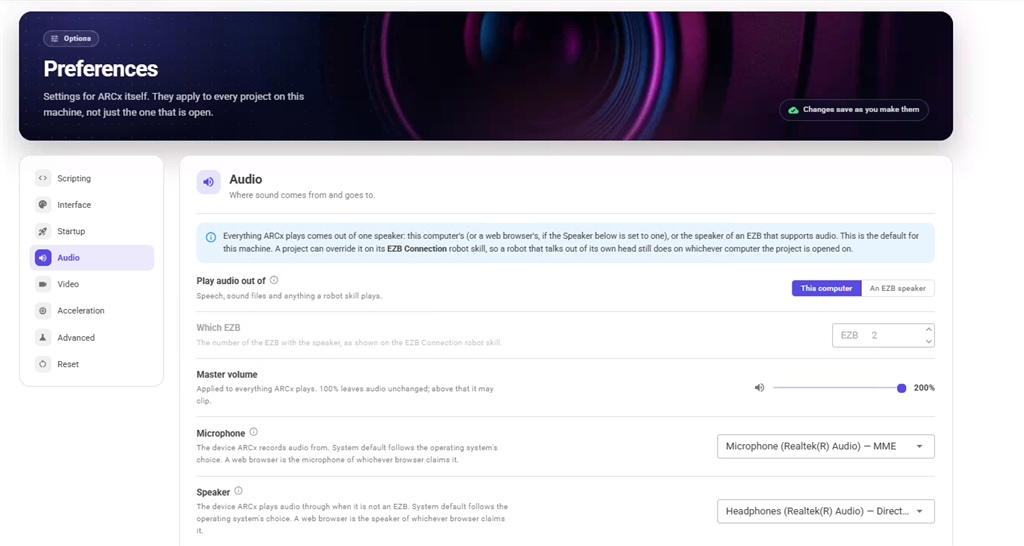
I think what they're asking is:
- What did you change? - What happens before you change the thing? - What happens after you change the thing? - What was the thing set to before you changed it?
If it's something that isn't working for you and you'd like it fixed, sharing info about the thing will get it fixed . Provide as many details as you can; otherwise, it's guesswork, if that makes sense.
Hi DJ.
Still checking, Getting a ton of those system busy notices, but everything seems to be working even speech/sound output.
Will get back with you on this.
Okay awesome. What is your cpu usage look like? Do you have a bunch of robot skills doing stuff?
The biggest killer is running cameras at resolutions too high - that can take a cpu down even though ARCx has gpu support. There’s only so much that can be done in gpu.
Have you been tweaking other options if ARCx? The defaults are optimized. Such as ui update limits and things like that.
Oh, one last thing. Any loops scripts? If so, tight loops benefit from sleep() to share cpu. Without it, a single loop can own an entire cpu core.
The ARCx 2026.10.06.01 memory fix appears to have worked very well here. On the prior build, ARCx had grown to about 6.4 GB working set / 5.4 GB managed heap after ~8 hours; with 2026.10.06.01, after nearly 15 hours it was still only about 2.0 GB working set / 1.1 GB managed heap and had essentially flattened out. The change that releases Python debugging information after each run seems to have addressed the runaway growth we were seeing in long-running repeated Python tasks.
Sorry, hit enter before finished. I have not adjusted any of the default settings. The camera does not run continuously. It is only activated briefly when a snapshot is needed, then turned off again between captures. For example, from midnight until now, only 11 snapshots have been taken. Interestingly, when I switch the audio (speakers and microphone) to system default instead of MME, I'm not getting the busy messages anymore. Nothing else was changed. Overall very happy, I do have a long running task, same task that was in ARC, so I just don't feel it is causing any issues.