

Change Release Notes
ARCx v2026.10.05.03 sharpens the way robots see the world and gives you a better view of what ARCx itself is doing behind the scenes.
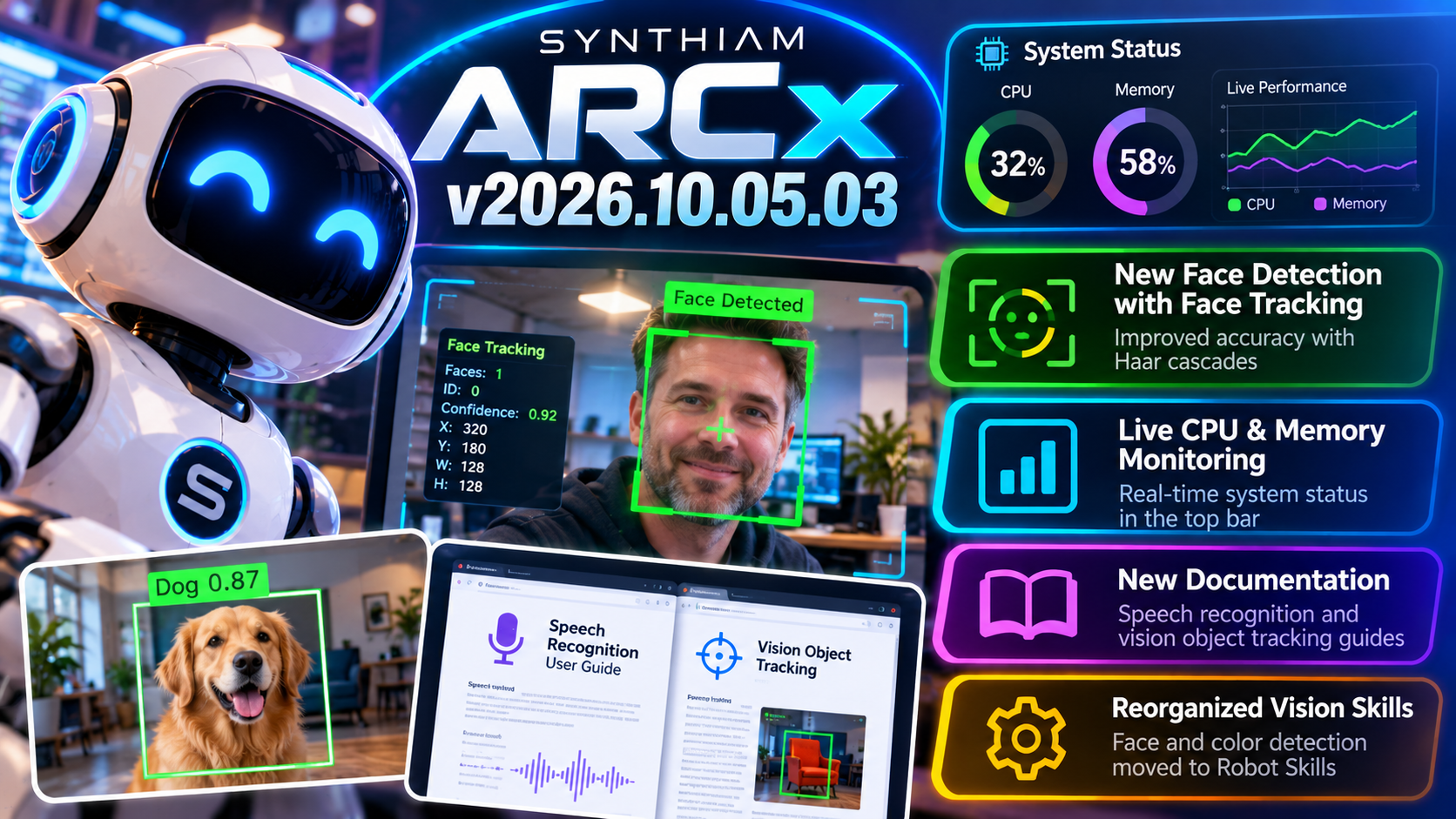
This release introduces a new FaceDetector implementation for improved face tracking, adds real-time CPU and memory monitoring directly to the ARCx interface, expands documentation for speech recognition and object tracking, and includes a round of internal cleanup and dependency updates.
Your robot gets better awareness.
And now, so do you.
New Face Detection System
ARCx's face detection has been reorganized and rebuilt around a new dedicated FaceDetector class.
This provides a cleaner foundation for robots that need to:
- Find people
- Track faces
- Keep a camera pointed toward someone
- React when a person enters the camera view
- Build interactive human-robot experiences
Face detection is one of those features that immediately makes a robot feel more alive.
Now ARCx has a cleaner system underneath it.
Computer Vision Cleanup
Face detection and color detection components have also been reorganized into the Robot Skills structure.
This helps separate reusable robot functionality from the ARCx core and keeps the platform easier to maintain as additional computer vision capabilities are added.
Less clutter in the core.
More capability where Robot Skills actually need it.
Live CPU & Memory Monitoring
Wondering what your robot computer is doing while everything is running?
Now ARCx can tell you.
A new System Status display has been added directly to the top bar, providing real-time information about:
- CPU utilization
- Memory usage
- Current system load
You can quickly see how hard the robot computer is working without leaving ARCx.
Need more information?
Open the expanded system status view for additional details.
Know When You're Pushing the Hardware
Modern robots can be running a lot at once:
Computer vision.
Speech recognition.
Neural networks.
Audio processing.
Navigation.
Multiple Robot Skills.
Scripts.
Sensors.
And sometimes all of them at the same time.
The new system status indicators give you immediate visual feedback when the computer starts getting busy.
That makes it much easier to understand whether a slowdown is coming from the robot skill you're working on or simply because you've asked a tiny robot computer to contemplate the universe.
New Speech Recognition Documentation
We've added new documentation covering speech recognition in ARCx.
The guide walks through how speech recognition can be configured and used within robot projects, helping users get from microphone input to voice-controlled robots faster.
Voice remains one of the most natural ways to interact with a robot, and we're continuing to make those capabilities easier to discover and build with.
New Vision Object Tracking Documentation
We've also added a new manual covering vision object tracking.
The documentation provides setup and usage guidance for building Robot Skills and projects that respond to objects detected through a camera.
Combined with ARCx's growing computer vision capabilities, this gives developers a clearer path toward robots that can observe and react to their surroundings.
Updated Dependencies & Internal Cleanup
A number of project dependencies have been updated to newer versions, along with internal restructuring and maintenance work.
These aren't always the changes that make the screenshots, but they're important for keeping ARCx:
- Stable
- Maintainable
- Compatible with current libraries
- Ready for new Robot Skills and capabilities
ARCx v2026.10.05.03
Installer and project versioning have been updated for the new release, ensuring ARCx reports and installs as v2026.10.05.03.
ARCx v2026.10.05.03 gives robots a better way to find the people around them while giving developers a better way to see what's happening inside the robot computer.
Better vision. Better monitoring. Better robots.
Download ARCx
Install ARCx on the computer that runs your robot — from a first prototype to a commercial product or an industrial cell. Available for Windows 64-bit, Linux 64-bit and Linux ARM64 for Raspberry Pi (Ubuntu 24.04 LTS 64-bit).
Linux
Ubuntu, Debian & friends
64-bit (x64) (zip)
Raspberry Pi
Single board computers
Linux ARM64 (zip)
Requires Ubuntu 24.04 LTS (64-bit)
ARCx is always evolving. Follow along in the community for updates.
Follow ARCx development Download ARC today
Upgrade to ARC Pro
ARC Pro is your gateway to a community of like-minded robot enthusiasts and professionals, all united by a passion for advanced robot programming.
The system status screen is very helpful and full of lots of great information. Is there a way to access this data programmatically through ARCx?
What data are you thinking of? The mem and cpu usage?
I’m investigating steady managed-memory growth and found that the retained
IronPython.Runtime.FunctionCodecount appears to increase in proportion to the number of script executions. In ARCx, when a Python script is started repeatedly as a one-shot task, is the script source recompiled on every Start, or is the compiled IronPython code reused/cached between runs? If the script is recompiled on every execution, are the previous compiled/debug structures supposed to be released afterward?Cached and reused. Ram usage is going to increase and decrease as the software needs it.
We have debug and trace enabled during this phase of arcx. The trace will build log data, which we can eventually disable.
Thanks DJ. Follow up: . If the Python script is compiled once and the compiled code is cached/reused, could you help me understand this result? I inspected an ARCx full .NET dump after about 8.5 hours. The IronPython
PythonContextfor a Python one-shot, which runs once per minute, showed:Other Python one-shots show a similar relationship between traceback-listener count and execution count: a 5-minute task had 103 listeners, another 5-minute task had 102, and a 15-minute task had 34. Across the ten Python contexts, their
_codeCountvalues total 72,266, while the managed heap contained 72,265IronPython.Runtime.FunctionCodeobjects. Is a new traceback listener and/or newFunctionCodestate expected to be retained each time a cached Python script executes? If the compiled script is being reused, I would have expected these counts to remain relatively stable rather than track the number of executions. I also forced a full Gen2 GC before taking the dump, and approximately 5.4 GB remained in Gen2, so the memory appears to be live/retained rather than simply unused working-set memory.Thanks, debug and trace being enabled, that makes sense and matches what I'm seeing.
I'm pretty sure we can turn those off by now.