

Personality Generator icon Personality Generator Background randomizer that executes timed scripts to add lifelike actions (movement, servos, camera/control) and unique personality to your robot Try it →
Tutorial
Published — Updated

The Robot Program Episode 002: Building JD

Step 10 of 25
Step 9

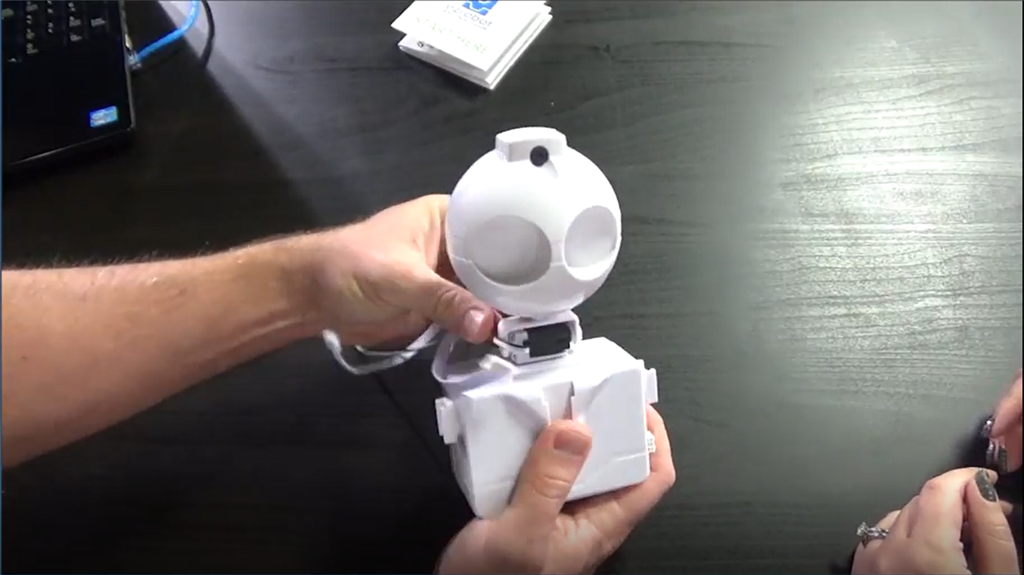
EZ-Robot Clip'n'Play Technology allows EZ-Bits to be connected using a simple pressure fit clip. Insert the male clip into the female side of the EZ-Bit and press together. To remove, reverse the process.

To begin building, Clip’n’Play JD’s Head Assembly to the slot at the top of the humanoid body.
User-inserted image


ARC Pro

Upgrade to ARC Pro

Harnessing the power of ARC Pro, your robot can be more than just a simple automated machine.
