Tutorial
tevans
Brazil
Published
— Updated
Sabertooth+Kagaroo+DC Motors As Servos
Step 3 of 7
Step 2 - Setup
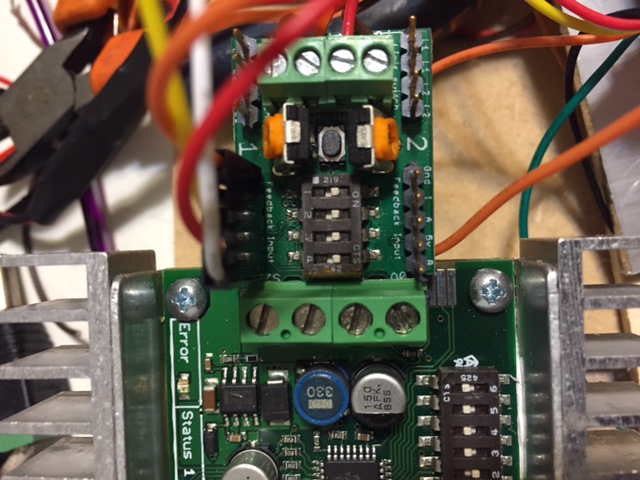
Ok, set the dip switches both in Sabertooth and Kangaroo (of course, at this point you have ready installed the kangaroo on sabertooth's 0V, 5V, S1 and S2 terminals)
The proper setup is: kangaroo/ All switches ON. SABERTOOTH/ 1-Off, 2-Off, 3,5 and 6- ON