onedayflie2
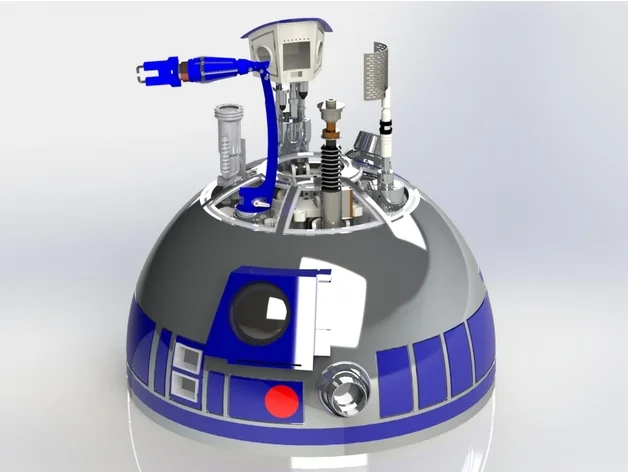
Dome Lift Mechanism R2D2
I am trying to convert a system so it can be used in EZ-B/
The Dome Lift MEchanism by Matthew Zwarts https://www.thingiverse.com/thing:3654411
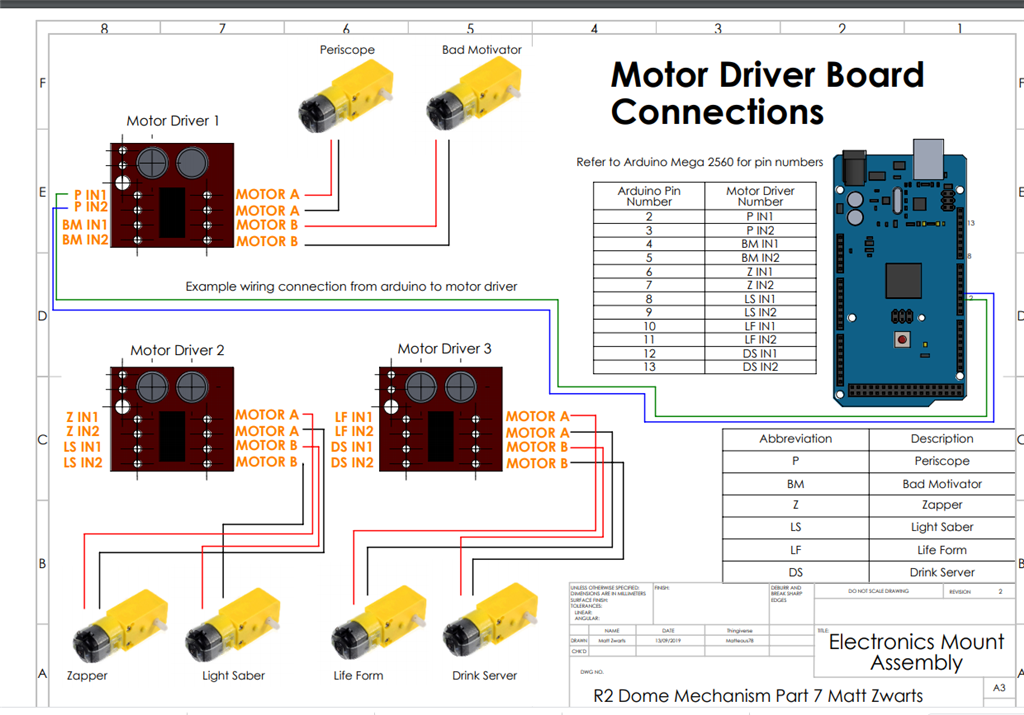
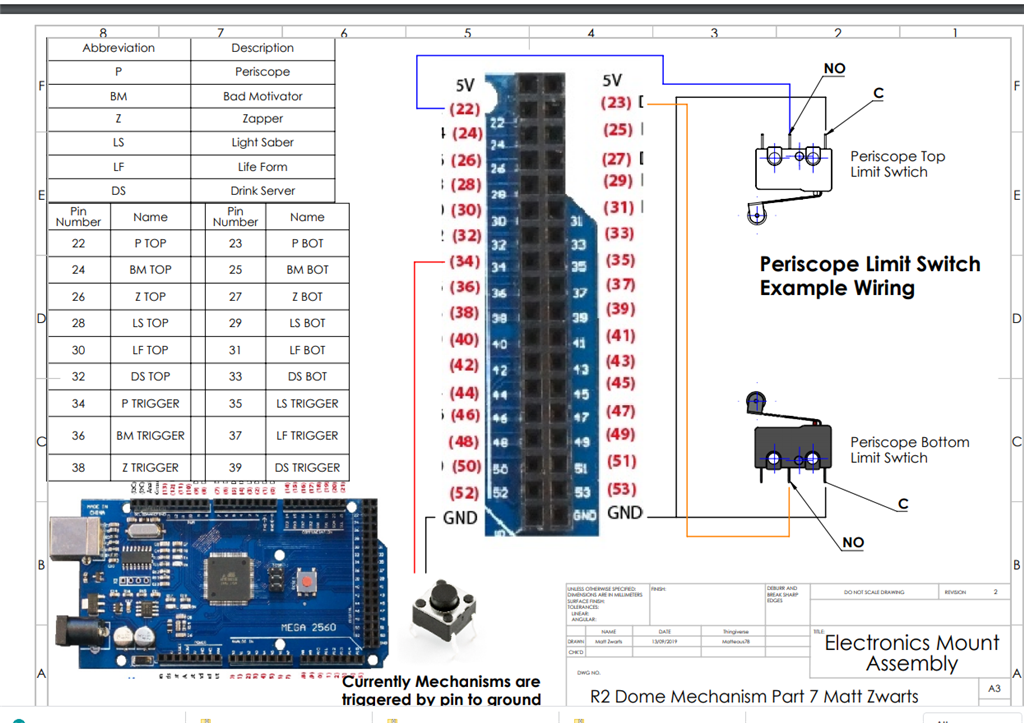
The system works with a hbridge that moves the platform up, hit a switch... Do his thing (depending on which lift, servo movement/leds... than reverse the direction of the platform till it hits the lower switch.
Whil going up ... a panel must be opened first and when going down it should close afterwards...
For now the scipt works by pushing a button as trigger.... Link to script: https://www.thingiverse.com/download:7006587
Dome lift in action https://www.youtube.com/watch?v=oZ7mDE0MupM
Example of lift not exact the same used on R2..
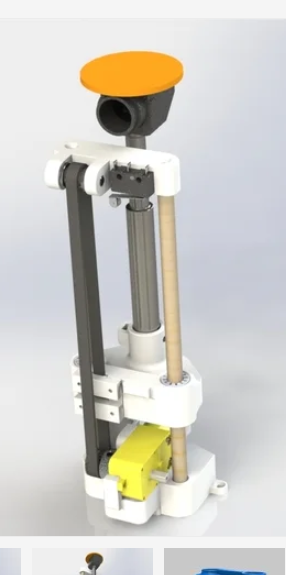
The system works with a hbridge that moves the platform up, hit a switch... Do his thing (depending on which lift, servo movement/leds... than reverse the direction of the platform till it hits the lower switch. While going up ... a panel must be opened first and when going down the panel should close afterwards...
Related Hardware (view all EZB hardware)

Related Robot Skill (view all robot skills)

From hiko translated....
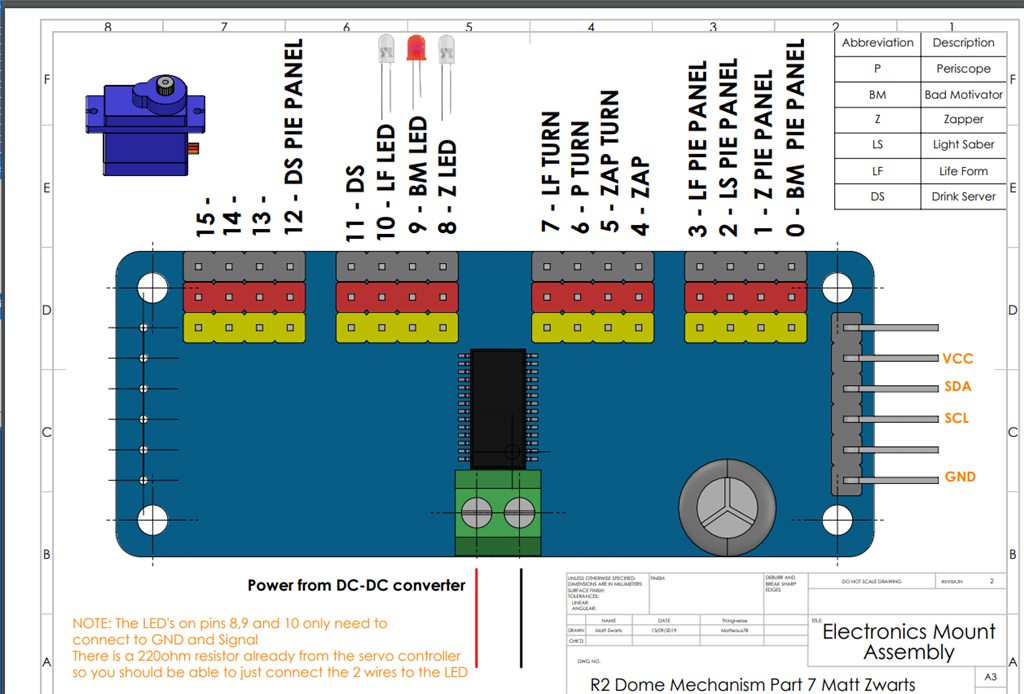
Hello, as I am working on the dome elevation system, I have all the components but I have doubts about the connection of this board. I would appreciate some connection diagram of this component to know how to connect it correctly. Greetings from Chile
@hiko: That board is an affordable PCA9685 16-Channel 12-bit PWM/Servo Driver with I2C interface.
I would first start here: https://www.youtube.com/watch?v=y_6cb7WczzQ
If you have an EZ-Robot EZB controller, you can PWM/Control 24 servos, so the board is redundant.
Gracias amigo. Me ha servido mucho tu ayuda. Saludos
Otra duda, puedo reemplazar la tarjeta Mega 2560 por arduino uno?
The project uses: 6 motors : 2 digital control pins per motor = 2 * 6 = 12 output digital pins. 2 dip switches per motors = 2 * 6 = 12 digital input pins 1 button per motor = 1 x 6 = 6 digital input pins Total: 18 input ports + 12 output ports
Uno has: 12 digital pins (excluding the serial port) 4 analog input ports (excluding 2 ports for the I2C)
Definitely you need the Arduino Mega
onedayflie2, I'd love to collaborate with you using the ARC system instead of Padawan 360, etc - as I am building an R2D2 from Michael Baddeley's designs. Are you on any FB forums related to the R2 build?
I had a pause because of the covid period... But i will resume my project soon (as soon if i can get that subscription)
Colaboration is great... Let me take some pics of the wiring.... And i try to upload my build... Isn't there a chatfunction?