


Asked
— Edited
 Resolved by Steve G!
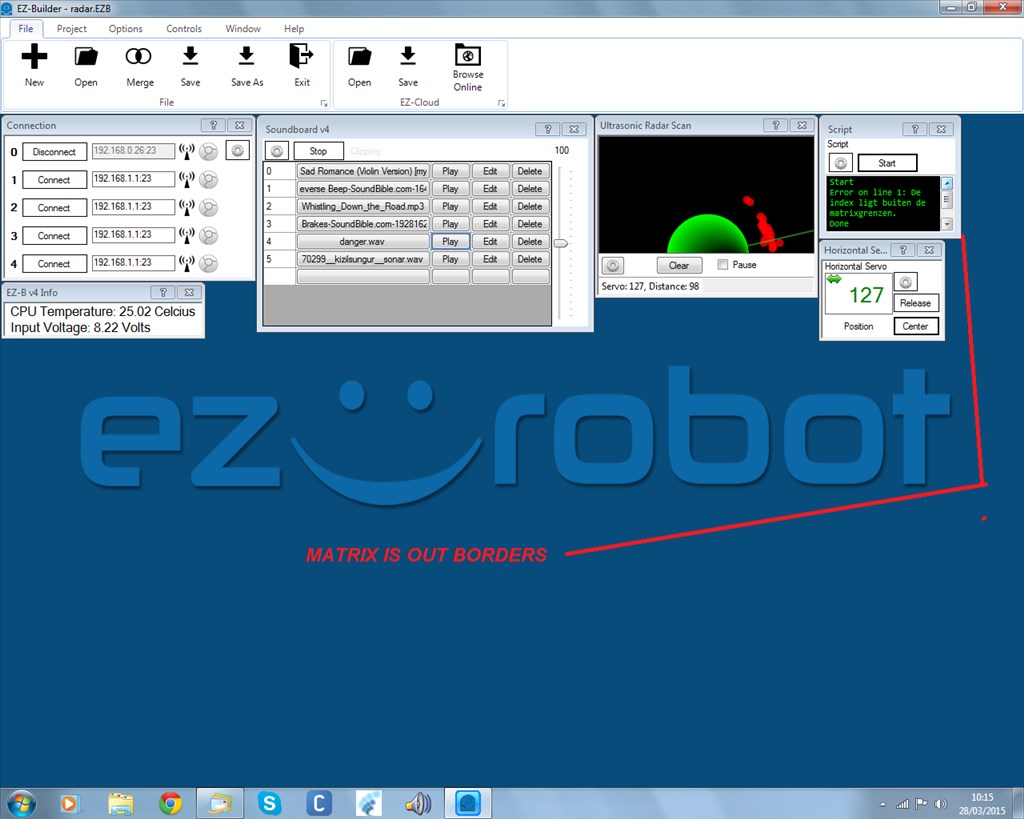
What Is Matrix?
i get an error trying to use the ping sensor.something about matrix is not good.
and the text is in nederlands written
bigger pic

rr i just try post #55 and post #53 bolt doesn move the servo and disconnect the ezbv4
batt are fully charged
sound files are 4 seconds each. took the command stop out. last little longer but disconnect ezbv4
It works for fine for me albeit I am using different sound files and a fresh battery...
You'll to write your own then because I don't know your set up so that's the best I can do... Like I said... check your battery
One last try... see if this works ... problem will be it will only play track 5 once until it sees an object...
rr
#you may need a sleep command here.i put one in and it doesn disconnect the, ezbv4.ok i will test further.thank you
Ok, work with that one then... the one I just in posted in post #61 probably will work, but it won't play track 5 continually...
@Nomad maybe a possible feature request is to be able to have tracks in the soundboard auto replay so you don't have the call it to play continually in a program repeatuntil or goto loop...... In your case track 5 is only 4 seconds long so having it auto replay would make what you want to do much easier... So this way you start track 5 (ping sound) and it plays over and over until you see an object that is detected with the ping ... Then track 4 plays... When the object is no longer in range your program starts track 5 again...
rr
i jus found it the code do just that.am uploding a video. so one thing to be found is when he spot an object servo must stay , in the direction off the object