


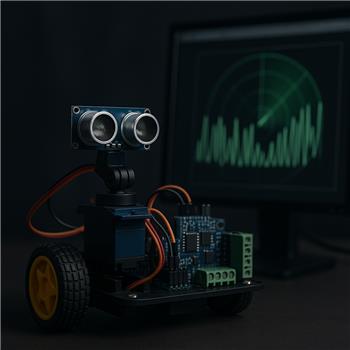
I’ve got an EZ-B v4 on my 2WD bot (WiFi client mode), running an HCSR04 on a pan servo and using the Ultrasonic Radar skill to do simple obstacle avoidance. Wiring is: Trigger=D5, Echo=D6 (with a 1k/2k divider on Echo to keep it ~3.3V), Vcc=EZ-B 5V, GND common. The pan servo is on D0. Movement is via an HBridge PWM Movement Panel on D12-D15. In Ultrasonic Radar I set min=20, max=160, step=2, servo speed=3, and enabled Movement Panel integration with avoid distance at 25 cm.
What I’m seeing: when I hold the servo still (disabled sweep) the distances are solid and match a tape measure. As soon as I enable sweep, about every 5-10 steps I get a jump to 255 cm or a sudden 0 reading. The radar display shows phantom blips and the Movement Panel twitch-reacts (brief reverse/turn) even though nothing is actually there. The spikes seem to correlate with the servo starting/stopping around each step.
What I’ve tried so far: slowed the sweep (speed=1, step=5), moved the sensor wires away from the servo leads, added a 100 F cap across the HCSR04 Vcc/GND, tried a different micro servo, powered the sensor from a separate 5V BEC with grounds tied, disabled Movement Panel integration to just watch the radar, and bumped the ping interval higher. The raw pings smooth out a bit but the random 255/0 still appears during motion. Also, my left/right mapping on the radar is reversed vs. the real world, likely due to the way the horn is mounted, and I didn’t see an obvious invert option.
Is there a way in the Ultrasonic Radar skill on EZ-B v4 to add a per-step settle delay/averaging to reject servo-noise spikes and also invert the servo direction so the radar view matches the actual sweep?




Yes - what you’re describing is very typical of servo movement noise coupling into ultrasonic readings on an EZ-B v4, especially when the sensor is reading at the exact moment the servo starts/stops.
A few important observations from your description:
What to try in ARC
1) Increase the sweep settle time indirectly
The Ultrasonic Radar skill doesn’t expose a dedicated "settle delay after each servo step" control in the UI, but you can reduce bad samples by:
Since you already tried some of this, the next better approach is to script your own scan timing instead of relying on continuous radar polling.
Best solution: script your own scan loop
Use a script to:
This gives you much better control than the built-in continuous sweep.
Example JavaScript approach
If you want, I can help you convert this into a script for your exact ports, but conceptually:
Then after each servo move:
If you want to keep using the Ultrasonic Radar skill for display, you can also pause the skill and update it only when your script calls
GetPing()/refreshes based on your configured ports.2) Invert the servo direction
Yes, the radar can be inverted depending on how the servo horn is mounted.
In Ultrasonic Radar:
That should make the sweep direction match the real-world motion.
3) About the spike values
A few notes on the specific numbers:
So the best fix is usually not just "more filtering" but filtering plus better timing.
4) Consider adding a guard band in avoidance logic
Even with filtering, I recommend not triggering avoidance on a single sample.
For example:
That prevents twitch-reverse behavior.
5) Hardware note
You already tried the right hardware mitigations:
That points even more toward sampling during servo transients rather than a bad wiring issue.
My recommendation
If you want the cleanest behavior:
That will give you much more stable obstacle detection than the default sweep timing.
If you want, I can write you a drop-in ARC JavaScript scan script for:
D0D5/D6and I can also show you how to make it update the radar while keeping the Movement Panel avoidance behavior.