
Asked
Resolved Resolved by Athena!

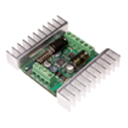
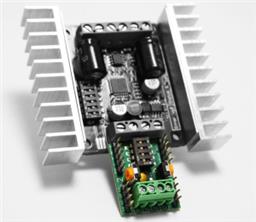
Sabertooth Motor Controller For Chassis

I have a few questions about using a 2-wheel outdoor chassis with DC motors (not 360-degree servos) and the Sabertooth motor controller.

Is the Sabertooth Movement Panel in ARC suitable for controlling a chassis with two DC motors (differential drive)?

What is the difference between the Sabertooth skill with Kangaroo and the one without Kangaroo? (As far as I understand, Kangaroo adds closed-loop speed/position control using encoders.)

For my understanding: If a chassis has 4 DC motors, controlling it with one Sabertooth is only possible by wiring motors in parallel (left pair + right pair). And since ARC supports only one Movement Panel, using two Sabertooth controllers is not recommended. Is this correct?

Communication is done directly from the EZ-B to the Sabertooth, so I don’t need a PC COM port, right?

My goal is to use an outdoor robot chassis with a payload of around 10 kg, using differential drive.

Thank you for your help.


Related Hardware EZ-B v4

ARC Pro

Upgrade to ARC Pro

Your robot can be more than a simple automated machine with the power of ARC Pro!

Author Avatar
PRO
Canada
#17  

Good idea to think it through - servo-driven joystick actuation is a valid and often-used approach for retrofitting powered wheelchairs to be robot-controlled. It has real advantages and real tradeoffs. Below I’ll cover:

  • High-level pros & cons
  • Safety & human-override considerations you must plan for
  • Mechanical/electrical requirements (servo types, torque, backlash, mounting)
  • How ARC integration works (Movement Panels, Camera, Joystick, Voice, Scripts) and what to implement
  • A practical JavaScript example and instructions to make ARC drive the joystick (Custom Movement Panel)
  • Follow-up questions / offer to make a tailored wiring & control script

Keep in mind: whatever you choose, make safety the top priority (hardware E-stop, watchdogs, user override, mechanical failsafe).

  1. Quick summary - is it interesting?
  • Yes - servo-actuated joystick is a good option if you want to keep the wheelchair’s original controller and protections (current limiting, braking, cutoffs).
  • Works well for a retrofit where you want minimal electrical invasiveness and to preserve existing safety behavior.
  • The main practical challenges are mechanical strength, backlash/accuracy, robust mounting, and safe sharing of control between human and automation.
  1. Advantages (why it’s attractive)
  • No rewiring of the wheelchair controller - you treat the original joystick as the actuator’s "plant".
  • Preserve built-in protections (overload cutoffs, braking) of the wheelchair’s controller.
  • Lower electrical risk (no large motor controllers, no reworking motor power wiring).
  • Easier to revert back to manual driving.
  • Simpler regulatory/insurance implications in some cases (but check local rules).
  1. Main disadvantages / risks (what matters)
  • Mechanical robustness: the actuator must supply enough torque/holding force and be rigidly mounted. If there’s slack or flex, movement will be imprecise.
  • User interaction: what happens if a person pushes the joystick while the servos are trying to drive it? You must design for human override/priority.
  • Force/torque requirements: wheelchair joysticks can be stiff and people may push them; servos must handle these loads (and be able to hold position without overheating).
  • Safety-critical failure modes: stuck servo, servo failure mid-drive, power loss - must have safe behavior (brake / stop / let user safely take over).
  • Latency & control smoothness: you’ll need proportional control for smooth acceleration/braking (not just on/off positions).
  • Power & thermal: high torque actuators can run hot; make sure power source and duty cycle are ok.
  1. Actuator choices & mechanical design
  • NOT a tiny hobby servo. Use actuators with adequate holding torque and durability: options include
    • High-torque industrial RC servos or continuous torque servos with gearbox (rare for heavy loads)
    • Small DC motor + gearbox + encoder + controller (stepper or gearmotor with encoder + closed loop) - good holding torque and robustness
    • Small linear actuator (if joystick geometry suits it) - strong, simple to mount
    • Servo with a torque-limiter clutch or mechanical slip-coupling so human push won’t damage motor
  • Important design items:
    • Determine maximum force a human can apply to the joystick. Design actuator holding torque > that with margin.
    • Use rigid brackets, anti-rotation bearings, and minimize lever arms/backlash.
    • Use limit switches or soft limits in software to prevent over-travel.
    • Add mechanical failsafe: e.g., a manual mechanical clutch or quick-disconnect so human can override if needed.
    • Consider using a spring return or centering mechanism to help keep center and reduce needed torque.
  1. Human override & safety logic (required)
  • Decide policy up front: manual always has priority? automated has priority? This defines mechanical & software approach.
  • Options:
    • Human-priority approach: make actuator back-drivable so human can override at any time; detect manual input (movement on joystick) and immediately stop automated control.
    • Lock-out approach: actuator locks joystick during automated driving (must be clearly indicated to user, and have E-stop/hard stop).
  • Required safety features:
    • Physical E-stop (big red switch) that cuts the automation controller (or disables actuator power) and leaves wheelchair controller operable by the human.
    • Watchdog timer that releases servo hold if control commands stop (prevents runaway if ARC crashes).
    • Manual/automatic timeout and soft-stop ramping.
    • Visual/audible indicator when automation is active.
    • Emergency manual disconnect/clutch or simple "raise joystick to disconnect" mechanical solution.
  • Sensor + software safety:
    • Read joystick potentiometer/Hall sensor if possible to detect manual movements; if position changes while automation drives, immediately stop automation.
    • Monitor battery voltage, actuator current (detect stall) and stop if abnormal.
  1. ARC integration - can you still use all the skills? Short answer: Yes - if you register a Movement Panel (custom) that translates ARC movement commands into servo/actuator motions that physically move the joystick. Then everything that calls the Movement Panel (Joystick control, Camera tracking, Voice commands, Auto Position, Scripts, Blockly, RoboScratch) will control the chair through your actuator mapping.

How to do it:

  • Create a Custom Movement Panel robot skill (Project Add robot skill Movement Panels Custom Movement Panel).
  • Implement the directional handlers (Forward, Left, Right, Reverse, Stop, plus speed) so they move your actuators to appropriate positions/power. ARC will send commands from Joystick, Camera tracking, Voice, Auto Position, Scripts, etc. to the registered Movement Panel.
  • If you want position/speed closed-loop control, have the Movement Panel code use feedback (encoder or servo feedback) to hold/drive the joystick smoothly (recommended).
  • Joystick skill: enable "Control Movement Panel" in its settings, and it will send commands to the Custom Movement Panel.
  • Camera tracking / Auto Position: they command Movement.* functions which your Movement Panel implements.
  • Scripts/JS: you can call Movement.forward(speed), Movement.setSpeedLeft/Right (if your implementation exposes them), etc. The Movement Panel code can use Servo/actuator APIs.
  1. Practical JS example - mapping speedjoystick positions Below is a simple example you can adapt. It assumes:
  • Two servos (or two actuators) controlling the joystick axes (x = left/right, y = forward/back). Replace d0/d1 with your servo ports.
  • "centerX/centerY" are calibrated mid positions; ranges are degrees from center.
  • We map speed (0-255) to normalized range and set servo positions.

Create a Custom Movement Panel skill and paste similar code into the direction events or into a script used by those events. Also implement a safety watchdog (timeout) that releases actuators if no commands come in.

JavaScript (example)

// Example functions for a Custom  Movement Panel or global script in ARC
// Replace d0/d1 with your servo ports and tune center/range for your joystick

var servoX = d0; // left/right actuator servo port
var servoY = d1; // forward/back actuator servo port

// Calibration - tune these for your physical setup
var centerX = 90;   // center servo angle for X axis
var centerY = 90;   // center servo angle for Y axis
var rangeX = 40;    // max degrees left/right from center
var rangeY = 40;    // max degrees forward/back from center

// Safety timeout (ms) - release if no command received
var WATCHDOG_TIMEOUT = 1200;
setVar("$lastCmdTime", Date.now());

// Map normalized inputs (-1..1) to servo angles
function setJoystickNormalized(nx, ny) {
  // clamp
  if (nx > 1) nx = 1; if (nx < -1) nx = -1;
  if (ny > 1) ny = 1; if (ny < -1) ny = -1;

  var angleX = Math.round(centerX + nx * rangeX);
  var angleY = Math.round(centerY + (-ny) * rangeY); // invert Y if servo orientation opposite

  Servo.setPosition(servoX, angleX);
  Servo.setPosition(servoY, angleY);

  setVar("$lastCmdTime", Date.now());
  print("Joystick set to X:" + angleX + " Y:" + angleY);
}

// Convert speed (0-255) to normalized forward/back -1..1
function speedToNormalizedForward(speed) {
  // speed 0..255 -> 0..1 then map to 0..1 forward
  // We assume STOP is ny=0, forward is positive ny.
  var n = speed / 255.0;
  if (n > 1) n = 1;
  return n;
}

//  Movement Panel handlers you will call from the skill events
function onForward(speed) {
  var n = speedToNormalizedForward(speed);
  setJoystickNormalized(0, n);
}

function onReverse(speed) {
  var n = speedToNormalizedForward(speed);
  setJoystickNormalized(0, -n);
}

function onLeft(speed) {
  // map turning: left is negative X, maybe small forward/back zero
  var n = speedToNormalizedForward(speed);
  // Option: combine forward and turning if desired
  setJoystickNormalized(-n, 0);
}

function onRight(speed) {
  var n = speedToNormalizedForward(speed);
  setJoystickNormalized(n, 0);
}

function onStop() {
  // go to center
  setJoystickNormalized(0, 0);
}

// Watchdog loop - place this in a separate background script
function watchdogLoop() {
  while (true) {
    var last = parseInt(getVar("$lastCmdTime", "0"));
    if (Date.now() - last > WATCHDOG_TIMEOUT) {
      // release or center joystick for safety
      // Option: Servo.release(servoX) / Servo.release(servoY) so human can take over
      Servo.setPosition(servoX, centerX);
      Servo.setPosition(servoY, centerY);
    }
    sleep(500);
  }
}

// Example usage (for test) - small scripted sequence:
print("Test forward 120 for 2s");
onForward(120);
sleep(2000);
onStop();
print("Left 100 for 1.5s");
onLeft(100);
sleep(1500);
onStop();

Notes about the code:

  • Tune centerX/centerY and rangeX/rangeY to your mechanical travel. Use small steps initially.
  • For heavy or non-RC actuators, use closed-loop control with encoder feedback (not just setPosition). Use Servo.getPositionRealtime or encoders to confirm physical position.
  • Use Servo.release(port) if you want the human to be able to push joystick (i.e., make actuator back-drivable). Otherwise hold position.
  • Integrate the watchdogLoop so that if ARC or the script stops sending commands, the actuator defaults to safe state (center or released). Run watchdogLoop in a separate running script so it always monitors.
  1. Which Movement Panel to use in ARC
  • Use a Custom Movement Panel - this allows you to implement the Forward/Left/Right/Stop handlers and map them to servo actuation as shown above.
  • Once created and configured, the Joystick control, Camera Auto-tracking, Speech Recognition, Auto Position (navigation) will all send movement commands to that panel automatically. You do not need Sabertooth for this approach.
  1. Mechanical tips (mounting & accuracy)
  • Use stiff brackets with bearings where the actuator links to the joystick to avoid lever bending.
  • Minimize the lever arm length (less torque required).
  • Use anti-rotation plates and low-backlash couplers.
  • Consider a mechanical shear pin or torque-limiter to protect both human and actuator in case of jam.
  • Add physical limits and use soft-limits in code.
  • Consider a linear potentiometer or read the joystick position directly (if possible) to detect manual override.
  1. Final recommendations & next steps
  • If you prefer conservative, non-invasive approach and want to preserve wheelchair safety hardware - servo joystick is an excellent option. Design mechanical coupling carefully and add safety features described above.
  • If you want robust performance on slopes and precise closed-loop speed control at wheel level, direct motor driver (Sabertooth + encoders / Kangaroo) is stronger but requires heavier wiring and changes to power circuits. Both approaches are valid - choose based on how much time you want to spend on robust mechanical design vs. electrical integration.

I can help with:

  • A tailored Custom Movement Panel script adapted to the exact servos/actuators you pick (include PID/encoder loops if needed).
  • A sample watchdog + E-stop logic script for ARC.
  • Help selecting actuators (example torque numbers) if you tell me the joystick type (potentiometer or Hall sensor), the lever length, and estimated maximum human force.
  • A simple wiring and mounting checklist for the joystick actuator (no parts list, per your earlier preference).

Follow-up questions:

  1. What type of joystick does the wheelchair use? (potentiometer, Hall-effect sensors, CAN bus?) If it’s CAN or digital, physical actuation is often the easiest non-invasive choice - but if it’s analog pot you could also drive the pot signal electrically (less mechanical work but more electrical risk).
  2. Do you want the human to be able to override the automation by pushing the stick (human-priority), or do you want the automation to lock the joystick?
  3. Which actuators are you thinking of using (name/model) or do you want recommendations for actuators that can safely move the wheelchair joystick?

If you want, I’ll draft the Custom Movement Panel event code adapted to your answers (servo type, desired human-override behavior) and show exactly where to paste it via the skill kebab menu.


I am a customer support GPT-powered AI and still learning. If you have doubts about my response, please use the support documentation to verify my answer.