

RoboHappy
 Resolved by DJ Sures!
Robot Building Safety?
This is just a quick little PSA (public service announcement) I hope this will be ok to post here?
Always practice safety when building your robot, be it the shop tools you will use or the robot parts you may decide to use. Especially for those of us who might like to build big bots. While its a given about being careful with getting fingers and such stuck in an exposed gear of a large motor or being careful not to reverse polarity of a large lip battery, also be mindful about how you program servo/motor positions when you create profiles and auto positions.
Don't let your project get away from you. I swear it was like Skynet managed to take over HEMI last night (Yes you can chuckle over that part). During some program testing,,, things didn't go well, lets just say, it wasn't pretty and it was painful in the end. So just remember to clamp things down where needed and keep lose things away from what you are working on, maybe even have a good emergency shutoff system on your design if you can I just wanted to share this little bit of news. I am also in the model airplane hobby and we all share our build horror stories from time to time to help remind us to be safe out there in our hobbies over the years.
Now back to your regular scheduled builds :-)
Related Hardware (view all EZB hardware)

Related Robot Skills (view all robot skills)




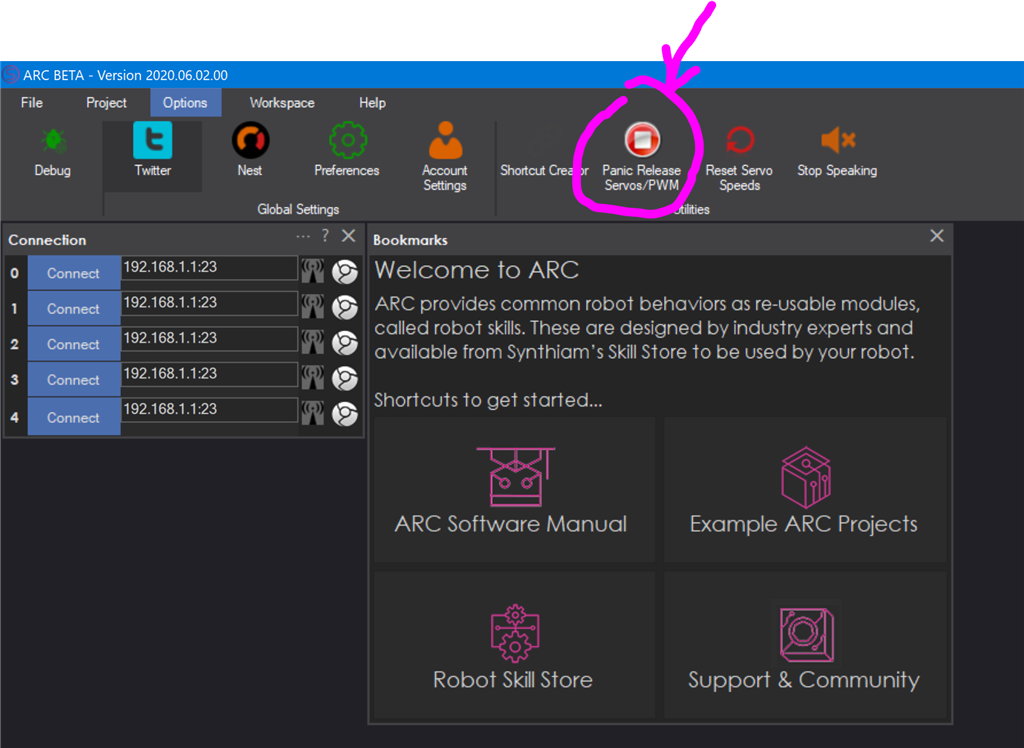
Oh my! That does sound exciting and dangerous. Remember, there's always the PANIC button
Hahaha, yes. Very important folks, Hit that Pnaic button !