
jp15sil24
 Resolved by DJ Sures!
Joystick Release Servo Reset
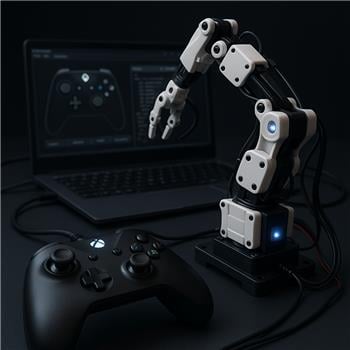
I have an XInput joystick and four servos connected to an EZB (servos on D12-D15). In my ARC project I’m using the Joystick (XInput) Robot Skill. The left stick controls the servos on D12 and D13; the right stick controls D14 and D15. I’ve set the min and max values, as well as speed, velocity, and acceleration, and the four servos respond correctly to stick movements.
The servos are used for a robotic arm: D12 = shoulder rotation, D13 = shoulder up/down, D14 = elbow up/down, D15 = forearm rotation.
The problem: when I release a stick, the corresponding servos do not return to their initial positions. Instead, they appear to position themselves somewhere between the configured min and max (roughly halfway). For example, if I push the left stick forward the servo moves, but when I release the stick it does not go back to the original position - it resets to an intermediate point. This happens for all four servos. I currently have to run a script command to set the original positions for all four servos.
Normally, when you release the stick, shouldn't the servos return to their original positions?
Related Hardware (view all EZB hardware)

Related Robot Skill (view all robot skills)
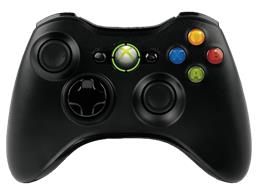

The joystick's resting position will be the halfway point between the servo's min and max positions. So, if your MIN is 10 and your MAX is 100, the resting position will be 55.
Yes - that’s expected behavior for the Joystick (XInput) skill when it’s configured to control servos directly.
Why it happens
When the stick is centered, ARC maps the joystick’s neutral position to the midpoint between the servo’s Min and Max values.
So if your servo is configured for:
Then the joystick’s center/rest position becomes:
That means the servos do not "return to their last/home position" automatically - they return to the center of the configured range.
If you want a true home position
You have a few options:
Use a script on stick/button release
Have the release event explicitly move the servos back to your stored home positions.
Use buttons instead of direct analog stick control
Buttons can call scripts that move servos to specific positions.
Use a custom script layer Let the joystick set variables, then your script decides how the arm should behave, including a return-to-home action.
Important note
If you want the arm to "stay where it was" when you let go, joystick servo control isn’t the best tool by itself, because it’s designed for centered analog control, not position memory.
Helpful links
Example approach
If you want, I can help you write a small JavaScript script in ARC that:
If you'd like, tell me whether your joystick is using the Left Stick, Right Stick, or Triggers for each servo and I’ll draft the ARC script for you.
ok. I think my problem is that I setup the minimal value for a servo as standby position. it makes sense now. but ok I may use it for recording some movements. thanks for your help
"If you want the arm to "stay where it was" when you let go, joystick servo control isn’t the best tool by itself, because it’s designed for centered analog control, not position memory."
yes exactly. I will try some moves with the joystick and save them otherwise I will use the Auto Position skill.
Hmmm, yeah, I can see the challenge you're up against. There may be more servo freedom, say, on the upper part of the joystick, and less on the lower part of the joystick. That means the joystick's middle resting position doesn't put the servo where you'd want the middle to be.
Makes me wonder if there's a way to specify a value for the center resting position, and then the upper and lower ranges would have different multipliers while letting the center rest where expected.
I'd have to think about that one, because it might be a much larger change that flows into the heart of the servo driver service. But it is something to consider, that's for sure.