


Asked
— Edited
 Resolved by Steve G!

How To Get Init Script To Go Slower Servo's?
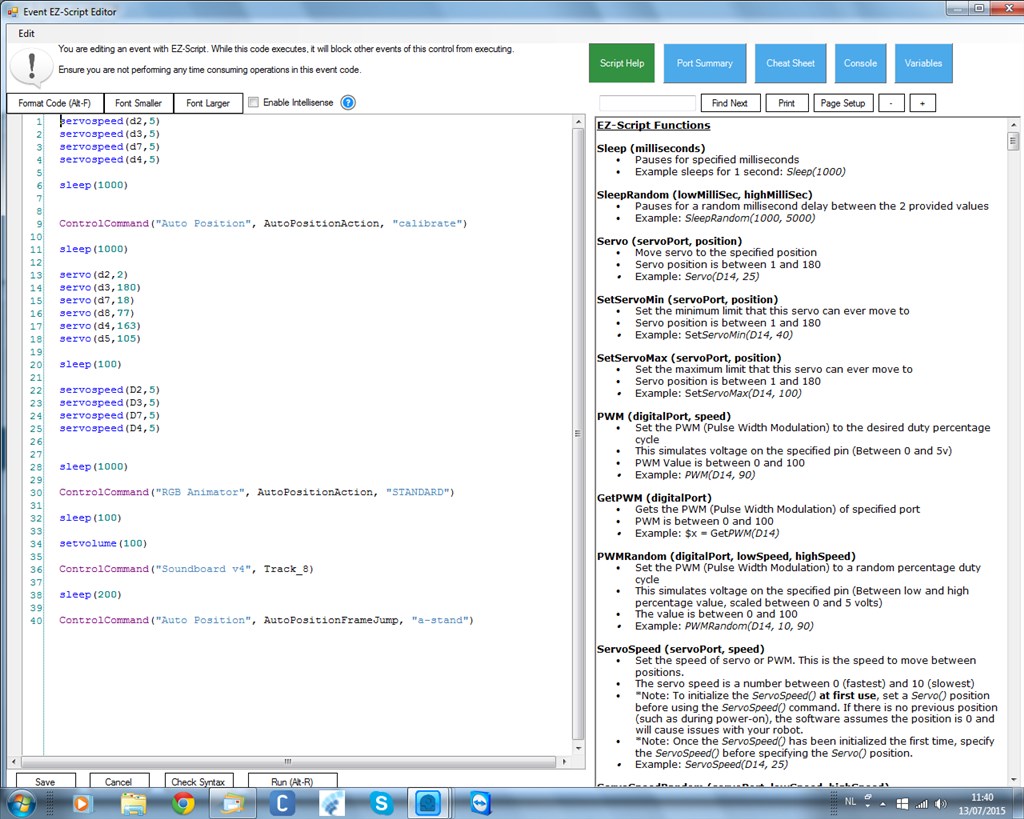
am looking when i power jd on the pose he wil take goes slow. as in the video he does it slow but not when the init script runs.

:D
:D
 You got it buddy. A job well done.


thank you dave
thanks steve g
Your more than welcome.
Good tutorial there SteveG! I'm sure other's have been confused about how to insert code as well.
@Justin.
Thanks buddy. I must admit when I first started here I didn't know what the UBB codes were or how to use them myself, lol.
Nomad, How did it "work perfect" adding the 0 speed for your servos, initialize help you? Did your robot move slower and not jump during the initialize startup process? Did your robot movements actually move slower with running the 0 speeds set points during initialize start up process prior to running the servo set-start positions, and servo speeds? I am just trying to understand. Steve s