

santi0624
USA
Asked
— Edited
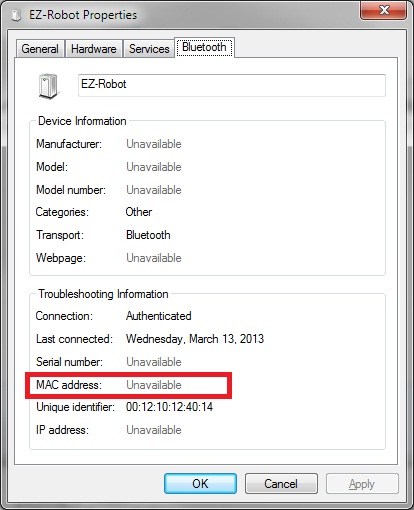
Ez Board Mac Address
I would like to use and connect my robot to my school network, but since they have restrictions I have to provide them with the E-Z board MAC address, in order to connect and be able to use the Http: server function from the ARC.
Does anyone know where can I find this information?

Assuming Windows 7 is the OS
Click Start Devices and Printers Find the EZB in the list RIght click on it Properties Bluetooth And look for MAC address
That is if it's the bluetooth MAC address you want. If the EZB is connected to a remote computer and you wish to connect to that computer over the internet then they may need your computer's MAC address, IP address etc.
Thanks Rich it was very usefull
The problem is that appears unavailable even though is connected to the computer. This information appears unavailable just like you have it in the picture. Is there another way to get it, or it is just unavailable for security purposes?
Ez board is Bluetooth, not WiFi. No way to connect the board to your school network unless you replace the Bluetooth adapter with a WiFi adapter.
Bluetooth stack will only show a MAC address if you set up a PAN, which the EZ B doesn't support.
Alan