
Ellis
USA
Asked
 Resolved by DJ Sures!
Change Action Name.
Simple question. How do you change an action name after creating it?
Related Hardware (view all EZB hardware)

EZ-B V4
by EZ-Robot
EZ-B v4/2 robot controller: dual Cortex ARM, Wi-Fi, audio/video, 24 servo/digital ports, I2C/UART, camera and Synthiam ARC control for custom robots
Wi-Fi / USB
Servos
24
Camera
Audio
UART
3
I2C
ADC
8
Digital
24
Related Robot Skill (view all robot skills)

Movement Script
by Synthiam
Trigger direction-specific scripts when ARC movement panels change; assign scripts per direction/stop, access direction and speed (JS/Python/EZ).


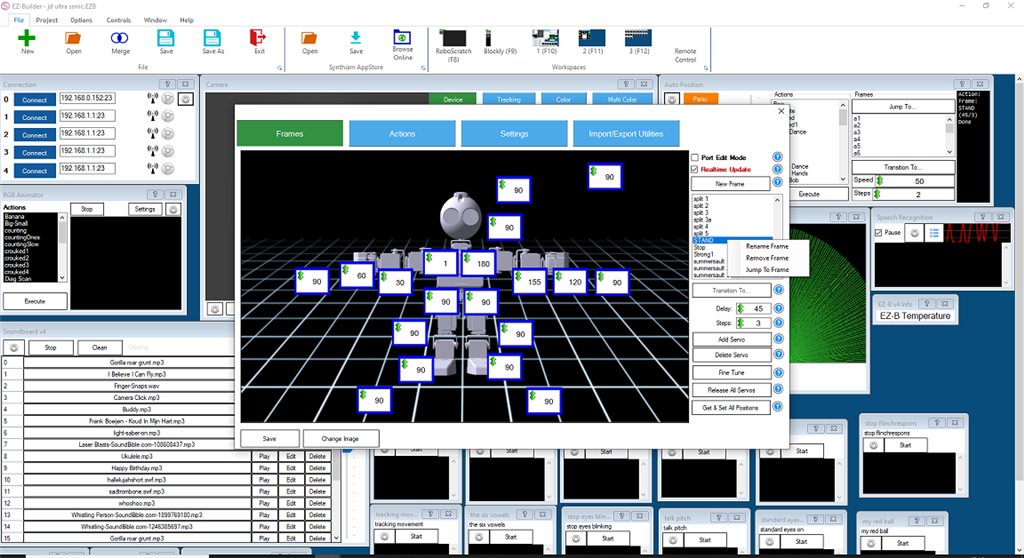
hi ellisclick on the action you want to remove ,right mous click.
Thanks for the response. I really want to change the name of an action not a frame. I am sorry if the post was confusing. let me know if you need anything.
hi ellis
no your post is correct.i didn read it well.indeed i dont see it eather.
Thanks for your help. Maybe someone else know's the trick. I cannot find it either.
You are correct gentlemen, there isn't a way to change the action name but I'm sure if you request it DJ may add it to his list.
Great, that would be a nice change, thanks
I'm on it, sir!
Good morn, did I miss the update?