

hello robo
USA
Asked
 Resolved by ptp!
Arcpi / Ezbpi On Raspberry Pi 3 Errors
Hello,
I am trying to run ARCPi and EZBPi on a Raspberry Pi 3. I have tried installing them on two different versions of Raspbian, the latest release and the 11/13/18 (stretch) version, which was released closer to "DJ's 9th Live Hack" (I have been following that YouTube tutorial). When I execute ARCPi, I get the following error before ARC launches:
pi@raspberrypi:~/EZ-BuilderPi $ mono ARC.exe
Unknown heap type: #GUlD

Unknown heap type: #Blop

Unknown heap type: #GUlD

Unknown heap type: #Blop

The help viewer could not load. Maybe you don't have chmsee installed or haven't set MONO_HELP_VIEWER. The specific error message was: ApplicationName='chmsee', CommandLine='"https://synthiam.com/Software"';, CurrentDirectory='', Native error= Cannot find the specified file
X11 Error encountered:
  Error: BadMatch (invalid parameter attributes)
  Request:     12 (0)
  Resource ID: 0x1C013B8
  Serial:      48245
  Hwnd:        Hwnd, Mapped:True ClientWindow:0x1C013B9, WholeWindow:0x1C013B8, Zombie=False, Parent:[Hwnd, Mapped:True ClientWindow:0x1C013B7, WholeWindow:0x1C013B6, Zombie=False, Parent:[]]
  Control:     System.Windows.Forms.Panel, BorderStyle: None  at System.Environment.get_StackTrace () [0x00000] in <8f2c484307284b51944a1a13a14c0266>:0
  at System.Windows.Forms.XplatUIX11.HandleError (System.IntPtr display, System.Windows.Forms.XErrorEvent& error_event) [0x00000] in :0
  at System.Drawing.GDIPlus.GdipCreateFromXDrawable_linux (System.IntPtr , System.IntPtr , System.IntPtr& ) [0x00000] in <1917aa1c39d94b1a91807b8cd9f03350>:0
  at System.Drawing.Graphics.FromXDrawable (System.IntPtr drawable, System.IntPtr display) [0x00000] in <1917aa1c39d94b1a91807b8cd9f03350>:0
  at System.Drawing.Graphics.FromHwnd (System.IntPtr hwnd) [0x00000] in <1917aa1c39d94b1a91807b8cd9f03350>:0
  at System.Windows.Forms.Control.CreateGraphics () [0x00000] in :0
  at System.Windows.Forms.TextBoxBase.CreateGraphicsInternal () [0x00000] in :0
  at System.Windows.Forms.Document.owner_VisibleChanged (System.Object sender, System.EventArgs e) [0x00000] in :0
  at System.Windows.Forms.Control.OnVisibleChanged (System.EventArgs e) [0x00000] in :0
  at System.Windows.Forms.Control.OnParentVisibleChanged (System.EventArgs e) [0x00000] in :0
Once ARC launches, if I try to open a previously saved project, a window pops up with a similar message:
Version: 2019.05.08.00

System.IO.DirectoryNotFoundException: Directory 'EZ-Builder/Examples' not found.
  at System.IO.Directory.ValidateDirectoryListing (System.String path, System.String searchPattern, System.Boolean& stop) [0x00091] in <8f2c484307284b51944a1a13a14c0266>:0
  at System.IO.Directory.GetFileSystemEntries (System.String path, System.String searchPattern, System.IO.FileAttributes mask, System.IO.FileAttributes attrs) [0x00023] in <8f2c484307284b51944a1a13a14c0266>:0
  at System.IO.Directory.GetDirectories (System.String path, System.String searchPattern) [0x00000] in <8f2c484307284b51944a1a13a14c0266>:0
  at System.IO.Directory.GetDirectories (System.String path) [0x00000] in <8f2c484307284b51944a1a13a14c0266>:0
  at EZ_Builder.FormOpenEZB.XtZsj07xQ5 () [0x0000b] in <8a9b654daa5e46dc9cae530155c2d0ff>:0
  at EZ_Builder.FormOpenEZB..ctor (System.String folder) [0x0002d] in <8a9b654daa5e46dc9cae530155c2d0ff>:0
  at (wrapper remoting-invoke-with-check) EZ_Builder.FormOpenEZB:.ctor (string)
  at EZ_Builder.FormMain.MenuClick_Open (System.Object sender, System.EventArgs e) [0x00027] in <8a9b654daa5e46dc9cae530155c2d0ff>:0
  at (wrapper delegate-invoke) :invoke_void_object_EventArgs (object,System.EventArgs)
  at System.Windows.Forms.RibbonItem.OnClick (System.EventArgs e) [0x00042] in <8137470ea8f14440974ce9168ccc636e>:0
  at System.Windows.Forms.RibbonButton.OnClick (System.EventArgs e) [0x0003f] in <8137470ea8f14440974ce9168ccc636e>:0
  at System.Windows.Forms.RibbonMouseSensor.Control_MouseClick (System.Object sender, System.Windows.Forms.MouseEventArgs e) [0x00041] in <8137470ea8f14440974ce9168ccc636e>:0
  at System.Windows.Forms.Control.OnMouseClick (System.Windows.Forms.MouseEventArgs e) [0x0001c] in :0
  at System.Windows.Forms.Control.HandleClick (System.Int32 clicks, System.Windows.Forms.MouseEventArgs me) [0x0005d] in :0
  at System.Windows.Forms.Control.WmLButtonUp (System.Windows.Forms.Message& m) [0x00071] in :0
  at System.Windows.Forms.Control.WndProc (System.Windows.Forms.Message& m) [0x0016f] in :0
  at System.Windows.Forms.Ribbon.WndProc (System.Windows.Forms.Message& m) [0x00191] in <8137470ea8f14440974ce9168ccc636e>:0
  at System.Windows.Forms.Control+ControlWindowTarget.OnMessage (System.Windows.Forms.Message& m) [0x00000] in :0
  at System.Windows.Forms.Control+ControlNativeWindow.WndProc (System.Windows.Forms.Message& m) [0x0000b] in :0
  at System.Windows.Forms.NativeWindow.WndProc (System.IntPtr hWnd, System.Windows.Forms.Msg msg, System.IntPtr wParam, System.IntPtr lParam) [0x0008e] in :0
I searched Synthiam Community for a similar thread, so forgive me if this issue has been addressed in a previous post and I missed it. I am happy to answer any questions. Does anyone know what I could have done wrong during the installation?
Thanks Tim
Related Hardware (view all EZB hardware)
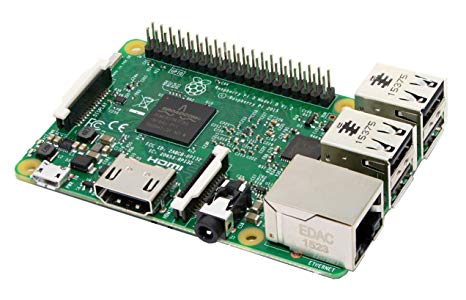
Raspberry Pi
by Pi Foundation
Run Synthiam ARC on Raspberry Pi 4+ with Windows 11 for robot control; use external EZB/Arduino for reliable I/O, SSD/USB storage recommended
Wi-Fi
Servos
✕
Camera
Audio
UART
✕
I2C
ADC
✕
Digital
✕

@HelloRobo:
Yes but only write operations (TX). IoTiny controller does not support hardware UART ports (RX/TX) instead provides Software Serial (Only TX) on digital ports (D0-D8) and limited baud rate max. 115200 bps This allows you to send/transmit positions but does not allow you to read data.Regarding the error (window) It seems is a minor bug, basically when you add the dynamixel plugin to your project the plugin tries to initialize and uses the default settings UART Port 0, If you have an existent connection the request is validated based on the controller capabilities as consequence if the controller does not handles UARTs an exception is raised.
Solution: Disconnect from the IoTiny, add the plugin change the configuration (assign a Port D0-D8) to be used with the Software Serial, change the Baud Rate to a valid value: 57600 and press save button and then save the project.
Then you can press connect.
BTW do not forget to set your dynamixel servo baud rate to the same value e.g. 57600.
the io tiny connect without the plugging.and disconnect with the plugging cause baud rate is not supported. i gess the baud chould be set in the window same as specify for your dynamixel.ithink it was 9600. and the window says 100000
Thanks ptp, I selected "Digital Port (serial tx)" and I no longer receive that error. The only issue now is that my XL430 servos seem to be locked at a 1mbps baud rate. Robotis support suggested that I update the firmware on the servos. I did, but unfortunately I am still unable to change the baud rate. I will wait to see what Robotis support will suggest next.
Thanks for the suggestion Nomad 6R, I tried changing the baud rate of the connected XL430 servo, using the "Utilities" tab in the Dynamixel plugin; however, I received this message:
Do you think I selected the wrong option/enter the wrong value somewhere?
I had the idea the XL430 default baudrate is 57600, what is the default ?
i cant see any tutorial about those dynamixel servos you have. do you know the baud rate off your servo's?what is actually on the servo's firmwire.
It appears that the default baud rate is 1 Mbps. Currently I am not able to change it, but I am corresponding with Robotis support to find a solution for changing it.
are these the xl460-w250-t you have ?
Yes, that is correct.