Savage420
Canada
 Download EZB File
In order to use this app, you need Synthiam ARC software.



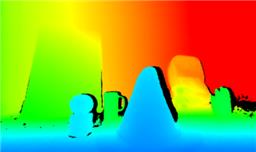 Kinect Xbox 360 Depth Mapping
— Converts Xbox 360 Kinect depth frames into NMS obstacle scans for ARC path planning, SLAM, and obstacle avoidance.
Try it →
Download EZB File
Kinect Xbox 360 Depth Mapping
— Converts Xbox 360 Kinect depth frames into NMS obstacle scans for ARC path planning, SLAM, and obstacle avoidance.
Try it →
Download EZB File
In order to use this app, you need Synthiam ARC software.