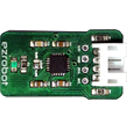

All, I have not used the EZB in a while, it was working fine with the older software and firmeware. I was able to fire it right up, and connect fine...
I downloaded the new ARC, and it then told me my firmware was out of date on the EZ board.
I went ahead and followed the directions, connected the board via bluetooth. Then ran the firmware update program.
It ran for about 10 minutes. But never seemed to complete.. The progress bar went fully across, and it looked like it eas done. It did seem to load, the white light flckered fast for a couple of minutes.
I then closed out of the firmware update program, I went ahead and rebooted everthing (laptop and EZB)
Now all I get is a flashing white light, and thats its... EZB will not connect to bluetooth at all... It does see the device, but will not establish the connection..
Im running the software on my Thinkpad T400 with built in bluetooth..
I hope i didnt "brick" my board..
-MXcobra ...

Never mind ... I left the EZB board unplugged from power for about 5 minutes.. Plugged it back in, and now im getting the red and white lights flashing.. and i can connect via bluetooth fine.
It also tells me my firmware is now current
Time to reconnect my servos, and reprogram wall-e