
Change Release Notes
This one is a fun update.
ARCx v2026.09.30.03 introduces a brand-new Visual Waypoint Navigation Robot Skill, expands ARCx's neural-network capabilities with ONNX Runtime hardware acceleration, and adds new controls for choosing how AI workloads run on your system.
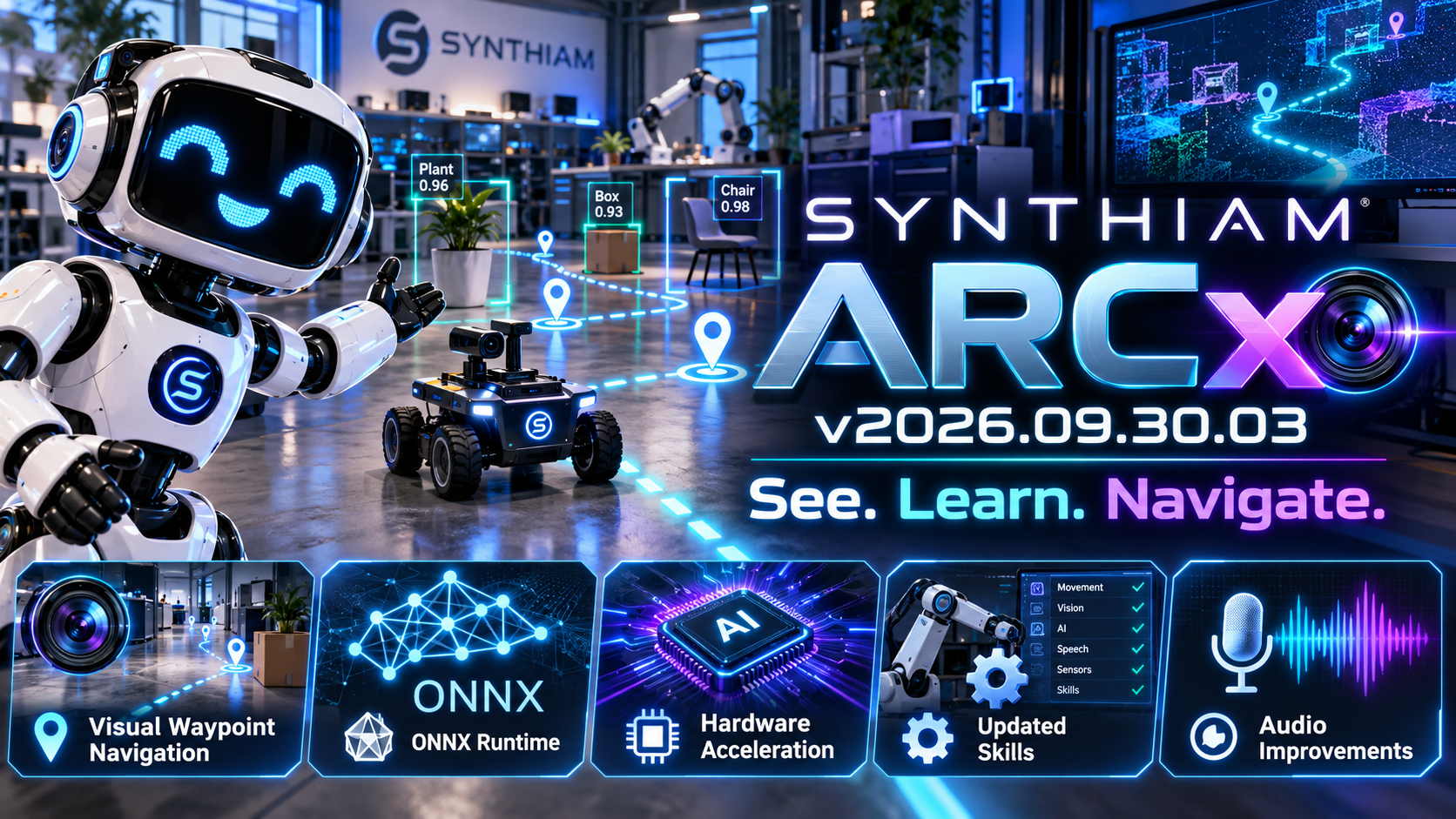
In other words: more vision, more AI, and more control over the hardware doing the work.
New Visual Waypoint Navigation Robot Skill
ARCx now includes Visual Waypoint Navigation, a new robot skill designed to let robots navigate using what their camera sees.
You can teach the robot recognizable visual locations and use those locations as waypoints.
Instead of relying entirely on GPS, lidar, wheel odometry, or a pre-built map, the robot can use visual cues from its environment to determine where it is and where it needs to go.
Drive the robot to a location.
Teach it what that location looks like.
Then let ARCx use those learned visual waypoints to help the robot navigate back to it.
This opens the door to some very interesting autonomous robot projects.
ONNX Runtime Is Now Part of ARCx
ARCx's neural-network infrastructure has received a major upgrade.
ONNX Runtime integration is now built into ARCx, providing a common foundation for Robot Skills that use machine-learning models.
That means individual Robot Skills can take advantage of ARCx's neural-network runtime instead of each skill having to manage its own implementation.
Cleaner Robot Skills. Shared infrastructure. Better performance.
Hardware-Accelerated Neural Networks
Neural-network workloads can now take advantage of supported hardware acceleration.
ARCx includes support for execution options such as:
- CUDA
- WebGPU
- CPU execution
This allows compatible systems to move expensive neural-network processing away from the CPU and onto hardware better suited for the job.
For robots performing vision, object recognition, speech processing, or other AI workloads, that can make a very noticeable difference.
Choose Your Neural Network Accelerator
A new section in ARCx Preferences lets you control which hardware ARCx should use for neural-network execution.
This means ARCx can adapt to very different robot computers - from compact systems running entirely on CPU to workstations equipped with powerful GPUs.
The robot skill doesn't have to worry about the hardware.
ARCx handles it.
Robot Skill Update Notifications
ARCx can now notify you when installed Robot Skills have been updated.
After startup, ARCx can display a new robot skill update dialog so you're aware when something you're using has changed.
No more wondering whether that robot skill quietly received a new version while you weren't looking.
More Reliable Audio Handling
The ARCx audio services received another round of improvements as well.
Stream handling has been refactored to better recover from situations such as:
- Audio devices being unplugged
- Streams unexpectedly stopping
- Playback resources changing underneath ARCx
These changes improve stability for robots that depend heavily on microphones, speakers, speech recognition, and synthesized speech.
Under-the-Hood Improvements
We've also updated dependencies, configuration, and internal components to support the new ONNX infrastructure and keep ARCx's growing cross-platform architecture maintainable.
A lot is happening underneath ARCx right now - and much of it is building the foundation for increasingly capable AI-powered Robot Skills.
ARCx v2026.09.30.03 takes another big step toward robots that can understand and interact with the world around them.
Teach them what a place looks like. Give them neural networks. Give them hardware acceleration. Then see where they go.
Download ARCx
Install ARCx on the computer that runs your robot — from a first prototype to a commercial product or an industrial cell. Available for Windows 64-bit, Linux 64-bit and Linux ARM64 for Raspberry Pi (Ubuntu 24.04 LTS 64-bit).
Linux
Ubuntu, Debian & friends
64-bit (x64) (zip)
Raspberry Pi
Single board computers
Linux ARM64 (zip)
Requires Ubuntu 24.04 LTS (64-bit)
ARCx is always evolving. Follow along in the community for updates.
Follow ARCx development Download ARC today
Upgrade to ARC Pro
ARC Pro will give you immediate updates and new features needed to unleash your robot's potential!
startup log.txt I asked chatgpt to look at the log and tell me if there were any audio issues, the reply: Yes - there are audio-related PortAudio errors during ARCx startup, but they do not appear to be fatal audio failures. ARCx tests the available Windows audio interfaces and rejects several because they cannot handle the exact format ARCx requests. For example:
However, immediately afterward ARCx reports:
Then it successfully opens:
And finally:
I then went into Options and Preferences in ARCx. the audio devices were set to system default. I went in and changed to the below:
and the good news, Sound is working without error. Hopefully this version has fixed the issue. But wow 33 audio devices, not sure where they are came from.
Thanks. will let you know if i run into errors.
If I could, I would like to put the Brushless Motor Panel and the ARCx skill request list. Thank you.
Haha, oh boy, ChatGPT response but it isn't wrong. The startup log message from the last ARCx is indeed filtering out audio devices that don't match the desired sample rate. We had lengthy conversations and analysis of several years of data to determine how to optimize ARCx moving forward. One thing we determined is that the robot's computer does a lot of heavy lifting. The idea of ARCx is to not only offload the GUI to a remote computer's web browser, but also limit unnecessary processing and storage. One of those is audio - there's no need to be playing back 44khz or 128khz audio, haha - that's ridiculous. The same applies to audio recording, which is only used for speech recognition. There's no need to exceed the audio recording sample rate when speech recognition uses such a low rate. So the point is, you're seeing the log file of ARCx, which offers a ton of transparency to understand what's going on. And using ChatGPT might be a good source to help add clarity to the log noise. Athena can, too, if needed.
We will add the brushless motor panel to ARCx for you - stay tuned.
We are prioritizing robot skill development with feedback from our testing group and the few of you in the community who have mentioned it. Mostly, just you So thank you, and we'll keep pushing them out based on that feedback.
We have a bunch of new robot skills coming out either tonight or tomorrow.
Thank you for that. I am running ARCx exclusively and it seems faster and more steady for my use. I have around 60 individual scripts, most of them are small, like reading if an EZB is connected or not. But a few are a little more involved, including a scheduler that runs all the time and polls the little scripts, getting data, speaking a status or two, etc. With ARC I was getting some out of memory errors and a few other errors, but not now. Also, I have many MP3 files and I mean many. Also, now that I'm used to it, I like the script interface.
also a cosmetic fix request. when project description does fit in box it just overruns the box.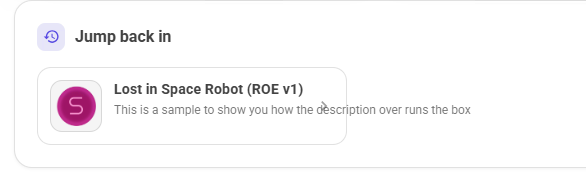
Can you tell us what that screenshot is from? For example, is it a robot skill page, project page, etc..
The home page.