

Change Release Notes
Another ARCx update is here!
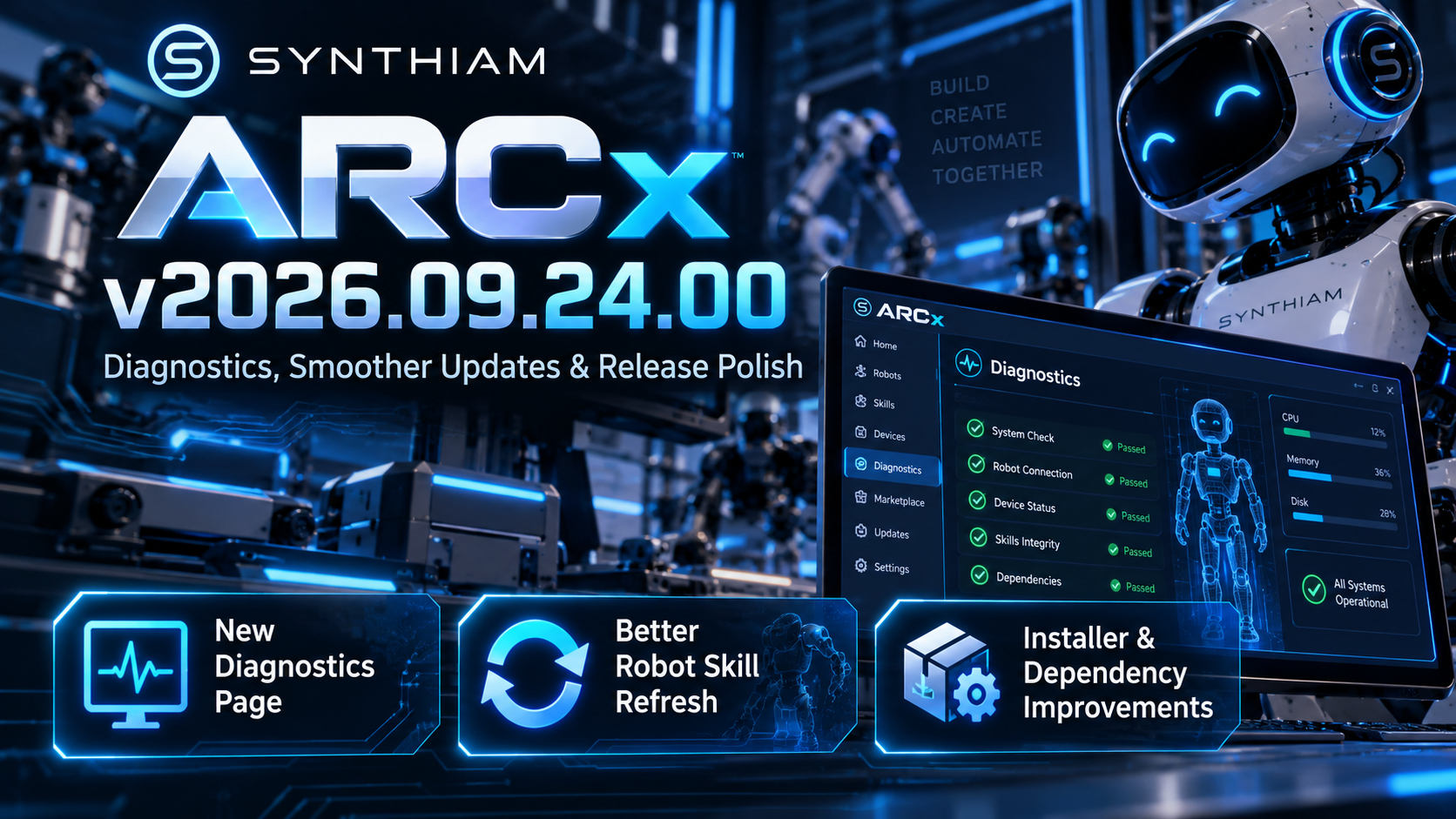
Version 2026.09.24.00 focuses on making ARCx easier to troubleshoot, smoother to use, and more reliable to install across supported platforms.
Important Folder Change
The ARCx data folders have been renamed. Please remove the old folders to save space on your computer.
- from "C:\ProgramData\ARCx" to "C:\ProgramData\ARCx Data"
- from "<My Documents>\ARCx" to "<My Documents>\ARCx Data"
Essentially, we just renamed the two folders from ARCx to ARCx Data. This makes it clearer what those folders are and helps avoid misunderstandings, specifically on Linux installations, which use the home folder "~/ARCx Data"
Raspberry Pi (aka ARM64) Released
ARCx now has a Raspberry Pi download that runs on any ARM64 Linux single-board PC, with the Raspberry Pi being the most popular.
New Diagnostics Page
ARCx now includes a dedicated Diagnostics page for testing important system functionality and checking that everything is operating as expected. Please use this page when you have issues to identify where problems are within your configuration or hardware.
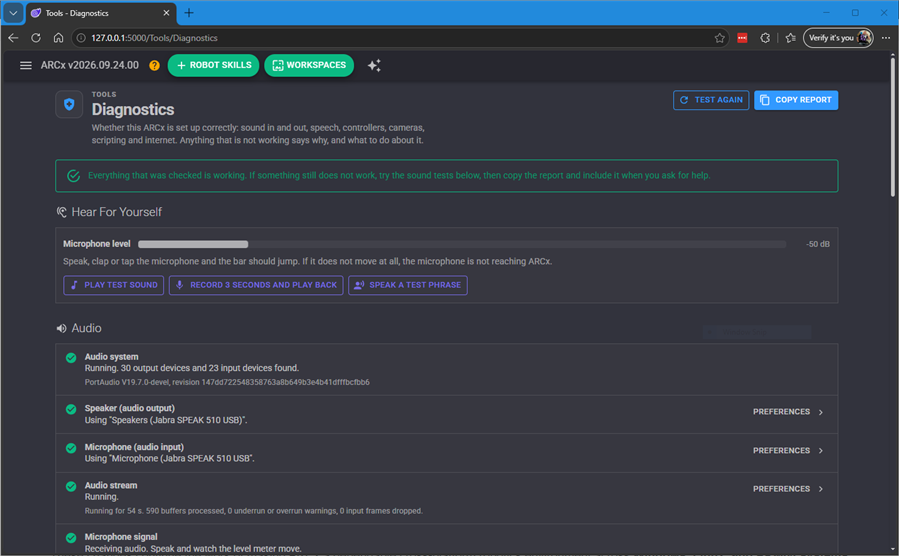
You can find this page in Side Menu -> Views -> Diagnostics
This gives you a much easier place to investigate problems, verify system health, and gather useful information when something isn't behaving the way it should.
Better robot skill Refreshing
The robot skill refresh experience has been improved.
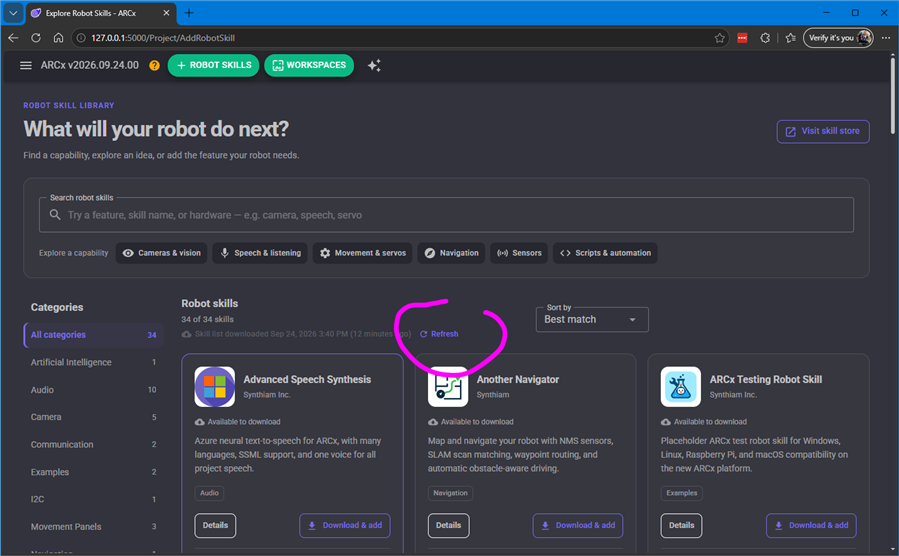
ARCx now handles the refresh state more intelligently, including improved button visibility and protection against multiple refresh requests being triggered at the same time.
It may sound like a small change, but it makes working with the robot skill Store feel noticeably cleaner and more predictable.
Installer & Dependency Improvements
A lot happened behind the scenes in this release.
We've updated ARCx's dependency handling, runtime paths, installer configuration, product versioning, and installation metadata to improve compatibility with the latest ARCx components.
These changes continue the work of making ARCx a dependable cross-platform robotics environment across Windows, Linux, and ARM64 systems such as Raspberry Pi.
Documentation & Project Cleanup
We've also continued cleaning up the ARCx distribution.
New documentation and licensing files have been added while outdated configuration, language, and resource files have been removed.
The result is a cleaner project structure and a more maintainable ARCx installation as development continues moving quickly.
Simpler Internals
Some older conditional build logic has also been removed, simplifying how ARCx is built and reducing unnecessary complexity inside the application.
ARCx is still evolving rapidly, and every release is another step toward making advanced robot programming easier, faster, and more portable.
Download ARCx
Install ARCx on the computer that runs your robot — from a first prototype to a commercial product or an industrial cell. Available for Windows 64-bit, Linux 64-bit and Linux ARM64 for Raspberry Pi (Ubuntu 24.04 LTS 64-bit).
Linux
Ubuntu, Debian & friends
64-bit (x64) (zip)
Raspberry Pi
Single board computers
Linux ARM64 (zip)
Requires Ubuntu 24.04 LTS (64-bit)
ARCx is always evolving. Follow along in the community for updates.
Follow ARCx development Download ARC today
Upgrade to ARC Pro
Experience the transformation – subscribe to Synthiam ARC Pro and watch your robot evolve into a marvel of innovation and intelligence.
We released a second update to this version (2026.09.24.01) this evening. We're piggybacking on these release notes, but it's a significant UI overhaul, including a few other goodies we had been working on. Nothing worth mentioning, since it's mostly UI-related.
That being said, the Linux and Raspberry Pi (ARM64) versions are available for download. Instructions are published in the support section and linked from the download page.
The good news, the test MP3 loaded and was able to be played through PC speaker. But it is not playing at normal speed, it is slowed down quite a bit. My MP3's are phrases, not just sound, some of these phrases are 2 to 3 seconds long. I went to the diagnostic screen and played the test tone and it played well. Is there a way to increase the speed of the MP3 phrase so it sounds normal?
Post one of the files here so we can examine it and see why it's playing slow for you.
That is correct - we will need to see the file that you are experiencing issues with. You may be required to ZIP the file if it does not upload as uploaded into the editor when responding. Use the paperclip icon in the editor menu to attach a file.
Here is the file, it's not too long.Arcx Test.zip
That was an easy fix - the file was mono, and for some reason the MP3 decoder treated it as stereo, so it was half the speed. The latest update 2026.09.25.00 fixes that
Hey @dbeard - btw... that voice sounds familiar. Is that robby the robot? how do you generate that using his voice? that's cool
No, its the lost in space robot. I use a website called https://vocloner.com/. You just need a sample of a voice to clone.