
Change Release Notes
Someone said they can't keep up with the updates... Well, tough luck!
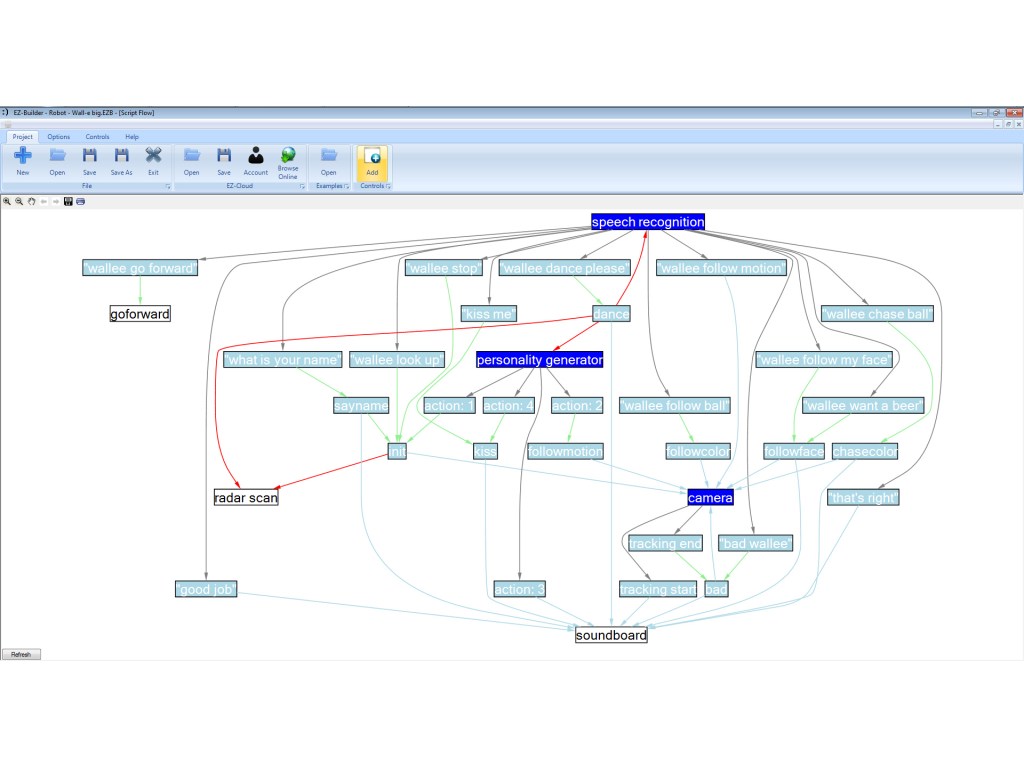
This update contains a graphical view of your script path. It's neat to view your project in a graphical representation. Any script or control which uses a "ControlCommand" to interact with another control is displayed. For example, if you have a speach recognition phrase that uses a ControlCommand, it will be displayed. If you have a speech recognition phrase that moves a servo (does not use a ControlCommand), it will not be displayed. This allows you to only view the interactions between controls.
- New Control: Script Flow
- Additional connection debuging for Brookstone Rover in Debug Control
- ControlCommand has a short-hand alias "CC" (check EZ-Script manual)
- ADC Graph performance improvement
- Intro windows (check new version, etc.) always display when loaded. They close when first control is added
Download
Get your copy of ARC <- Click there
Script Flow Example
In this example I used the Wall-e Big (from included Examples in ARC)
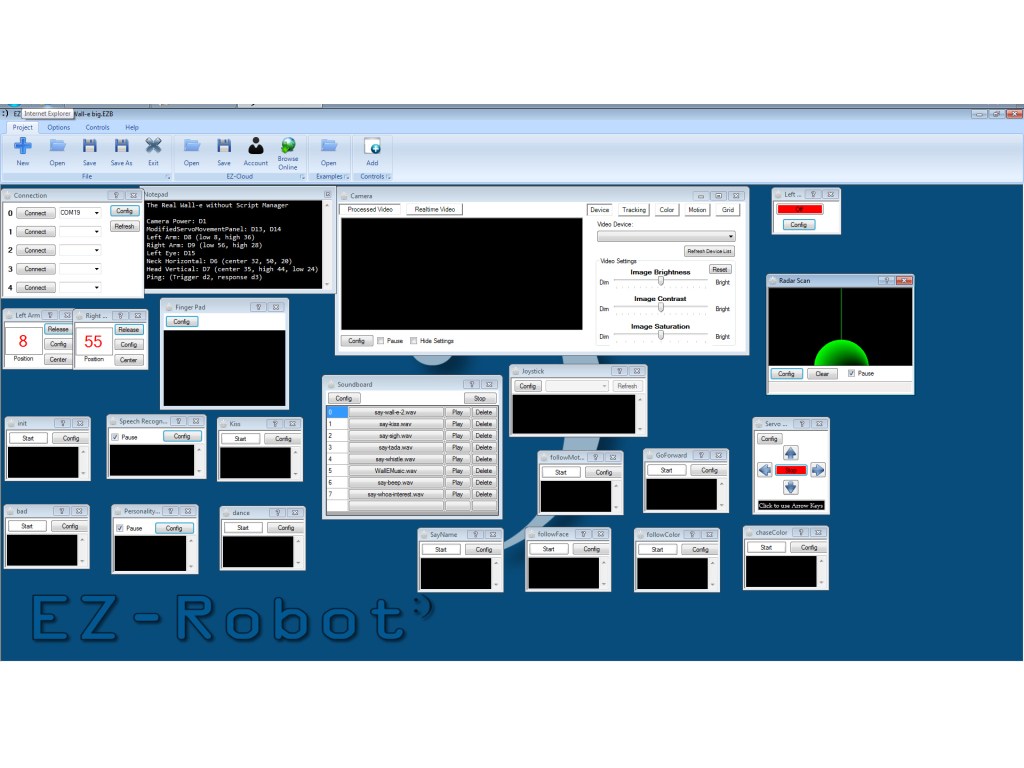
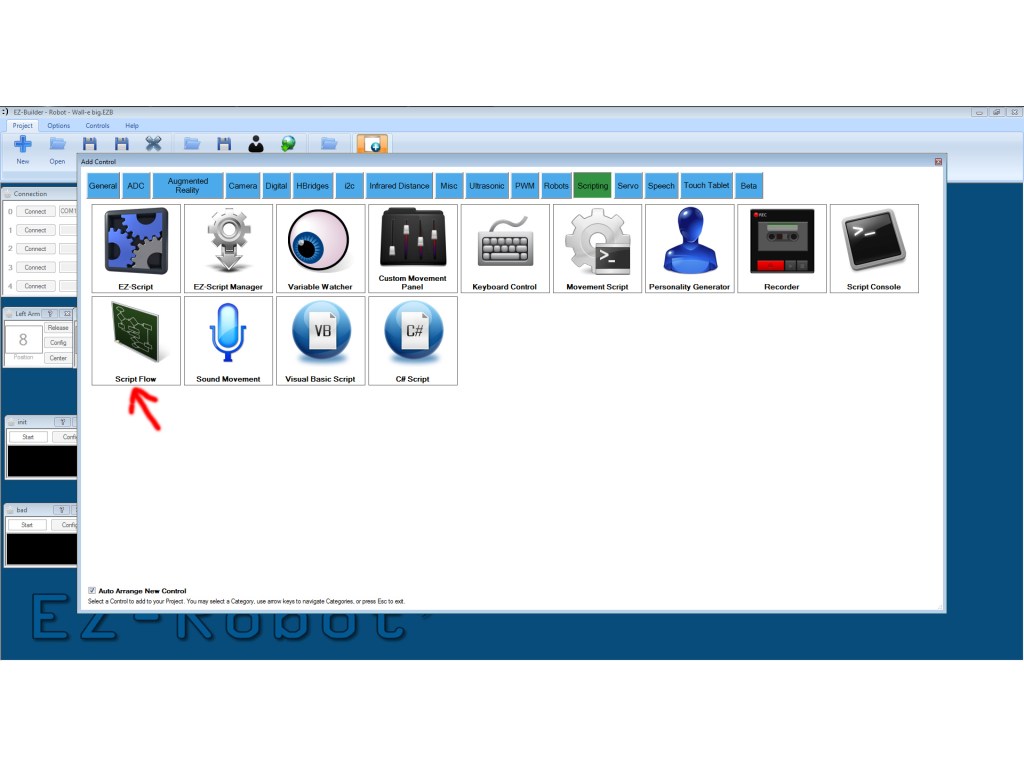
Select the Add Control option, Scripting, and Script Flow
The graphical view displays all scripts and control functions that execute each other. For example, the Speech Recognition Control has many phrases, phrases that execute other controls are displayed
Enjoy!
ARC Downloads
ARC
FREE- 1 third-party plugin skill per project
- Trial cloud services
- Personal, DIY & education use
- Updated every 6–12 months
 Download
ARC
PRO- Use on 2+ PCs simultaneously
- Unlimited robot skills
- Cloud backup & revision history
- Weekly features & bug fixes
- Business use permitted
ARC
RUNTIME- Load & run any ARC project
- Read-only mode
- Unlimited robot skills
- Includes early access fixes & features
- Minimum requirements: Windows 10 or higher, 2 GB RAM, 500 MB free disk space.
- Recommended: Windows 10 or higher, 8 GB RAM, 1 GB free disk space.
- Prices are in USD.
- More about each edition: Download & install guide.
- Latest changes: Release notes.
Compare Editions
| Feature |
ARC
FREE
|
ARC
PRO
|
|---|---|---|
| Get ARC Free | View Plans | |
| Usage | Personal · DIY · Education | Personal · DIY · Education · Business |
| Early access to new features & fixes | — | ✓ |
| Simultaneous microcontroller connections * | 1 | 255 |
| Robot skills * | 20 | Unlimited |
| Skill Store plugins * | 1 | Unlimited |
| Cognitive services usage ** | 10 / day | 6,000 / day |
| Auto-positions gait actions * | 40 | Unlimited |
| Speech recognition phrases * | 10 | Unlimited |
| Camera devices * | 1 | Unlimited |
| Vision resolution | max 320×240 | Unlimited |
| Interface builder * | 2 | Unlimited |
| Cloud project size | — | 128 MB |
| Cloud project revision history | — | ✓ |
| Create Exosphere requests | — | 50 / month |
| Exosphere API access | — | Contact Us |
| Volume license discounts | — | Contact Us |
| Get ARC Free | View Plans |
* Per robot project
** 1,000 per cognitive type: vision recognition, speech recognition, face detection, sentiment, text recognition, emotion detection, azure text to speech

Upgrade to ARC Pro
Subscribe to ARC Pro, and your robot will become a canvas for your imagination, limited only by your creativity.
The day I will conquer the world with my robot, I will assign you as leader of technology
Deal!
After 30+ attempts to download the latest update, I was unsuccessful, until I updated to Google Chrome. Then it worked the first time. Who knew?
I knew... you have a virus.
Thanks again,
The new update looks great, but that scroll on the servo Movement Panel is cruel
By the way... my son wants to know how many DJ Sures are there? He pictures that warehouse in "Jingle All The Way", where there are hundreds of Santas working on email and updates
Haha, the new servo panel is great once you get used to it. Click and move the mouse slowly in the direction of the icon. It took a few uses to grow on me also
Everyone at EZ-Robot works incredibly hard. Like all companies, we have the occasional issue - but we always resolve it. Sometimes it takes a bit of time because there is literally hundreds of tasks on our plate.
As far as the software is concerned, i'm the only developer. I've created the bootloader and firmware on the EZ-B, the EZ-SDK and ARC. It's funny how many people I meet who think there's a bunch more of us than there actually is. It's quite flattering actually... I think we've acheived a lot in a little over a year.
Wait until you see EZ-Robot Revolution
Great DJ Sures!
"Sometimes it takes a bit of time because there is literally hundreds of tasks on our plate."
Speaking of hundreds of things on the list... Is having multiple movement panels when using multiple EZ-B's from one computer one of them?
My latest design, that I have actually started building finally (got my Sabertooth 2x25, some switching voltage regulators, and a battery charger today, a few bits and pieces from EZ-B and jstarnes1 on the way) has a main robot, and a remote controlled drone riding inside that can go places the main robot can't fit. I was looking at making the Drone using cellbots.com software and an Android Phone as the brain and camera, but that project seems to have died. The board I wanted to use to interface it to motors is no longer available, and I wanted to be able to control a couple more servos than just the wheels, and the software doesn't support that. It is open source, but I would need to learn Java, so new plan is to buy another EZ-B, but I will only have the one computer to control it until you add direct support from Android (or iOS if I must go that way...).
Alan