
Change Release Notes
This release makes ARCx easier to use, gives you more room to build, and removes a little more unnecessary work from your robot development workflow.
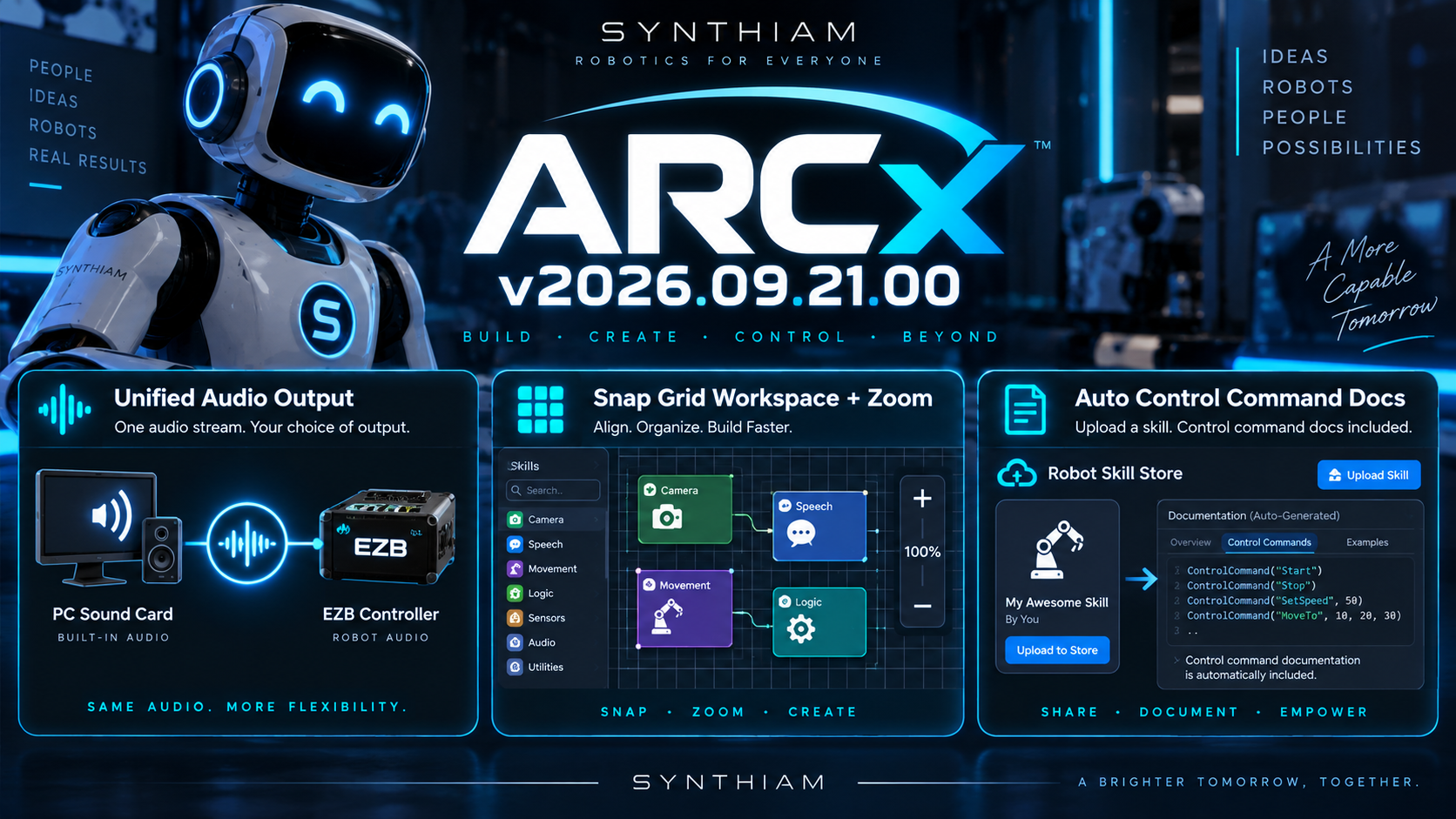
One Audio Command. Any Output.
Audio in ARCx just got simpler.
You can now configure audio to output through either your PC sound card or a connected EZB.
More importantly, ARCx doesn't require separate commands like Audio.SayEZB() or Audio.SayPC(). You use one audio command, and ARCx sends the audio to whichever output you've configured. This means any robot skill can use either the EZB or PC audio output. You no longer need separate robot skills per output.
Write your logic once. Change the output whenever you want.
Snap Your Workspace Into Shape
The ARCx workspace now has an optional grid system that Robot Skills can snap to, making it much easier to keep larger projects organized and aligned.
Don't want the grid? Turn it off.
Need more room? You can now zoom in and out of the workspace, giving you considerably more usable space when working with larger robot projects.
The experience works similarly to ARCx's Custom UI Designer, but the two serve different purposes. The workspace is where you build and organize your robot project, while the Custom UI Designer is intended for creating purpose-built interfaces, mobile-friendly controls, dashboards, and applications.
Robot Skill Control Commands Just Got Easier
Publishing Robot Skills to the Robot Skill Store now requires even less manual documentation.
When uploading a Robot Skill, you can optionally include its Control Command syntax. ARCx can then use that information when publishing the skill so you don't have to manually write all of the ControlCommand documentation yourself.
Less repetitive documentation, fewer mistakes, and more consistent robot skill manuals.
Keep Building
ARCx is continuing to evolve around a simple goal: spend less time fighting your development environment and more time making robots do awesome things.
Download ARCx
Install ARCx on the computer that runs your robot — from a first prototype to a commercial product or an industrial cell. Available for Windows 64-bit, Linux 64-bit and Linux ARM64 for Raspberry Pi (Ubuntu 24.04 LTS 64-bit).
Linux
Ubuntu, Debian & friends
64-bit (x64) (zip)
Raspberry Pi
Single board computers
Linux ARM64 (zip)
Requires Ubuntu 24.04 LTS (64-bit)
ARCx is always evolving. Follow along in the community for updates.
Follow ARCx development Download ARC today
Upgrade to ARC Pro
Unlock the true power of automation and robotics by becoming a proud subscriber of Synthiam ARC Pro.