
I noticed audio and the servo movement panels only work on connection 0 ?
I also use connection 1, and connection 2, they don't work there
Also:
servo speed not working
just to let you know
EzAng
 Remote UI Client
— PC Remote UI Client for ARC enables remote robot control via customizable multi-page interfaces from other ARC instances.
Try it →
Remote UI Client
— PC Remote UI Client for ARC enables remote robot control via customizable multi-page interfaces from other ARC instances.
Try it →
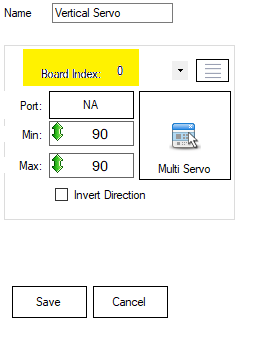
I noticed audio and the servo movement panels only work on connection 0 ?
I also use connection 1, and connection 2, they don't work there
Also:
servo speed not working
just to let you know
EzAng




dbeard, only - horizontal and vertical servo works on connections 1, or 2 etc
not servo movement panels under movement panels ?
EzAng