


Asked
— Edited
 Resolved by Redzone!
Tuttorial About Talk Servo For Leds
hi
is there a window for talk servo with led?insteadt of inmoove mouth opens, while talking,but with a led then.

so the led works when i speak into a headset mic.i can see jd mouthled lid up. but thats not the effect am looking for.am looking for the led to lid up when jd speaks .
I thought you did that already with a sound servo controlling the LED? Or did you just wire an LED to the speaker of your JD before?
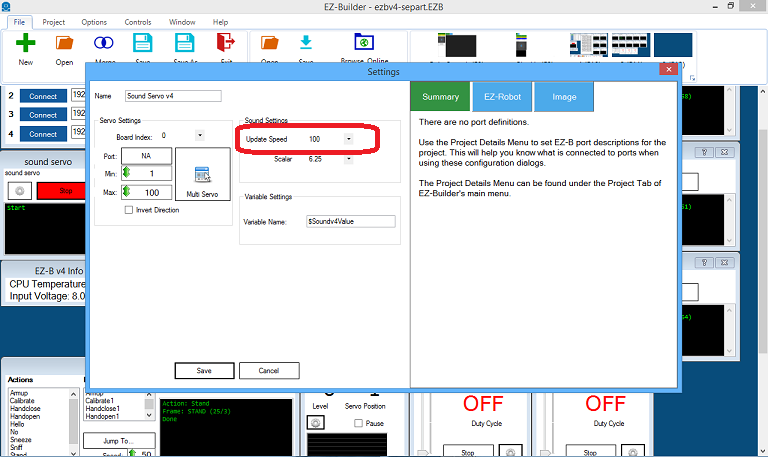
@Norman, I do not have a JD so I don't know, but... Am guessing you are using the built in speaker on the EZB controoller. Use the servo Servo (EZB Playback) not the Sound Servo.
If so just change the variable name from $soundvalue to $Soundv4Value in your script.
Example... if ($Soundv4Value < 10) $pwmvalue = 0 ELSEif ($Soundv4Value < 20)
Change it to ... if ($EZBPlayingAudio < 10) $pwmvalue = 0 ELSEif ($EZBPlayingAudio< 20)
in your script.
ah thanks i will try that.
i use a led with pwm
what value comes here? i have a led on port D22.
Nothing goes there, it's a variable name representing the value of each PWM value listed above.
ah ok. so this works only with headset mic.