

jstarne1
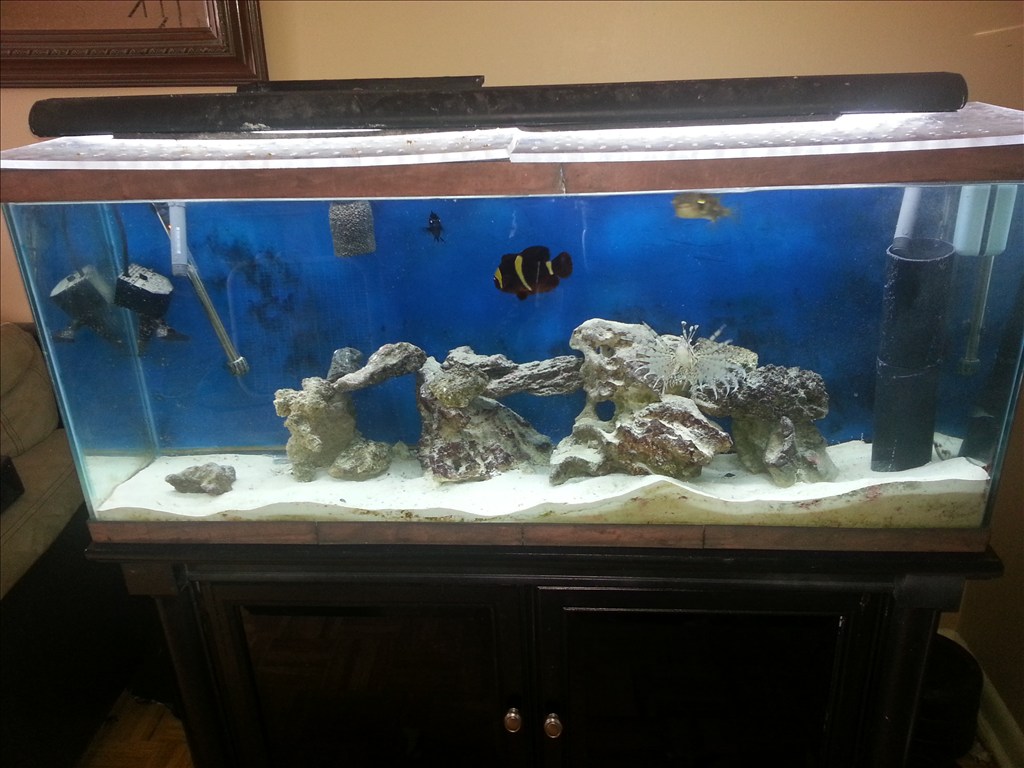
Meet The Smart Saltwater Aquarium Powered By Ez Robot
Ez Robot community I wanted to introduce my latest application of this system. Some members hear already know I keep two salt water aquariums one coral which unfortunately died off and my predator tank. Sea life needs delicate balance maintained in their little ecosystem. Things like light spectrum , temperature, ph balance , current of water , nitrate and ammonia levels and calcium levels. These things take a practiced hand to maintain. I am building a new system and using ez b to monitor salinity, nitrates and ammonia, temp , water current flow and the ph. The ADC ports are useful for these and EZ board can control the current and switching to a backup power supply ( a apc for computers inside the cabinet to keep ezb and pumps powered). Also the ezb can turn on and off night , morning , day , and evening lighting settings. With a custom injection device im designing ezb can provide nutrients , calcium and even medicine if levels are out of wack. I started the build today and I am very excited!

he said it was working before,so i suspect is the bios problem I had a problem with my dad's computer i set the time latter it changes ,battery was good,so i update the CMOS (BIOS) by flashing it and worked ok after that
I jumpered the pins and reset bios , still does it. The only way I can get the pc started is to remove the battery and clear bios memory then power on... I have two videos to demonstrate the basics.
https://www.youtube.com/watch?v=NN8rDjpq7Ts&feature=youtube_gdata_player
Here im explaining what has been setup and tested so far.
https://www.youtube.com/watch?v=4l_cP2WTxyk&feature=youtube_gdata_player Demonstration with ezb running the three lights so far..
did you try to flash the BIOS with a new update,it could be that the bios info is messed up
If having the jumper across the chassis intrusion pins (check continuity of jumper, it could be something as simple as the jumper not shorting the pins out) doesn't solve it (after clearing the RTC RAM) there is something screwed up in the BIOS and it needs re-flashing, which is easy with Asus mobos.
I trust you are clearing the RTC RAM correctly?
I just read that they advise removal of the battery to clear the CMOS RTC RAM, which surprised me that they didn't fit a jumper for that but they must have their reasons I guess.
Yup I checked continuity , if I move the clear cmos pin and then put it back the error remains but it I do it and also pull the battery then it will boot up and ask if I want to use default settings , I choose that and computer turns on. However once it is turned off or restarted it does it agian. Ive never flashed bios before. Do I just download it to a thumbdrive and use the ezflash option at boot?
There are 2 ways on Asus boards.
EZ Flash 2, which is put the bios on USB and boot (see Asus' guide, it's more comprehensive than mine)
or
Windows, ASUS Update (start, programs, asus, asus update, asus update) Select from drop down list whichever you want (I had problems with some options with not being able to connect so try them all if you have problems). Click next Follow the on screen instructions
Thats what i said i think it needs flashing ,hope that fixes it
havent yet done it on ASUS board, But i always check all my motherboards to see if my CMOS needs a new update
Update adds a lot of extra features to the motherboard
I have not flashed the bios but the computer is working fine as long as i dont completely shut it down, im running a 24 hour test for the 3 light schedule, I tested it just a few minutes apart and everything worked flawlessly! YAY I could not get Ez cloud to connect so im pasting the example code here.